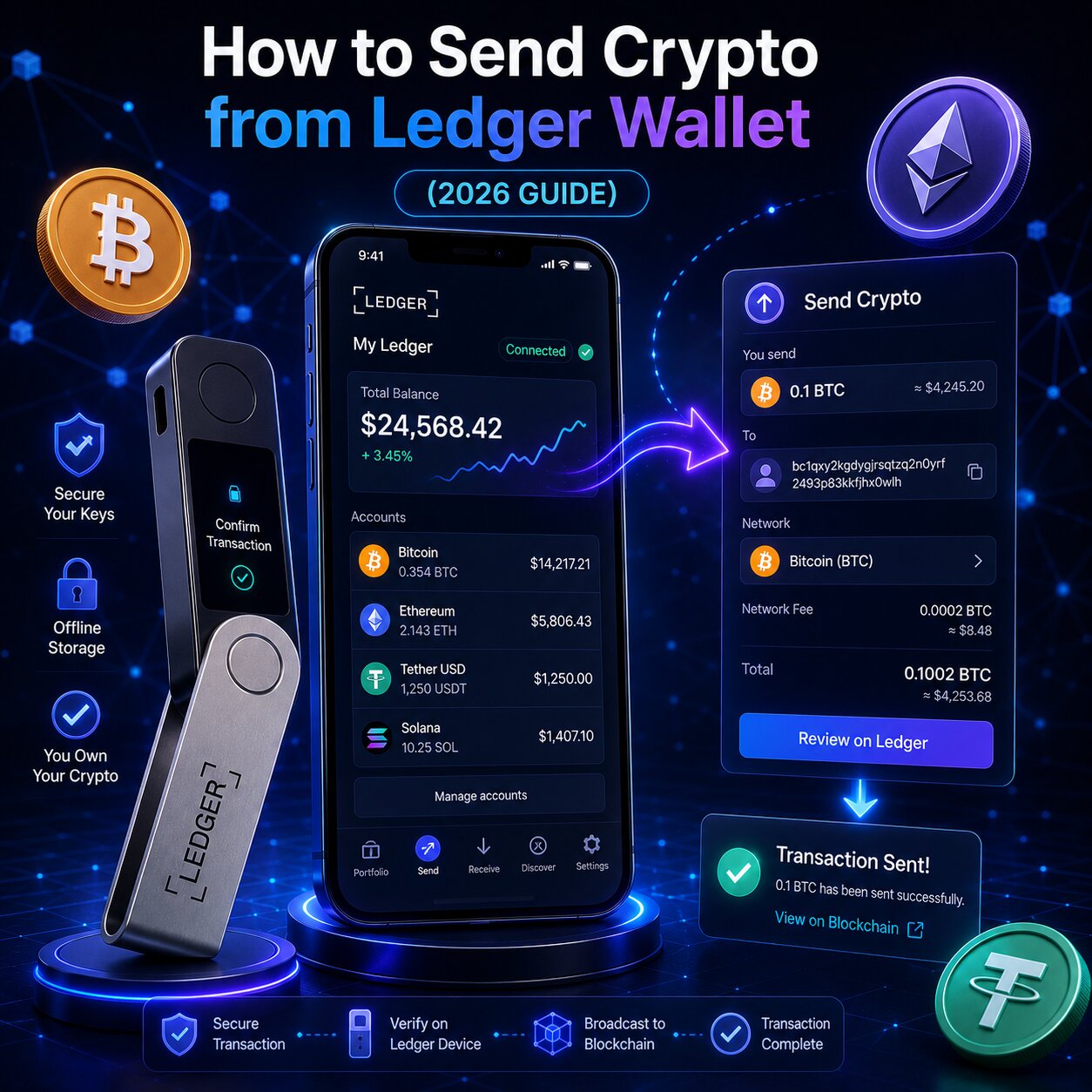
To receive crypto on a Ledger hardware wallet, generate a verified wallet address through Ledger Wallet app, confirm it on the Secure Screen powered by the Secure Element chip, and share the address using the correct blockchain network. The Ledger signer does not need to stay connected — funds arrive directly on the blockchain.
Receive Component
Role
Security Note
Public Address
Identifies destination on the blockchain
Safe to share — cannot expose private key
Blockchain Network
Routes funds to correct chain
Must match sender’s selected network exactly
Asset App
Enables address generation per asset
Must be installed before generating address
Secure Screen
Displays address from Secure Element chip
Verify here before sharing any address
QR Code
Encodes wallet address for scan-based sharing
Eliminates manual entry errors
A Ledger hardware wallet is a non-custodial cold storage device — private keys are stored offline in the Secure Element and never exposed to the internet.
The wallet address displayed in Ledger Wallet app and the address shown on the Secure Screen must match exactly before sharing with any sender.
Crypto assets exist on the blockchain — not on the device itself — so they arrive at the receiving address regardless of whether the Ledger signer is powered on.
Ledger supports 15,000+ assets across 90+ blockchains — each asset and blockchain network generates a unique receiving address.
What Is a Ledger Receive Address?
A Ledger receive address is a blockchain wallet address generated from the private key stored inside the Secure Element chip. Users share this address to accept crypto transfers without exposing private keys or granting any spending capability.
A wallet address is the equivalent of a bank account number — sharing it allows anyone to send funds but grants zero ability to spend them.
The private key inside the Secure Element mathematically derives the wallet address but can never be reverse-engineered from it.
Sharing a receiving address — including posting it publicly — is safe by design in all blockchain protocols.
What is the difference between a wallet address and a private key on Ledger?
Credential
Purpose
Safe to Share
Storage
Wallet Address (Public)
Receives incoming crypto
Yes – share freely
On blockchain (publicly visible)
Private Key
Authorizes outgoing transactions
Never
Secure Element chip — never leaves
Seed Phrase (24 words)
Regenerates all private keys
Never
Paper backup only
QR Code (of address)
Encodes wallet address for scanning
Yes – share freely
Generated by Ledger Wallet app
Does Ledger charge fees to receive crypto?
No. Ledger charges no fee for receiving crypto. The sender pays a network fee (gas fee) to broadcast the transaction to the blockchain — this goes to validators, not to Ledger. The recipient pays nothing to accept an incoming transfer.
How Ledger Generates Wallet Addresses
Ledger generates wallet addresses using the HD Wallet (Hierarchical Deterministic) architecture — a standard that derives all blockchain addresses from a single 24-word seed phrase via mathematically defined derivation paths.
How does each blockchain network produce a different address format?
Each blockchain uses a different address encoding standard. Sending ETH to a BTC address fails permanently — the two networks are incompatible at the protocol level.
Blockchain
App Required
Address Prefix
Format
Speed to Receive
Bitcoin
Bitcoin app
1, 3, or bc1
Base58 / Bech32
10–60 min
Ethereum
Ethereum app
0x
Hex (42 chars)
15 sec–5 min
Tron (USDT TRC-20)
Tron app
T
Base58
Under 1 min
BNB Chain
Ethereum app
0x
Hex (42 chars)
Under 1 min
Solana
Solana app
—
Base58 (44 chars)
Under 1 min
Cardano
Cardano app
addr1
Bech32
2–5 min
The Ledger Wallet app automatically generates the correct address format when an account is created for each asset — no manual configuration is required.
Assets on EVM-compatible chains — Ethereum, BNB Chain, Polygon, Arbitrum, Base — share the same 0x address format but operate on different networks.
Installing a new Asset App on the Ledger device does not move or affect any existing funds — it simply enables address generation for that blockchain.
After understanding address generation, verifying and sharing the address securely is the critical next step in the receive flow.
How to Receive Crypto on Ledger
To receive crypto on Ledger, connect the device, open the correct Asset App, generate the wallet address through Ledger Wallet app, verify it on the Secure Screen, then share it with the sender.
Steps:
Connect the Ledger signer to the computer via USB-C and unlock it by entering the PIN.
Open the correct Asset App on the device — the Ethereum app for ETH or ERC-20 tokens, the Bitcoin app for BTC, the Tron app for TRC-20 assets.
Open Ledger Wallet app on the computer and navigate to the Accounts tab.
Select the account and asset to receive, then click Receive.
The receiving address and QR Code appear in the Ledger Wallet app.
Click Verify your address — the full address appears on the Secure Screen of the hardware device.
Compare every character on the Secure Screen with the address in the Ledger Wallet app — they must match exactly.
Press the confirmation button on the device to approve the verified address.
Copy the address or display the QR Code, then share it with the sender or paste it into the exchange withdrawal form.
Funds arrive at the blockchain address — the device does not need to stay connected during the transfer.
What happens after crypto arrives at the Ledger address?
After a sender broadcasts the transaction, it enters the blockchain mempool — a waiting area for unconfirmed transactions. Validators confirm it in the next block, completing the on-chain settlement. The balance updates in Ledger Wallet app when the device syncs.
Transaction Lifecycle Stage
What Happens
User Action
1. Address shared
Sender initiates withdrawal or transfer
None
2. Transaction broadcast
Sender’s wallet submits to blockchain network
None
3. Mempool entry
Transaction waits for validator selection
None
4. Block confirmation
Validators include transaction in a block
None
5. Blockchain settlement
Transaction permanently recorded on-chain
None
6. Wallet synchronization
Ledger Wallet app reads blockchain and updates balance
Connect device
The only user action required after sharing the wallet address is connecting the device to trigger a wallet sync — the balance then reflects the received funds.
Blockchain explorer tools like Etherscan, mempool.space, and Solscan allow tracking the transaction by its hash without connecting the Ledger device.
How long does Ledger sync take?
Ledger wallet synchronization typically completes in under 30 seconds for most blockchains after the device connects. Bitcoin accounts with long transaction histories may take slightly longer due to the volume of data being read from the blockchain.
How to Verify a Ledger Receive Address
Verifying the receiving address on the Secure Screen is mandatory before sharing. The hardware display shows the address generated directly by the Secure Element — malware on the connected computer cannot alter what it shows.
Always click “Verify your address” in Ledger Wallet app and compare the full address on the Secure Screen before copying or sharing.
If the address on the Secure Screen does not match the Ledger Wallet app display, do not share either address — the software interface may be compromised.
Verifying the address takes under 30 seconds and is the primary defense against Address Spoofing attacks during the receive flow.
Can you reuse a Ledger receiving address?
Yes for most blockchains — Ethereum, BNB Chain, Solana, and other non-Bitcoin chains use a single persistent address per account. The same 0x address receives all ETH and ERC-20 tokens indefinitely.
The QR Code in Ledger Wallet app encodes the verified wallet address into a scannable format — eliminating manual address entry and the character errors that cause misdirected transfers.
Sharing Method
Error Risk
Best For
QR Code scan
Lowest
In-person transfers, mobile wallets
Copy and paste
Low
Remote transfers
Manual typing
Highest
Avoid entirely
Sharing a QR code screenshot is safe — it contains only the wallet address, which is publicly shareable by design.
The QR Code is generated from the verified address after Secure Screen confirmation — it encodes no private key or seed phrase information.
Senders who scan the QR code directly eliminate any opportunity for clipboard malware to intercept and replace the address during paste.
Does Ledger Need to Be Connected to Receive Crypto?
No. The Ledger signer does not need to stay connected to receive crypto. Funds arrive directly on the blockchain and appear in Ledger Wallet app after the next wallet sync.
Can exchanges block withdrawals to a Ledger address?
Most exchanges process withdrawals to any valid blockchain address including Ledger hardware wallet addresses. Some exchanges apply withdrawal limits or require address whitelisting for security — these are exchange-level restrictions, not Ledger limitations.
Address whitelisting on exchanges adds a delay before a new Ledger address can receive funds — typically 24–48 hours after the address is added.
Withdrawal fees charged by exchanges go to the blockchain network — Ledger receives no portion of any fee.
If an exchange rejects a Ledger address, verify the address format matches the network the exchange selected for the withdrawal.
How to Receive Bitcoin on Ledger
To receive Bitcoin on a Ledger wallet, install the Bitcoin app, create a Bitcoin account in Ledger Wallet app, verify the wallet address on the Secure Screen, and share it with the sender. Ledger generates a new Fresh Address after each Bitcoin transaction for privacy.
What is a Fresh Address and why does Ledger use it for Bitcoin?
A Fresh Address is an unused Bitcoin wallet address generated by the HD Wallet after each completed transaction. Using a new address for each receive prevents observers from linking multiple transactions to the same wallet — improving on-chain privacy.
Address State
Privacy
Still Valid for Receiving
Fresh Address (unused)
Higher
Yes
Previously used address
Lower – transactions linkable
Yes – all old addresses remain valid
Ledger Wallet app automatically displays the next Fresh Address each time the Bitcoin Receive function is opened.
All previous Bitcoin addresses generated by the same device remain permanently valid — funds sent to an old address credit to the same Bitcoin account.
The UTXO (Unspent Transaction Output) model Bitcoin uses means each Fresh Address tracks its own unspent balance independently before consolidation.
What Bitcoin address formats does Ledger support?
Format
Prefix
Fee Efficiency When Spending
Compatibility
Legacy
1…
Lower – higher fees
All wallets and exchanges
P2SH
3…
Medium
Most modern platforms
Native SegWit
bc1…
Highest – lowest fees
Most modern wallets and exchanges
Native SegWit (bc1) is the recommended format – it reduces transaction fees when the received Bitcoin is later spent.
If an exchange reports that a bc1 address is unsupported, use the Legacy (1…) format instead – both receive to the same Bitcoin account.
How to Receive USDT on Ledger
USDT exists simultaneously on multiple blockchains. Ledger lists each network version as a separate asset — selecting the wrong one generates a different blockchain address that is incompatible with the sender’s selected network.
USDT Network
Ledger App
Address Format
Gas Fee (Sender Pays)
Speed
ERC-20 (Ethereum)
Ethereum app
0x…
~$0.39–$0.67
1–5 min
BEP-20 (BNB Chain)
Ethereum app
0x…
~$0.01
Under 1 min
TRC-20 (Tron)
Tron app
T…
Very low
Under 1 min
Confirm with the sender which USDT network they will use before generating and sharing the receiving address — a network mismatch results in permanent loss.
The ERC-20 and BEP-20 USDT addresses share the same 0x format but are on different blockchains — they look identical visually but are incompatible.
TRC-20 USDT requires the Tron Asset App installed on the Ledger device — it generates a T-prefixed address distinct from the Ethereum-format addresses.
How to Receive NFTs on Ledger
NFTs are received at the same wallet address used for that blockchain’s native token — no separate NFT address is required. Received NFTs appear automatically in the NFT gallery within the Ledger Wallet app.
Which NFT standards and blockchains does Ledger support?
NFT Standard
Blockchain
Ledger Support
App Required
ERC-721
Ethereum
Yes
Ethereum app
ERC-1155
Ethereum
Yes
Ethereum app
ERC-721
Polygon
Yes
Ethereum app (Polygon network)
NFTs
XRP Ledger
Yes
XRP app
NFTs
Solana
Yes
Solana app
An NFT sent to a Ledger Ethereum address arrives at the same 0x address used for ETH — there is no separate NFT wallet address to generate.
The Ledger device does not need to be connected for NFTs to arrive — they transfer on the blockchain like any other on-chain asset.
Sending an NFT to an unsupported chain or incompatible token standard results in the NFT being inaccessible from that Ledger account.
Common Mistakes When Receiving Crypto on Ledger
Five mistakes cause most Ledger receive problems — all are preventable with address verification and network confirmation before sharing any receiving address.
Mistake
Consequence
Prevention
Sharing address without Secure Screen verification
Address Spoofing goes undetected
Always click Verify address before copying
Wrong blockchain network shared
Sender deposits on wrong chain – permanent loss
Confirm network with sender before generating address
Sharing address from clipboard after malware swap
Funds sent to attacker’s address
Verify address on Secure Screen — share directly from app
Sending NFT to unsupported chain
NFT inaccessible from Ledger
Confirm chain compatibility in Ledger Wallet app first
Assuming token is supported without checking
Asset not visible after arrival
Check supported assets list in Ledger Wallet app before requesting
The most common mistake is skipping Secure Screen verification – a 30-second step that prevents Address Spoofing entirely.
Wrong network selection causes permanent loss because blockchains are not interoperable – always confirm the network with the sender before generating the receiving address.
Phishing attacks targeting the receive flow often involve fake Ledger Wallet app interfaces – always download Ledger software only from ledger.com.
Ledger Address Spoofing Risks
Address Spoofing is the primary security threat during the receive flow. It occurs when malware replaces the wallet address in the Ledger Wallet app display with an attacker’s address – before the user copies and shares it with a sender.
How does Address Spoofing target Ledger users?
Attack Method
How It Works
Defense
Software address replacement
Malware injects attacker address into Ledger Wallet app display
Verify address on Secure Screen before copying
Fake QR code presented to sender
Attacker intercepts and replaces QR code image
Share QR directly from Ledger Wallet app — do not retype
Clipboard swap after copy
Malware replaces copied address during paste into exchange form
Sender verifies destination address before confirming withdrawal
The Secure Screen shows the address generated directly by the Secure Element — computer malware cannot alter this display.
Verifying every character on the Secure Screen before copying and sharing is the only reliable defense against all software-based Address Spoofing attacks.
Is it safe to share a Ledger wallet address publicly?
Yes. A wallet address reveals only the ability to send funds to that location – it grants zero spending capability. Transaction history and balance for any public address are visible on blockchain explorers by design – this is a feature of public blockchains, not a security weakness. The private key and 24-word seed phrase are the only credentials that must never be shared.
Why Received Crypto Is Not Showing on Ledger
Received crypto that does not appear in Ledger Wallet app has five causes — none involve fund loss if the correct blockchain network was used.
Cause
Symptom
Fix
App not synced
Balance shows old amount
Connect device – sync triggers automatically
Account not added in app
Asset on blockchain but invisible in app
Add account for that asset in Ledger Wallet app
Wrong network received
Funds on different chain
Add account for that specific network to access funds
Custom ERC-20 token
Token received but not listed
Add token via contract address in account settings
Insufficient confirmations
Transaction pending
Wait for blockchain confirmations — check status on blockchain explorer
Conditional logic:
If the Transaction Hash is confirmed on a blockchain explorer but Ledger Wallet app shows no balance — connect the device and allow a full sync to complete.
If the Transaction Hash shows funds on a different blockchain network — add an account for that network in Ledger Wallet app to reveal the balance.
If the token is an ERC-20 asset not in the default list — add it manually using the contract address from Etherscan or the token’s official project page.
Can you receive crypto on Ledger without Ledger Wallet app?
Yes. Any wallet address previously generated and verified through Ledger Wallet app is permanently valid. Reinstalling the app and syncing the device reveals the full balance and transaction history. Third-party read-only tools can also derive the wallet address from the device’s public key (xpub) without requiring the seed phrase.
FAQ
How do I receive crypto to my Ledger wallet?
Open Ledger Wallet app, connect the device, select the asset account, click Receive, verify the address on the Secure Screen character by character, then copy it or display the QR code. Share the verified address with the sender or paste it into the exchange withdrawal form.
Does Ledger need to be connected to receive crypto?
No. Ledger does not need to stay connected to receive crypto. Funds arrive directly on the blockchain and appear after the next wallet sync. Connect the device and open Ledger Wallet app to trigger synchronization and see the updated balance.
How do I find my Ledger wallet address?
Open Ledger Wallet app, navigate to Accounts, select the asset account, and click Receive. The wallet address and QR code appear immediately. Always click Verify your address and confirm the full address on the Secure Screen before copying or sharing it with any sender.
Can I receive crypto on Ledger without Ledger Live?
Yes. Any wallet address previously generated and verified remains permanently valid for receiving. Funds sent to that address arrive on the blockchain regardless of whether Ledger Wallet app is installed. Reinstall the app and sync the device to view the balance.
Why is my Ledger not showing received crypto?
Received crypto does not appear when the app has not synced, the account has not been added, or the sender used a different blockchain network. Connect the device to trigger a sync, verify the account exists for the correct network, and check the Transaction Hash on a blockchain explorer to confirm which chain received the funds.
How do I receive Bitcoin to my Ledger wallet?
Install the Bitcoin app on the Ledger device, create a Bitcoin account in Ledger Wallet app, click Receive, verify the Fresh Address on the Secure Screen, and share it with the sender. Ledger generates a new Fresh Address after each transaction for privacy — all previous Bitcoin addresses remain permanently valid.
Can I receive NFTs on my Ledger wallet?
Yes. Ledger supports ERC-721 and ERC-1155 NFTs on Ethereum and Polygon, plus NFTs on XRP Ledger and Solana. NFTs are received at the same wallet address used for that blockchain’s native token. Received NFTs appear automatically in the NFT gallery in Ledger Wallet app after the device syncs.
Is it safe to share my Ledger wallet address?
Yes. A wallet address allows anyone to send funds but grants zero ability to spend or access them. Sharing it publicly is safe by design in all blockchain protocols. Only the private key inside the Secure Element and the 24-word seed phrase authorize spending — never share either under any circumstance.