How to Recover Your Trust Wallet (2026 Guide)
Trust Wallet recovery regenerates all Private Keys using a 12-word Recovery Phrase via BIP39 and BIP44 derivation paths. The phrase deterministically reconstructs wallet addresses across 100+ supported blockchains β any variation in word or order produces a different cryptographic identity.
| Recovery Method | Scope | Platform | Key Standard |
| Recovery Phrase (12 words) | Multi-coin Wallet β all 100+ chains | Mobile + Browser Extension | BIP39 + BIP44 |
| Private Key | Single chain β one address only | Mobile only | Chain-specific |
What is Trust Wallet recovery and when do you need it?
Trust Wallet recovery reinstates wallet access by re-deriving Private Keys from the 12-word Recovery Phrase. It is required when the app is reinstalled, the device is replaced, or the wallet is migrated.
- Recovery Phrase authenticates wallet ownership across any BIP39-compatible device
- Your 12-24 word recovery phrase acts as your wallet’s universal proof of ownership
- You can restore your wallet on any compatible device simply by entering this phrase
- No device lock-in β works across phones, tablets, and hardware wallets
- Recovery does not require Trust Wallet servers, support tickets, or identity verification
- The recovery process is completely independent of Trust Wallet as a company
- You do not need to contact support or prove your identity to anyone
- Even if Trust Wallet shuts down, your wallet can still be recovered
- Non-custodial Wallet transfers full cryptographic control to the Recovery Phrase holder
- Trust Wallet never holds or stores your funds β you are your own bank
- Whoever physically possesses the recovery phrase has 100% control of the wallet
- This means: keep your phrase safe β losing it means losing access forever
Why does Trust Wallet recovery depend entirely on the Recovery Phrase?
Trust Wallet is a Non-custodial HD Wallet β Private Keys are generated locally using BIP44 derivation paths and never transmitted to any server. The 12-word Recovery Phrase is the only input that can reconstruct the full hierarchical deterministic address tree.
| What Recovers a Trust Wallet | What Cannot Recover It |
| 12-word Recovery Phrase (exact order) | Email or phone number |
| Private Key (single chain only) | Trust Wallet support intervention |
| BIP39-compatible phrase from MetaMask, Phantom | Password or PIN reset |
| β | Third-party Recovery Scam services |
BIP39 Standard selects 12 words from a fixed 2,048-word mnemonic word list
- Your recovery phrase is not random gibberish – it comes from a fixed list of exactly 2,048 words
- BIP39 picks 12 (or 24) of these words in a specific order to represent your wallet’s master key
- Same words, same order = same wallet, every single time
BIP44 Derivation Path determines which Public Address each word sequence generates
- Once BIP39 creates the phrase, BIP44 acts like a map
- It converts your word sequence into specific wallet addresses (Bitcoin, Ethereum, etc.)
- Different coins get different addresses – all derived from the same single phrase
HD Wallet rebuilds all chain addresses from a single BIP39 phrase deterministically
- HD = Hierarchical Deterministic – means it always produces the same result
- One recovery phrase β automatically regenerates ALL your addresses across ALL chains
- No need to back up each coin separately – one phrase covers everything
Losing Recovery Phrase + device produces permanent, cryptographically irreversible fund loss
- If you lose both your device AND your recovery phrase – funds are gone forever
- No company, no support team, no government can recover it
- Cryptography does not have a “forgot password” optionΒ
What are the 4 scenarios that require Trust Wallet wallet recovery?
| Scenario | Recovery Input | Outcome |
| Reinstalled the app | Recovery Phrase | Full Multi-coin Wallet restored |
| Switched to new phone | Recovery Phrase | All 100+ chains accessible on new device |
| Multiple device access | Recovery Phrase on each | Identical HD Wallet β independent instances |
| Accidentally deleted wallet | Recovery Phrase | All assets restored via blockchain sync |
What is the difference between a Recovery Phrase and a Private Key in Trust Wallet?
A Recovery Phrase regenerates all Private Keys across every chain via BIP44 derivation paths. A Private Key controls one specific Public Address on one chain only. Recovery Phrase is always the preferred method for full wallet restoration.
Definition:
Recovery Phrase derives a hierarchical deterministic tree of Private Keys via BIP44 Your 12-word recovery phrase is the root of everything. Using BIP44, it mathematically generates a full tree of private keys β one for each coin and address. Change even one word, and the entire tree changes completely.
Private Key controls one specific Public Address on one blockchain only Each private key is linked to exactly one wallet address on one specific blockchain. It acts like a unique password that proves ownership and authorizes transactions. A Bitcoin private key cannot control an Ethereum address β each key is chain-specific.
HD Wallet is a wallet architecture that generates unlimited addresses from one Recovery Phrase HD (Hierarchical Deterministic) wallet is the system that makes all of this work together. Instead of managing hundreds of separate keys, one recovery phrase silently generates unlimited addresses across multiple blockchains β all organized, all recoverable, all from a single backup.
Function:
| Feature | Recovery Phrase | Private Key |
| Scope | All chains β full HD Wallet | Single chain β one Public Address |
| Standard | BIP39 + BIP44 | Chain-specific key format |
| Restores Multi-coin Wallet | Yes | No |
| Import platform | Mobile + Browser Extension | Mobile only |
| Risk if exposed | Entire HD Wallet compromised | One Public Address compromised |
| Derivation | Generates all Private Keys | Cannot generate Recovery Phrase |
Recovery Phrase derives Private Keys mathematically – derivation is one-way only The recovery phrase generates private keys through a mathematical process that only works in one direction. You can always go from phrase β private key, but you can never reverse it. No amount of computing power can work backwards from a private key to reconstruct the original recovery phrase.
Private Key cannot regenerate the Recovery Phrase or other chain addresses Each private key is an endpoint – it knows nothing about where it came from. It cannot recreate the recovery phrase, and it has zero knowledge of other private keys in the same HD wallet tree. Every key is isolated and independent once derived.
Exposed Private Key compromises one Public Address – not the full HD Wallet If someone gets hold of your private key, the damage is limited to that one specific address on that one blockchain. Your other addresses, other chains, and the recovery phrase itself remain completely safe. This is the key security advantage of HD wallets β one leaked key does not mean total wallet compromise.
When does Trust Wallet recovery require a Recovery Phrase vs a Private Key?
Use Recovery Phrase when restoring a Multi-coin Wallet. Use Private Key only when recovering a single-chain address on the mobile app and Recovery Phrase is unavailable.
| Recovery Goal | Recovery Phrase | Private Key |
| Full Multi-coin Wallet restore | Only option | Not supported |
| Single Ethereum address restore | Yes | Mobile only |
| Browser Extension restore | Yes | Not supported |
| Import from MetaMask / Phantom | Yes – BIP39 compatible | Single chain only |
Which recovery method is safest for large funds?
Recovery Phrase is safer for large fund recovery – it restores the full HD Wallet without exposing individual Private Keys. Private Key exposure risks one address; Recovery Phrase exposure risks the entire wallet.
| Factor | Recovery Phrase | Private Key |
| Exposure risk | Entire HD Wallet | Single address only |
| Recovery scope | All 100+ chains | One chain |
| Recommended for large holdings | Yes – with offline backup | Only for single-chain access |
| Hardware Wallet compatibility | Same BIP39 standard | Hardware Wallet uses Recovery Phrase |
What does BIP39 Standard and BIP44 Derivation Path define for Trust Wallet recovery?
Definition: BIP39 defines a 2,048-word mnemonic word list from which 12-word Recovery Phrases are generated. BIP44 defines the hierarchical derivation path that maps each phrase to specific blockchain addresses.
Function:
BIP39, BIP44 & HD Wallet Path – Explained
- BIP39 Standard generates Recovery Phrase from 2,048-word list using cryptographic entropy
- Cryptographic entropy means pure randomness generated by your device
- This randomness is converted into a sequence of 12 or 24 words pulled from a fixed 2,048-word list
- The result is your recovery phrase β unique, secure, and mathematically unpredictable
- BIP44 Derivation Path maps Recovery Phrase to specific Public Addresses per chain
- BIP44 takes your recovery phrase and acts as a routing system
- It assigns a unique derivation path for each blockchain (Bitcoin, Ethereum, BNB, etc.)
- Same phrase β different path β different address for each chain, every time consistently
- HD Wallet uses path format “m/44’/coin_type’/account’/change/address_index”
- This path is the exact address of each key inside the HD wallet tree
- m = master root (your recovery phrase)
- 44′ = BIP44 standard being used
- coin_type’ = which blockchain (e.g. 0′ = Bitcoin, 60′ = Ethereum)
- account’ = which account number (usually 0)
- change = 0 for receiving address, 1 for internal change address
- address_index = which specific address (0, 1, 2, 3…)
Example β BIP44 Derivation Paths used by Trust Wallet:
| Chain | BIP44 Derivation Path | Public Address Format |
| Ethereum | m/44’/60’/0’/0/0 | 0x… (42 chars) |
| Bitcoin | m/44’/0’/0’/0/0 | 1… or bc1… |
| BNB Chain | m/44’/60’/0’/0/0 | 0x… (same as ETH) |
| Solana | m/44’/501’/0’/0′ | Base58 (44 chars) |
Risk: Entering the correct 12 words in the wrong sequence produces a different BIP44 derivation tree β a completely different HD Wallet with different addresses and balances.
Verification: Cross-reference the first Public Address generated after recovery against the original address using Etherscan (Ethereum) or BscScan (BNB Chain) to confirm the correct wallet was restored.
How do you recover your Trust Wallet using a Recovery Phrase on mobile β step by step?
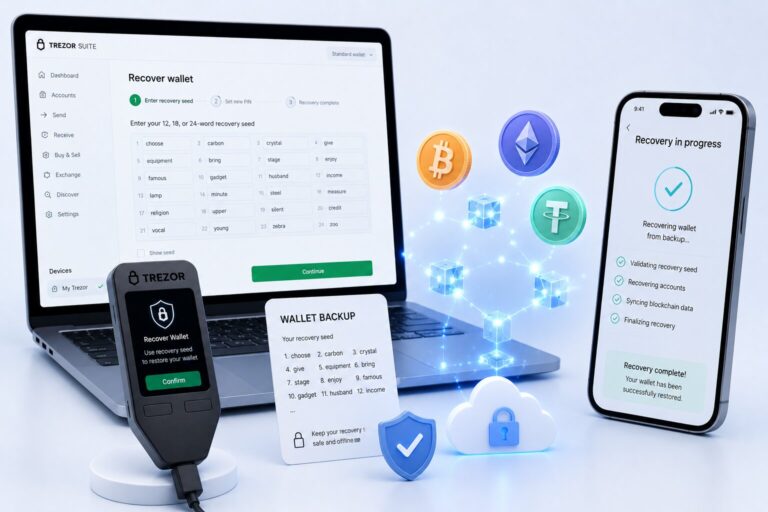
Trust Wallet mobile recovery re-derives all HD Wallet addresses from the 12-word Recovery Phrase. Select “I already have a wallet” β not “Create new wallet” β to avoid generating a new empty HD Wallet.
Steps β Mobile Recovery:
- Download Trust Wallet from App Store or Google Play (official sources only)
- Open app β tap I already have a wallet
- Tap Secret Phrase
- Accept Terms of Service β tap Continue
- Select Multi-coin Wallet (restores all 100+ chain addresses)
- Enter all 12 words in exact BIP39 order β one word per field
- Verify spelling β all words must appear in BIP39’s 2,048-word list
- Tap Restore Wallet
- Set PIN β enable Biometric Auth (Face ID or fingerprint)
- Wait for blockchain sync β typically 10 seconds to 2 minutes
Trust Wallet disables screenshots during Recovery Phrase entry β this is a deliberate security protection, not a bug.
What errors prevent Trust Wallet recovery from completing?
| Error Type | Cause | Conditional Fix |
| Wrong word in phrase | Word not in BIP39 2,048-word list | Check spelling against original backup |
| Correct words, wrong order | Different BIP44 derivation tree generated | Re-enter in correct sequence |
| Zero balance after restore | Wrong phrase sequence β different HD Wallet | Verify Public Address matches original |
| Missing tokens after restore | Token not enabled by default | Manually enable token via Manage Crypto |
| Custom network missing | Network config not stored in Recovery Phrase | Re-add custom networks manually |
Conditional logic:
- If balance shows zero after correct restore, it means wrong phrase sequence – not lost funds
- If address is different from original address, a different HD Wallet was generated – re-enter phrase
- If tokens are missing but balance is correct, enable tokens manually in Manage Crypto
What happens if you enter the wrong word order during Recovery Phrase import?
Wrong word order silently generates a different HD Wallet with different BIP44 derivation paths – Trust Wallet shows zero balance, not an error. The original funds remain on the blockchain – inaccessible until the correct sequence is entered.
- Incorrect phrase order produces an unrelated HD Wallet with zero balance
- BIP44 derivation is deterministic and sequence-sensitive – every word position matters
- Zero balance indicates wrong sequence – original funds remain on blockchain untouched
- Blockchain Explorer verifies whether recovered Public Address matches original
How do you verify a correct Trust Wallet recovery?
A successful recovery displays the correct Public Address and matching balance. Verify using a Blockchain Explorer β not just the Trust Wallet interface β to confirm authenticity.
Verification steps:
Step 1: Tap the Asset After completing recovery, open Trust Wallet and tap on the asset you want to verify, for example Ethereum or BNB. This will open the asset’s detail page inside the app.
Step 2: Copy Your Public Address On the asset page, you will see your Public Address displayed. Tap on it to copy it. This is the wallet address that holds your funds on the blockchain.
Step 3: Open the Block Explorer Open your browser and go to the correct block explorer for your chain. Use Etherscan for Ethereum and ERC-20 tokens. Use BscScan for BNB Chain and BEP-20 tokens.
Step 4: Paste the Public Address In the search bar of the block explorer, paste the Public Address you copied from Trust Wallet. Hit search and the blockchain will show you the complete transaction history and current balance of that address.
Step 5: Check if Balance Matches Compare the balance shown on the block explorer with the amount you expected to see. If the numbers match, your wallet has been recovered correctly and all funds are safe.
Step 6: Confirm Recovery Result If the balance matches your expected amount, your recovery was successful. If the balance shows zero or the address looks different from what you remember, it means the wrong Recovery Phrase or wrong word sequence was entered and recovery needs to be attempted again.
| Verification Check | Tool | Confirms |
| ETH balance + address | Etherscan.io | Correct HD Wallet restored |
| BNB balance + address | BscScan.com | Correct BNB Chain address |
| SOL balance + address | Solscan.io | Correct Solana address |
| BTC balance + address | Blockchain.com | Correct Bitcoin address |
- Blockchain Explorer confirms recovered Public Address matches original on-chain record
- Gas Fee balance must be sufficient on each chain to execute transactions after recovery
- Token visibility requires manual enablement for non-default tokens via Manage Crypto
How long does Trust Wallet recovery take?
Trust Wallet recovery takes 10 seconds to 2 minutes for phrase validation and initial sync. Full token visibility may take up to 5 minutes depending on network congestion.
| Recovery Phase | Duration | Depends On |
| Phrase validation (BIP39 check) | ~5β10 seconds | Device processing speed |
| HD Wallet address derivation | ~5β15 seconds | Number of chains enabled |
| Blockchain sync (balance load) | 30 seconds β 2 minutes | Network congestion |
| Full token visibility | Up to 5 minutes | Number of assets and chains |
| Missing tokens (manual enable) | Per token β seconds | User action required |
How do you recover Trust Wallet using the Browser Extension β step by step?
Trust Wallet Browser Extension recovery re-derives the HD Wallet from the Recovery Phrase via “Recover with mnemonic.” Available on Chrome, Brave, Edge, and Opera.
New Browser Extension Installation
- Install the Trust Wallet extension from the official browser store.
- Open the extension and select Recover with mnemonic.
- Set a secure extension password.
- Accept the Terms of Service and security warnings.
- Enter your 12-word recovery phrase in exact BIP39 order.
- Click Next to allow the HD wallet to derive and sync.
Adding to an Existing Extension
- Open Settings and select Manage Wallets.
- Tap Add new wallet and choose Recover with mnemonic.
- Enter your recovery phrase and follow the on-screen prompts.
How does Browser Extension recovery differ from mobile app recovery in Trust Wallet?
| Step | Mobile App | Browser Extension |
| Entry point | “I already have a wallet” | “Recover with mnemonic” |
| Biometric Auth | β Face ID / fingerprint | β Password only |
| Private Key import | β Supported | β Not supported |
| Multi-coin HD Wallet restore | β Yes | β Yes |
| Auto-sync with mobile | β Independent instance | β Independent instance |
| Ledger Hardware Wallet support | β Via extension | β Via extension |
Same Recovery Phrase derives identical HD Wallet independently on each platform
- Your recovery phrase generates the exact same wallet on any platform or device
- Whether you restore on mobile, browser extension, or hardware wallet β the result is always identical
- Each platform works independently but produces the same addresses and balances from the same phrase
Browser Extension does not sync with mobile – same phrase needed on each device
- Trust Wallet mobile and browser extension are two completely separate applications
- They do not communicate or sync with each other automatically
- To access your wallet on the browser extension, you must manually enter the same recovery phrase again
- Having it on mobile does not automatically make it available on the extension
Custom networks must be re-added separately on Browser Extension after recovery
- Default networks like Ethereum and BNB Chain appear automatically after recovery
- However any custom or manually added networks are not saved or synced anywhere
- After recovering on the browser extension, you will need to go to network settings and re-add each custom network manually
- This includes custom RPC URLs, chain IDs, and network names that you had configured before
How do you import Trust Wallet using a Private Key – and when does it not work?
Private Key import restores one single-chain Public Address on Trust Wallet mobile only. It does not reconstruct the HD Wallet and is not supported on the Browser Extension.
Steps – Private Key Import (Mobile Only):
- Open Trust Wallet and tap Settings.
- Tap Wallets, then tap the β+β icon in the top right corner.
- Select Add existing wallet and choose the desired chain (for example, Ethereum).
- Choose Private Key as the import method.
- Paste your private key and tap Import to complete the process.
| Private Key Import Limitation | Detail |
| Platform | Mobile only |
| Scope | One Public Address on one chain |
| HD Wallet reconstruction | β Not possible |
| BIP44 derivation tree | β Not restored |
| Browser Extension | β Not supported |
Private Key controls one Public Address – does not reconstruct BIP44 derivation tree
- A private key is the final endpoint of the HD wallet tree – it only knows its own address
- It has no information about the derivation tree, the recovery phrase, or any other addresses
- Using a private key gives you access to exactly one address on one chain – nothing more, nothing less
Multi-coin HD Wallet requires Recovery Phrase – Private Key cannot substitute it
- If you want to restore a full multi-coin wallet with all chains and all addresses, only the recovery phrase can do that
- A private key is chain-specific and address-specific – it cannot unlock other coins or other addresses
- There is no workaround – recovery phrase is the only complete backup for a multi-coin HD wallet
Exposed Private Key risks one address – Recovery Phrase exposure risks all 100+ chains
- If someone gets your private key, they can only access and drain that one specific address
- The rest of your wallet across all other chains remains completely safe and untouched
- However if someone gets your recovery phrase, they instantly have full access to every address across every chain in your entire HD wallet
- This is why recovery phrase protection is far more critical than protecting any individual private key
How do you import another wallet into Trust Wallet using its Recovery Phrase?
Any BIP39-compatible wallet’s Recovery Phrase imports into Trust Wallet. The imported wallet derives identical HD Wallet addresses – same BIP44 paths, same Public Addresses, same balances.
Which wallets can be imported into Trust Wallet using a Recovery Phrase?
| Source Wallet | Recovery Phrase Location | BIP39 Compatible |
| MetaMask | Settings β Security & Privacy β Reveal Secret Recovery Phrase | β Yes |
| Phantom | Settings β Security & Privacy β Show Secret Recovery Phrase | β Yes |
| Coinbase Wallet | Settings β Security β Recovery Phrase | β Yes |
| 1inch Wallet | Security settings | β Yes |
| Atomic Wallet | Security settings | β Yes |
BIP39 compatibility ensures identical Public Addresses generated across all supported wallets
- BIP39 is a universal standard followed by most major wallets like Trust Wallet, MetaMask, Ledger, and Exodus
- Because they all follow the same standard, the same recovery phrase always generates the exact same addresses on every supported wallet
- This means you are never locked into one app β your wallet is fully portable across any BIP39 compatible platform
Imported HD Wallet appears as separate wallet inside Trust Wallet’s Manage Wallets
- When you import a wallet using a recovery phrase, Trust Wallet does not replace your existing wallet
- It adds the imported wallet as a completely separate entry inside Manage Wallets section
- You can switch between multiple wallets anytime β each one is independent with its own addresses and balances
Gas Fee is required on each chain to transact after import β ensure native token balance
- After importing your wallet, your tokens will be visible but you cannot move them without gas fees
- Each blockchain requires its own native coin to process any transaction β ETH for Ethereum, BNB for BNB Chain, MATIC for Polygon, and so on
- If your native token balance is zero on any chain, top it up first before attempting any transfers
- Without gas fees, funds are visible but completely locked and non-transferable
Can Trust Wallet recover your wallet if you lose the Recovery Phrase?
No. Trust Wallet cannot recover a wallet without the Recovery Phrase. As a Non-custodial HD Wallet, Trust Wallet stores no user credentials β no server, no support team, no Recovery Scam service can reconstruct a BIP44 address tree without the original 12-word phrase.
What does permanent loss mean in a Non-custodial Wallet like Trust Wallet?
Permanent loss means on-chain funds remain on the blockchain permanently – but are cryptographically inaccessible without the Recovery Phrase that generated the BIP44 derivation tree.
| Scenario | Outcome |
| Lost device β have Recovery Phrase | β Full HD Wallet restored |
| Lost device β no Recovery Phrase | β Permanent cryptographic loss |
| Forgot PIN β have Recovery Phrase | β Reinstall + restore |
| Forgot PIN β no Recovery Phrase | β Permanent loss |
| Deleted app β have Recovery Phrase | β Full restore on reinstall |
| Deleted app β no Recovery Phrase | β Permanent loss |
Non-custodial Wallet stores no Recovery Phrase on Trust Wallet servers ever
- Trust Wallet never uploads, saves, or stores your recovery phrase anywhere on its servers
- Your phrase exists only on your device and wherever you have physically written it down
- This means Trust Wallet support cannot help you recover your wallet if your phrase is lost
- Full control and full responsibility both belong entirely to you as the wallet owner
On-chain funds remain on blockchain but BIP44 derivation path is inaccessible
- Your funds are never actually inside the app β they live permanently on the blockchain
- Without the correct recovery phrase, the BIP44 derivation path cannot be reconstructed
- This means your funds are technically still there on the blockchain but completely unreachable
- No one can move or access those funds without the exact phrase that generated the wallet
Forgot password differs from lost Recovery Phrase – PIN reset requires reinstall and phrase
- Forgetting your PIN or app password is a minor issue and does not mean your wallet is lost
- You can simply uninstall and reinstall Trust Wallet to reset the PIN
- However reinstalling will remove local wallet data, so you must re-enter your recovery phrase to restore access
- Losing your recovery phrase is permanent and cannot be fixed by any reset or reinstall
How do Recovery Scam services target Trust Wallet users who lost their phrase?
Definition: A Recovery Scam is a fraudulent service claiming to unlock wallets or recover lost crypto β always requesting the Recovery Phrase or Private Key.
Risk:
| Recovery Scam Red Flag | What It Signals |
| Claims to recover lost crypto | Blockchain is cryptographically irreversible |
| Requests 12-word Recovery Phrase | Scam – grants full HD Wallet control |
| Charges upfront fee for recovery | Scam – payment before fabricated delivery |
| Impersonates Trust Wallet support | Trust Wallet never requests Recovery Phrase |
| Offers “wallet unlock” service | No such cryptographic service exists |
How do you back up and secure a Trust Wallet Recovery Phrase to prevent future loss?
Secure backup stores the 12-word Recovery Phrase offline β separated from internet-connected systems. Digital storage creates attack vectors that offline paper backup eliminates entirely.
Recovery Phrase must be stored offline β paper, metal backup plate, or Hardware Wallet
- Your recovery phrase should never exist in any digital form on any connected device
- Writing it on paper and storing it in a secure physical location is the most basic safe method
- A metal backup plate is more durable and protects against fire, water, and physical damage
- A hardware wallet like Ledger or Trezor stores the phrase in an offline encrypted chip β the most secure option available
Digital storage exposes BIP39 phrase to malware, phishing, and remote access attacks
- Saving your phrase in notes, screenshots, emails, or cloud storage puts it at serious risk
- Malware can silently scan your device and extract any stored text or images
- Phishing attacks trick you into entering your phrase on fake websites
- Remote access attacks allow hackers to view your screen or files without your knowledge
- One digital leak of your phrase means instant and total loss of all funds across all chains
Splitting phrase into two halves reduces single-location exposure risk
- Instead of storing all 12 words in one place, split them into two groups of 6 words
- Store each half in a separate secure physical location
- A thief finding one half cannot reconstruct the full wallet without the second half
- This significantly reduces the risk of total loss from a single physical security breach
Why should you never store a Recovery Phrase digitally or in cloud storage?
Digital storage exposes the Recovery Phrase to remote compromise β hackers, malware, and phishing attacks can access any internet-connected storage. A stolen Recovery Phrase reconstructs the full HD Wallet β all 100+ chain balances are transferable within seconds.
| Storage Method | Risk Level | Recommendation |
| Paper (offline, multiple copies) | β Very Low | Best for most users |
| Metal backup plate (fireproof) | β Very Low | Best for fire/flood resistance |
| Hardware Wallet (Ledger/Trezor) | β Very Low | Best for large holdings |
| Phone notes app | β High | Device compromise risk |
| Cloud storage (Google Drive, iCloud) | β Very High | Remote access risk |
| Email draft | β Very High | Account breach risk |
| Screenshot | β High | Trust Wallet deliberately blocks screenshots |
How does a Hardware Wallet add protection beyond Trust Wallet’s Recovery Phrase?
Definition: A Hardware Wallet is a physical offline device that stores Private Keys in a secure element β isolated from internet-connected threats.
Function:
- Hardware Wallet β stores β Private Keys in offline secure element β never exposed to internet
- Hardware Wallet β requires β physical button confirmation for every transaction
- Trust Wallet Browser Extension β supports β Ledger Hardware Wallet connection
| Security Layer | Trust Wallet (Hot Wallet) | Hardware Wallet |
| Private Key storage | Device secure hardware | Offline secure element |
| Internet exposure | Present β hot wallet | None β air-gapped |
| Transaction confirmation | PIN or Biometric Auth | Physical button press |
| Recovery mechanism | BIP39 Recovery Phrase | BIP39 Recovery Phrase (same) |
| Best for | Active trading, small-medium holdings | Long-term, large holdings |
Hardware Wallet stores Private Keys in offline secure element β never exposed to internet
- A hardware wallet is a physical device that keeps your private keys locked inside an offline secure chip
- The private key never leaves the device and is never transmitted to any connected app or website
- Even if your computer is fully compromised by malware, your private keys remain completely safe inside the device
- This makes hardware wallets the most secure method of storing crypto private keys available today
Hardware Wallet requires physical button confirmation for every transaction
- No transaction can be signed or approved without you physically pressing a button on the hardware device
- This means even if a hacker controls your computer remotely, they cannot execute any transaction without physical access to your device
- Every transfer, swap, or contract interaction must be manually reviewed and confirmed on the hardware wallet screen
- This single requirement eliminates the majority of remote hacking and phishing threats completely
Trust Wallet Browser Extension supports Ledger Hardware Wallet connection
- Trust Wallet Browser Extension allows you to connect your Ledger device directly to the wallet interface
- This gives you the convenience of Trust Wallet combined with the security of Ledger hardware protection
- All transaction signing happens on the Ledger device itself β never inside the browser or extension
- This combination is currently one of the safest ways to interact with Web3 applications and DeFi platforms
FAQ
How do I recover my Trust Wallet?
Recover Trust Wallet by installing the app, tapping “I already have a wallet,” selecting Secret Phrase, entering all 12 words in exact BIP39 order, selecting Multi-coin Wallet, and tapping Restore Wallet. Verify recovery by checking the Public Address on Etherscan or BscScan.
Can I recover Trust Wallet without a Recovery Phrase?
No. Trust Wallet is a Non-custodial HD Wallet β no server stores credentials. Without the 12-word Recovery Phrase, the BIP44 derivation tree cannot be reconstructed. Private Key import works for single-chain only. Trust Wallet support cannot intervene β no server backup exists.
What happens if I lose my Trust Wallet Recovery Phrase?
Losing the Recovery Phrase with no device access results in permanent, cryptographically irreversible fund loss. On-chain funds remain on the blockchain but are inaccessible. Avoid Recovery Scam services β they request your phrase to steal remaining funds, not recover lost ones.
How do I import Trust Wallet to a new phone?
Install Trust Wallet on the new phone, tap “I already have a wallet,” enter the 12-word Recovery Phrase in exact BIP39 order, select Multi-coin Wallet, and tap Restore Wallet. Verify the recovered Public Address on Etherscan. Re-enable Biometric Auth and re-add custom networks.
Can Trust Wallet recover my funds?
No. Trust Wallet is Non-custodial β it never holds or controls funds. Only the Recovery Phrase can reconstruct the BIP44 address tree. Blockchain transactions are cryptographically irreversible β funds sent to wrong addresses cannot be retrieved by Trust Wallet or any other party.
What is the difference between Recovery Phrase and Private Key in Trust Wallet?
Recovery Phrase is a 12-word BIP39 mnemonic that derives all Private Keys via BIP44 derivation paths β restoring the full Multi-coin HD Wallet across 100+ chains. Private Key controls one Public Address on one chain only. Recovery Phrase derives Private Keys β Private Key cannot reverse-derive the phrase.
Can I restore Trust Wallet on multiple devices?
Yes. The same 12-word Recovery Phrase restores identical HD Wallet addresses on multiple devices simultaneously. Each device operates as an independent instance – Biometric Auth and custom settings must be configured separately. Anyone with the phrase controls the full HD Wallet.
How do I find my Trust Wallet Recovery Phrase?
On mobile: tap wallet name β three dots β Manual Backup β verify with PIN or Biometric Auth β write down all 12 words in exact order. On Browser Extension: Settings β View Secret Phrase β enter password β phrase is revealed. Trust Wallet disables screenshots during this process – write manually.