How to Send Crypto from Coinbase Wallet: Complete 2026 Guide
How to Send Crypto from Coinbase Wallet: Complete 2026 Guide
CrisCoin 13 min readCoinbase Wallet
Coinbase Wallet sends crypto via five recipient address types — wallet address, QR code, ENS address, cb.id username, and Wallet Username.
Every send requires correct blockchain network selection and sufficient network fee balance — the wrong network leads to permanent, unrecoverable loss.
Send Method
Address Type
Best For
Wallet address
Full alphanumeric string
Any wallet, any chain
QR Code scan
Camera scans encoded address
In-person, eliminates typing errors
ENS Address (.eth)
Human-readable Ethereum name
ETH and ERC-20 sends
cb.id / Wallet Username
@username or cb.id handle
Coinbase Wallet users only
Shareable Link
URL-based send up to $500
Recipients without a wallet address
USD Value DisplayCoinbase Wallet shows send amounts in USD alongside token units. Network fees go directly to blockchain validators, not to Coinbase — sending to the wrong address causes permanent, irreversible loss.
What Do You Need Before Sending?
Three inputs determine send success: the correct recipient address, a matching blockchain network, and sufficient network fee balance in the native token — ETH for Ethereum, SOL for Solana, BNB for BNB Chain. Missing any one causes failure or permanent loss.
Method
How It Works
Error Risk
Best Use
Paste wallet address
Copy from source → paste in field
Medium – verify after paste
Remote sends
QR Code scan
Camera reads encoded address
Lowest
In-person sends
ENS Address (.eth)
Human-readable name resolves to address
Low
ETH and ERC-20 sends
cb.id username
@username resolves to Coinbase address
Low
Coinbase Wallet users
Network Selection Determines Success
Asset
Supported Networks
Wrong Network Result
ETH
Ethereum, Base, Optimism, Arbitrum
Permanent loss
USDC
Ethereum, Base, Polygon, Avalanche, BNB Chain
Permanent loss
BTC
Bitcoin native chain only
Permanent loss
USDT
Ethereum (ERC-20), BNB Chain (BEP-20), Tron (TRC-20)
Permanent loss
USDC on Ethereum differs from USDC on Polygon because each network uses a separate smart contract address — tokens with the same name exist independently across chains. Always confirm the recipient’s supported network before selecting the blockchain.
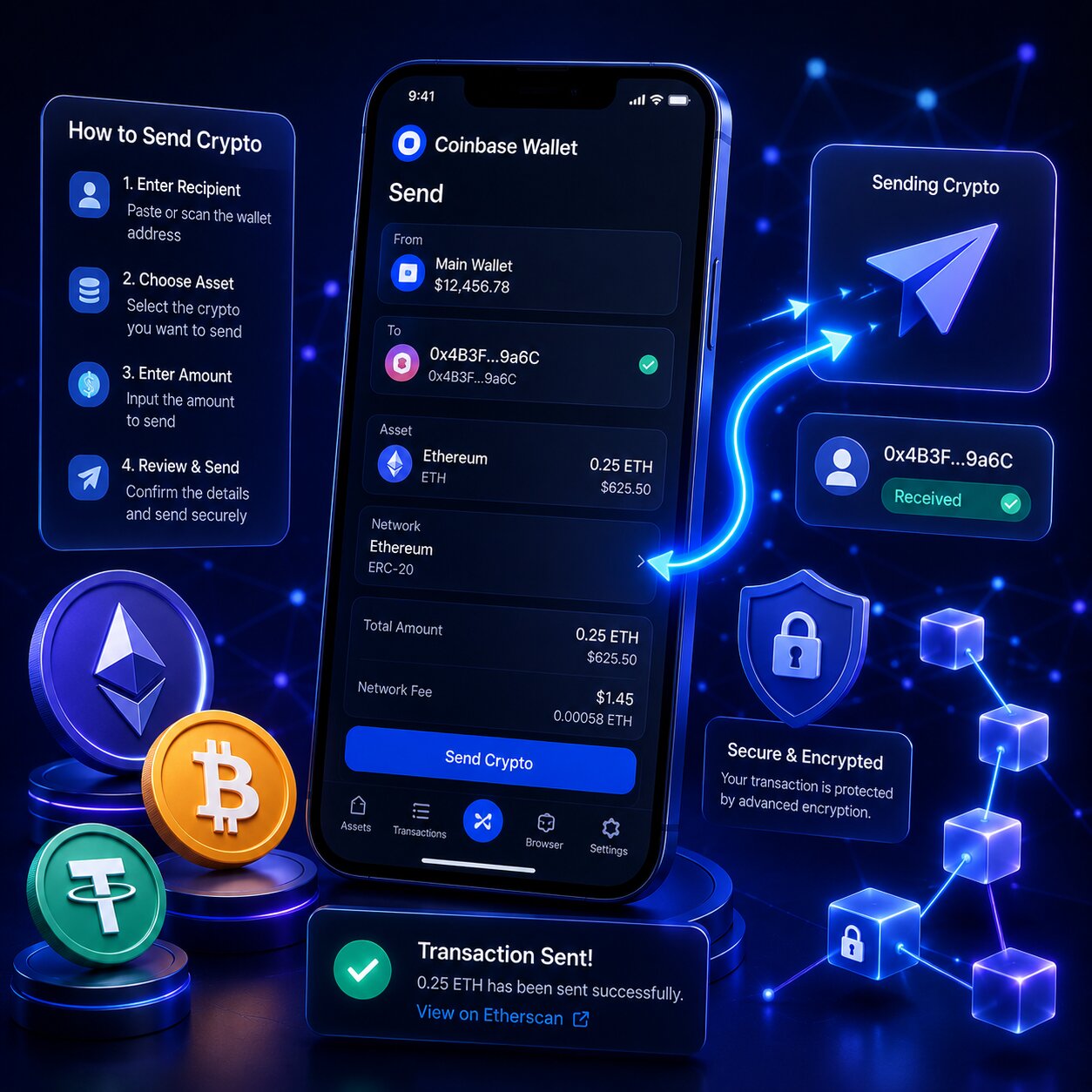
How to Send Crypto — Mobile App Step by Step
1
Open Payments → Send
Tap the Payments tab, then tap Send to start a new transfer.
2
Select asset and amount
Coinbase Wallet displays values in both USD and token units.
3
Enter the recipient address
Paste, scan a QR code, enter an ENS address, or use a cb.id/@username.
4
Select network and review
Choose the correct blockchain, review amount, address, and network fee.
5
Confirm and track
Tap Confirm to broadcast. Track the transaction hash in the activity feed.
Verify After PastingAfter pasting a recipient address, verify the first 6 and last 6 characters. Clipboard Hijacking malware replaces copied addresses — QR code scan eliminates this risk entirely.
How Do You Adjust the Network Fee for ETH Sends?
Fee Tier
Confirmation Speed
Best For
Low
Slower — minutes to hours in congestion
Non-urgent sends
Medium
Standard — minutes under normal conditions
Most sends
High
Fastest – prioritized by validators
Urgent or time-sensitive sends
EIP-1559 enables dynamic fee adjustment on Ethereum and other EVM-compatible chains, automatically adapting to network demand. Low fees can cause transactions to remain pending during heavy congestion since validators prioritize higher-fee transactions.
How to Send from the Browser Extension
Click the extension icon and unlock with your password, click Send, select the asset and amount, enter the recipient address (paste, ENS, or username), select the network, review the fee, and click Confirm.
Feature
Mobile App
Browser Extension
Entry point
Payments tab → Send
Home screen → Send
QR Code scan
Built-in camera scanner
Not available
Ledger hardware wallet
Not supported
Supported — requires blind signing
Biometric confirmation
Face ID / fingerprint
Password only
Sending via ENS Address and Wallet Username
ENS addresses automatically resolve .eth names into full Ethereum addresses. Wallet Usernames resolve @handles into registered Coinbase Wallet addresses without needing a full address.
Identifier
Format
Resolves To
Compatible Networks
ENS Address
yourname.eth
Ethereum wallet address
Ethereum + EVM chains
cb.id username
yourname.cb.id
Coinbase Wallet address
EVM-compatible chains
Wallet Username
@yourname
Coinbase Wallet address
Supported chains
Always verify that the resolved wallet address matches the intended recipient before confirming — resolution happens automatically but should still be double-checked.
Shareable Link — Sending Without a Wallet Address
Shareable Link sends up to $500 in crypto via a URL — no recipient wallet address required. The recipient claims funds by opening the link, and unclaimed funds return automatically after 5 days.
1
Create the link
Tap Payments → Send, choose the asset and amount (up to $500), then tap “Send with a shareable link.”
2
Share securely
Funds deduct from your balance immediately. Copy the link and send it only to the intended recipient.
3
Recipient claims
They open the link, download Coinbase Wallet if needed, and tap “Claim now.”
Anyone With the Link Can ClaimLegitimate claim links begin with wallet.coinbase.com or go.cb-w.com/claim. Avoid unofficial or modified URLs, and share the link only with the intended recipient.
How to Speed Up a Pending Bitcoin Send
Replace-By-Fee (RBF / BIP-125) rebroadcasts a pending Bitcoin transaction with a higher fee, replacing the low-fee version in the mempool — the original transaction must have included the RBF flag at submission.
Asset
RBF Supported
Speed-Up Method
Bitcoin (BTC)
Yes – BIP-125
Use RBF in activity feed
Ethereum (ETH)
Yes – via fee bump
Increase gas in pending tx settings
ERC-20 tokens
Yes – via ETH gas bump
Same as ETH
Solana (SOL)
No RBF
Confirms in ~400ms — no need
Clipboard Hijacking — How It Steals Funds
Step
What Happens
1
User copies recipient’s wallet address
2
Malware detects crypto address format in clipboard
3
Malware replaces the copied address with attacker’s address
4
User pastes — sees similar-looking address — doesn’t verify
5
User confirms — funds sent to attacker permanently
Attacker addresses often visually resemble the original, matching the first and last characters to avoid detection. QR code scanning bypasses the clipboard entirely, eliminating this risk.
Common Send Errors
Error
Cause
Fix
“No compatible assets”
Address type doesn’t match asset/chain
Verify network and address format
Transaction pending indefinitely
Network fee too low for congestion
Use RBF (BTC) or increase gas (ETH)
Insufficient funds
Network fee not covered by native token
Add ETH/SOL/BNB for gas before sending
Wrong network selected
Asset sent on incompatible chain
Permanent loss – verify before confirming
Invalid address format
Typing error or wrong chain address
Check format matches target network
Frequently Asked Questions
Tap Payments then Send, select the asset, enter the amount, input the recipient address via wallet address, QR code, ENS name, or username, select the network, review the fee, and tap Confirm.
Tap Send, select the asset, enter the recipient’s address or scan their QR code, select the matching network, review the fee, and confirm. Always verify the first and last 6 characters after pasting.
Yes. Tap Send, enter your Coinbase deposit address for the specific asset, select the matching network, and confirm. Alternatively, link your Coinbase account for direct transfers without manual entry.
It sends up to $500 in crypto via a URL without needing the recipient’s wallet address. Unclaimed funds automatically return after 5 days. Legitimate links begin with wallet.coinbase.com or go.cb-w.com/claim.
Select the Low fee tier before confirming, send during off-peak hours, or use lower-cost networks like Base, Polygon, or BNB Chain when the asset supports multiple chains.
Most failures come from insufficient network fee balance, wrong network selection, or an incompatible address format. Check that your native token balance covers the fee and that the network matches the recipient’s wallet.