How to Bridge Tokens on Trust Wallet (2026 Guide)
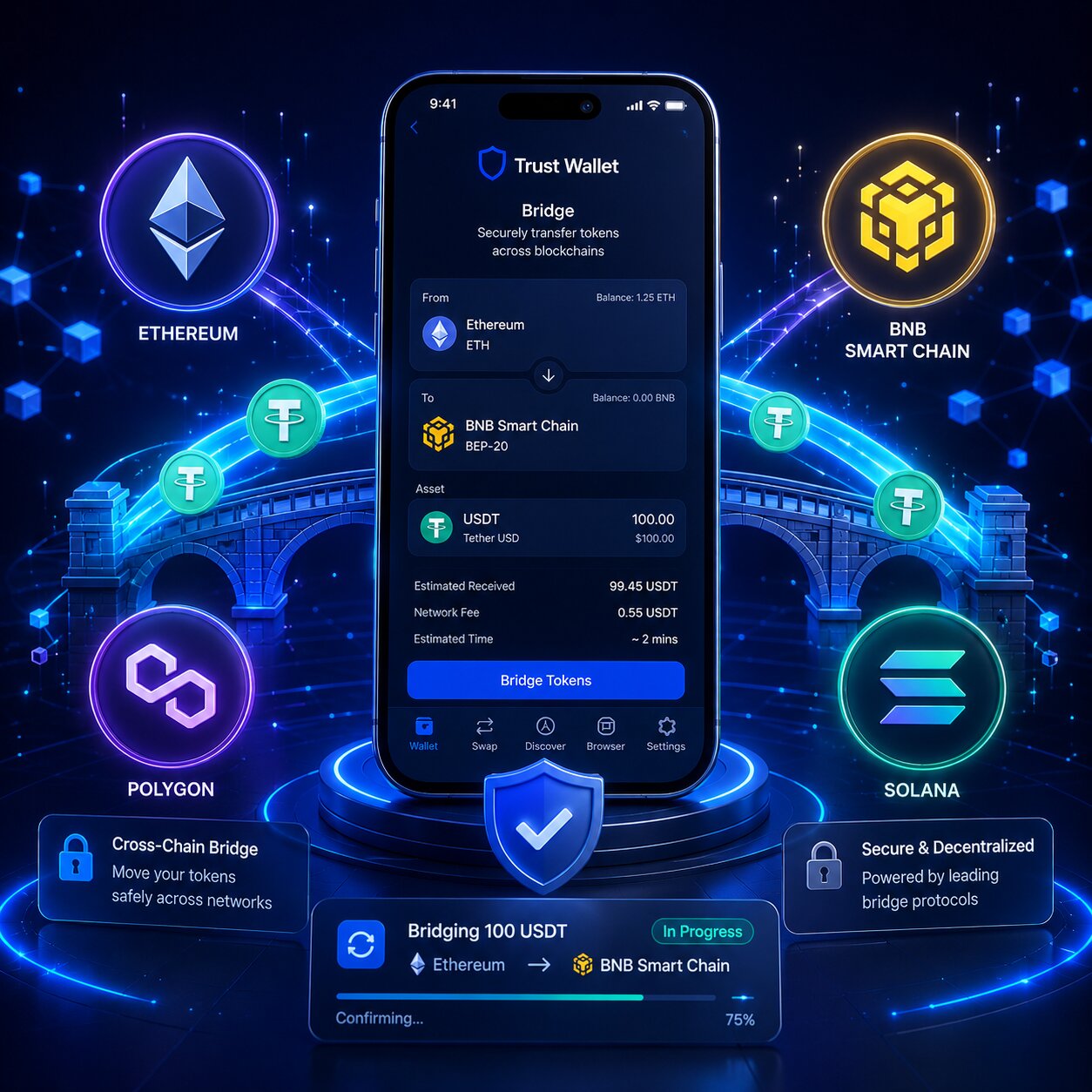
Trust Wallet bridges tokens via Cross-chain Swap – routing through THORChain, 1inch, Axelar, and Mimic across 30+ blockchains. No KYC. No platform fee. Private keys remain on the device throughout.
| Bridge Method | KYC | Platform Fee | Chains |
| Built-in Cross-chain Swap | None | $0 | 30+ |
| dApp Browser (external) | None | $0 | Protocol-dependent |
- Trust Wallet delegates bridge execution to protocols such as THORChain, Axelar, 1inch, and Mimic. These protocols process cross-chain swaps and liquidity routing independently.
- Cross-chain swaps eliminate centralized exchange registration and KYC requirements. Users can move assets between blockchains directly from their wallets.
- Gas fees apply only on the source blockchain during the bridge transaction. The originating network processes the transaction initiation cost.
- The non-custodial design keeps private keys stored on the user’s device throughout the entire bridge process. Trust Wallet never takes custody of wallet credentials or assets.
What is token bridging and how does Trust Wallet execute cross-chain transfers?
Token bridging moves assets between blockchains. Trust Wallet executes bridging via Cross-chain Swap protocols that lock, pool, or swap assets and release equivalent value on the destination chain automatically.
- A cross-chain swap converts assets between different blockchains. Users can exchange cryptocurrencies across networks such as Bitcoin, Ethereum, BNB Chain, and Solana without centralized exchanges.
- Smart contracts lock or route tokens through predefined protocol logic. Bridge protocols execute the transfer process automatically based on blockchain conditions and liquidity availability.
- Trust Wallet automatically selects the optimal bridge protocol for each token pair. The app routes transactions through supported providers to improve compatibility and efficiency.
- Bridging enables multi-chain DeFi access without centralized exchanges. Users can move assets across blockchains directly from a non-custodial wallet
What is the difference between bridging and swapping tokens in Trust Wallet?
Bridging moves the same asset between chains. Swapping exchanges assets on one chain. Cross-chain Swap combines both – converts and bridges in a single flow.
| Action | Changes Asset | Changes Chain |
| Same-chain Swap | Yes | Changes one asset into another on the same blockchain network. |
| Bridge | No | Transfers the same asset value from one blockchain to another blockchain. |
| Cross-chain Swap | Yes | Combines asset conversion and blockchain transfer in a single transaction. |
- Same-chain Swap → changes → asset type on one blockchain
- Bridge → transfers → identical value from source to destination chain
- Cross-chain Swap → combines → asset conversion and chain transfer in one transaction
How does Lock-and-Mint differ from Liquidity Pool bridging in Trust Wallet?
Lock-and-Mint creates Wrapped Tokens. Liquidity Pools deliver native tokens. THORChain uses Liquidity Pools – no wrapping occurs.
| Mechanism | Output | Smart Contract Risk | Example |
| Lock-and-Mint | Wrapped Token | Higher – locked funds | Standard EVM bridges |
| Liquidity Pool | Native Token | Lower – distributed | THORChain, 1inch |
- Lock-and-mint bridges lock tokens on the source blockchain and mint wrapped equivalents on the destination blockchain. The wrapped asset represents the original token on another network.
- Liquidity pool bridges swap assets through pre-funded reserves instead of locking and minting tokens. This model enables direct native asset transfers between supported blockchains.
- THORChain delivers native BTC and ETH without creating wrapped tokens. The protocol uses liquidity pools to process cross-chain swaps with native blockchain assets.
Which protocols power Trust Wallet bridging and when is each used?
Trust Wallet routes transactions through four protocols based on asset type and chain pair. Protocol selection is automatic — users select chains and amounts only.
| Protocol | Strength | Asset Types | Chain Coverage |
| THORChain | Native asset swaps – no wrapping | BTC, ETH, BNB, native tokens | 8+ native chains |
| Axelar | Stablecoins + EVM cross-chain | USDC, USDT, ERC-20 | 50+ EVM chains |
| 1inch | Best rate aggregation | ERC-20, BEP-20, SPL | 30+ chains |
| Mimic | Niche pair optimization | Select pairs | Select routes |
- THORChain enables native Bitcoin cross-chain swaps through liquidity pools. The protocol swaps native BTC for assets on other blockchains without wrapped tokens.
- Axelar processes EVM-to-EVM stablecoin transfers. The network supports cross-chain movement between compatible blockchains such as Ethereum, BNB Chain, and Avalanche.
- 1inch aggregates decentralized exchange liquidity across more than 30 blockchains. The protocol searches multiple liquidity sources to optimize swap rates and reduce slippage.
- Mimic optimizes niche routing scenarios that other bridge protocols may not cover efficiently. The protocol focuses on specialized cross-chain routing paths and liquidity optimization.
When should you use dApp Browser bridges over Trust Wallet’s built-in Cross-chain Swap?
Use dApp Browser when the token or chain pair is unsupported by Built-in Cross-chain Swap, or when a specific protocol offers a better rate for that route.
| Situation | Built-in Cross-chain Swap | dApp Browser |
| Popular pairs (BTC↔ETH, ETH↔BNB) | Fastest | Unnecessary |
| Unsupported token or chain | Not available | External bridge covers more |
| Protocol-specific preference | Auto-routed | Manual selection |
| High-value transfer | Audited protocols | Verify audit first |
How do you bridge tokens using Trust Wallet Cross-chain Swap – step by step?
Bridge tokens by selecting source and destination chains in the Swap tab, entering the amount, and confirming. Trust Wallet auto-selects the optimal bridge protocol.
Steps:
- Open Trust Wallet and tap “Swap.”
- In the “From” field, select the source blockchain and token, such as Ethereum and ETH.
- In the “To” field, select the destination blockchain and token, such as BNB Chain and BNB.
- Enter the amount you want to bridge and review the estimated output, gas fee, and protocol fee.
- Tap “Continue” and then tap “Confirm” to approve the bridge transaction.
- Wait for settlement to complete. Most bridge transactions finish within 2 to 30 minutes, depending on the blockchain and bridge protocol.
- Trust Wallet automatically selects the optimal bridge protocol for the selected blockchain pair. The app routes transactions through supported bridge providers.
- Gas fees apply only on the source blockchain. The destination chain does not charge an additional initiation fee for the bridge process.
- Settlement time depends on the bridge protocol and blockchain confirmations. Most transfers complete within approximately 2 to 30 minutes.
Note: Ensure sufficient Gas Fee balance on the source chain before initiating. ETH for Ethereum, BNB for BNB Chain, SOL for Solana.
How do you bridge BTC to ETH and USDC between chains on Trust Wallet?
BTC → ETH (via THORChain):
- Open the Swap tab and select Bitcoin BTC as the source asset and Ethereum ETH as the destination asset. Enter the amount and review the THORChain bridge route before proceeding.
- Confirm the transaction after reviewing the fees and estimated output. Native ETH usually arrives within approximately 10 to 30 minutes, depending on Bitcoin confirmations and bridge settlement speed.
USDC ETH → BNB Chain (via Axelar):
- Open the Swap tab and select Ethereum USDC as the source asset and BNB Chain USDC as the destination asset. Enter the transfer amount and review the Axelar bridge route before continuing.
- Confirm the bridge transaction after reviewing the fees and estimated output. Native USDC usually arrives on BNB Chain within approximately 3 to 10 minutes, depending on network confirmations and bridge activity.
| Route | Protocol | Output Token | Time |
| BTC → ETH | THORChain | Native ETH | ~10–30 min |
| ETH → BNB (USDC) | Axelar | Native USDC | ~3–10 min |
| SOL → ETH | 1inch | ETH | ~2–5 min |
| BNB → Avalanche | Axelar | Native token | ~3–10 min |
How do you bridge tokens via Trust Wallet dApp Browser – step by step?
Trust Wallet dApp Browser accesses external bridge protocols — Symbiosis, Stargate, ChangeNOW — without leaving the app.
Steps:
- Open Trust Wallet and tap “Discover” to access decentralized applications and bridge platforms.
- Search for the bridge protocol by name or enter the official bridge website URL directly in the browser.
- Open the bridge dApp and tap “Connect Wallet” to link Trust Wallet to the protocol.
- Select the source blockchain, token, destination blockchain, and the amount you want to bridge.
- Review the displayed gas fees, protocol fees, and estimated received amount before continuing.
- Tap “Bridge” on the dApp interface. Trust Wallet will open a transaction approval prompt automatically.
- Review the transaction details inside Trust Wallet and tap “Confirm” to broadcast the bridge transaction to the blockchain network.
How does Trust Wallet’s Security Scanner protect users during dApp Browser bridging?
Security Scanner analyzes dApps before wallet connection – flagging high-risk Smart Contracts, phishing sites, and unaudited bridge protocols.
| Alert Level | Meaning | Action |
| No warning | Passes security check | Proceed with caution |
| Medium risk | Unverified — no known exploit | Research before connecting |
| High risk | Known exploit or phishing | Do not connect wallet |
What fees apply when bridging tokens on Trust Wallet?
Every bridge includes Gas Fee on the source chain and protocol fee deducted from output. Trust Wallet charges $0 platform fee.
- Gas fees are paid only on the source blockchain. The originating network charges the transaction fee required to initiate the bridge transfer.
- Bridge protocol fees are deducted from the final output amount. Most bridge services charge approximately 0.1% to 0.3% of the transferred value.
- Trust Wallet charges a $0 platform fee on bridge transactions. The wallet application does not add an extra service commission.
- Ethereum usually costs significantly more than BNB Chain or Solana as the source network. Ethereum gas fees increase during periods of high network activity.
| Source Chain | Avg Gas Fee (2026) | Protocol Fee |
| Ethereum | ~$0.39–$0.67 | 0.1–0.3% of output |
| BNB Chain | ~$0.01 | 0.1–0.3% of output |
| Solana | ~$0.001 | 0.1–0.3% of output |
| Bitcoin | BTC network fee | THORChain ~0.1% |
What is the cheapest chain to bridge from on Trust Wallet?
Solana is the cheapest source chain at ~$0.001 per transaction. BNB Chain is second at ~$0.01. Ethereum costs ~$0.39–$0.67 after EIP-4844 — still 10–500x more than BNB or Solana.
| Chain | Avg Gas Fee | Relative Cost |
| Solana | ~$0.001 | Cheapest |
| BNB Chain | ~$0.01 | Very low |
| Avalanche | ~$0.01–$0.05 | Low |
| Ethereum | ~$0.39–$0.67 | Higher |
| Bitcoin | Variable BTC fee | Network-dependent |
Can you bridge tokens without paying Gas Fee on Trust Wallet?
No. Every blockchain transaction requires Gas Fee paid to validators — regardless of platform. Trust Wallet cannot waive blockchain-level fees. The only way to reduce Gas Fee is to bridge from a lower-cost source chain like BNB Chain or Solana.
- Gas fees are mandatory for every blockchain transaction. Trust Wallet cannot remove or waive network fees because validators and miners process the transactions.
- Lower gas costs are usually achieved by using networks such as BNB Chain or Solana. These blockchains generally charge lower transaction fees than Ethereum.
- A $0 platform fee means Trust Wallet does not take a service commission from the transaction. All paid fees go directly to blockchain validators and bridge protocols
Is bridging on Trust Wallet safe – Smart Contract risks explained?
Trust Wallet bridging is safe at wallet level. Risk exists at protocol level — in the Smart Contracts that execute the bridge logic.
- Trust Wallet never holds user funds during bridge transactions. Assets remain controlled by blockchain smart contracts and the user’s wallet addresses.
- Smart contracts execute the bridge logic during cross-chain transfers. Attackers target vulnerable bridge contracts instead of the Trust Wallet application itself.
- Private keys remain stored on the user’s device. Trust Wallet does not transmit private keys to external servers or bridge protocols.
What Smart Contract risks exist when bridging tokens on Trust Wallet?
Smart Contract risk is the possibility of exploitable vulnerabilities in bridge protocol code – allowing attackers to drain locked or pooled tokens.
| Bridge Type | Risk Level | Historical Exploit |
| Lock-and-Mint (centralized) | High | Ronin Bridge ($625M, 2022) |
| Lock-and-Mint (decentralized) | Medium | Wormhole ($320M, 2022) |
| Liquidity Pool (THORChain) | Lower | THORChain ($8M, 2021) |
- Lock-and-mint bridges concentrate large token reserves inside a single smart contract. A contract exploit can place all locked assets at risk simultaneously.
- Liquidity pool bridges distribute risk across multiple pools instead of using one locked reserve. This structure reduces dependence on a single custody point.
- Trust Wallet partners with audited bridge protocols to reduce smart contract exposure. Security audits help identify vulnerabilities before deployment, although no bridge system is completely risk-free.
Do bridged tokens keep the same value after bridging on Trust Wallet?
Yes – minus fees. Bridge output equals source token value minus Gas Fee and protocol fee (0.1–0.3%). Native tokens via THORChain and Liquidity Pool bridges maintain full market value on the destination chain.
| Output Type | Value Preservation | Fee Impact |
| Native token (THORChain/LP) | Full market value | Gas + 0.1% protocol fee |
| Wrapped Token (Lock-and-Mint) | 1:1 peg maintained | Gas + 0.1–0.3% fee |
| Stablecoin (USDC via Axelar) | $1 peg maintained | Gas + Axelar fee |
- Bridged tokens maintain the market value of the original asset on the destination chain. Wrapped assets represent the same underlying cryptocurrency across different blockchain networks.
- Bridge protocol fees reduce the received amount by approximately 0.1% to 0.3% of the transfer value. The exact fee depends on the bridge protocol and network conditions.
- A wrapped token peg breaks only if the bridge protocol becomes insolvent or compromised. Such failures are rare but can affect the asset’s value parity with the original token.
What happens if a Trust Wallet bridge transaction gets stuck or fails?
A stuck bridge means source chain confirmed the transaction but tokens have not arrived on destination. This is a bridge protocol issue — not a Trust Wallet wallet issue.
What causes a bridge transaction to get stuck on Trust Wallet?
| Cause | Result | Fix |
| Low Gas Fee | Source pending – bridge never starts | Resubmit with higher Gas |
| Bridge congestion | Source confirmed – destination delayed | Wait – funds in transit |
| Wrong destination address | Funds sent to wrong address | Permanent loss |
| Network outage on destination | Settlement paused | Wait for network recovery |
Conditional logic:
- If the source transaction remains pending, the gas fee is likely too low. Resubmit the transaction with a higher network fee to improve confirmation speed.
- If the source transaction is confirmed but the destination chain shows no activity, the funds are still in transit. Wait at least 30 minutes for bridge settlement processing to complete.
- If the wrong destination address was entered, the asset loss is permanent. Always verify the wallet address carefully before confirming any bridge transaction.
Can bridging fail permanently on Trust Wallet?
Yes – only if a wrong destination address is entered. Funds sent to an incorrect address are permanently unrecoverable on any blockchain. All other bridge failures are temporary – funds remain in transit or return automatically.
- A wrong destination address causes permanent and irreversible asset loss on the target blockchain. Blockchain transactions cannot be reversed after network confirmation.
- Low gas fee failures usually return funds to the source wallet after the transaction drops or expires. The exact behavior depends on the bridge protocol and blockchain network conditions.
- Bridge congestion often resolves automatically after settlement processing completes. Delayed transfers may require additional blockchain confirmations during periods of high network activity.
How do you resolve a stuck bridge transaction on Trust Wallet?
- Open Trust Wallet and copy the transaction hash from the wallet transaction history.
- Check the source blockchain transaction on the correct explorer, such as Etherscan, BscScan, or a Bitcoin explorer, to confirm that the transaction completed successfully.
- After confirming the source transaction, check the destination blockchain explorer to verify whether the bridged assets arrived on the target network.
- If no destination-chain activity appears after 30 minutes, contact the bridge protocol’s official support team for assistance.
- Provide the transaction hash to the bridge protocol support team so they can investigate the transaction and trigger manual settlement if required.
| Step | Tool | Checks |
| Source status | Etherscan / BscScan | Confirmed or pending |
| Destination status | Destination chain explorer | Incoming transaction |
| Bridge progress | THORChain explorer / Axelar scan | Settlement status |
| Manual fix | Bridge protocol support | Not Trust Wallet support |
- Trust Wallet cannot resolve stuck bridge transactions. Cross-chain bridge execution depends on the underlying bridge protocol, validators, and blockchain confirmations.
- The bridge protocol controls final settlement execution. Protocols such as THORChain, Stargate, or Wormhole process asset transfers between blockchains independently of Trust Wallet.
- The THORChain explorer tracks BTC-to-ETH swap progress in real time. Users can monitor inbound transactions, confirmations, swap status, and final settlement directly on the explorer.
FAQ
How do I bridge tokens on Trust Wallet?
Bridge tokens by opening Trust Wallet, tapping Swap, selecting source chain and token in From, destination chain and token in To, entering amount, and tapping Confirm. Trust Wallet auto-selects THORChain, Axelar, or 1inch. No KYC. Settlement completes in 2–30 minutes.
What is the difference between bridging and swapping on Trust Wallet?
Swapping changes one asset for another on the same chain. Bridging moves the same asset between chains. Trust Wallet’s Cross-chain Swap combines both – converts and bridges in one transaction. Gas Fee applies on the source chain only.
Which bridge protocols does Trust Wallet use?
Trust Wallet uses THORChain for native BTC and ETH swaps, Axelar for EVM stablecoin transfers across 50+ chains, 1inch for best-rate DEX aggregation across 30+ chains, and Mimic for niche routing. Protocol selection is automatic based on token pair and chain route.
How long does bridging take on Trust Wallet?
EVM-to-EVM routes via Axelar or 1inch complete in 2–10 minutes. BTC↔ETH swaps via THORChain take 10–30 minutes. If a bridge exceeds 30 minutes after source chain confirmation, check the bridge protocol’s own explorer for settlement status.
What are the fees for bridging tokens on Trust Wallet?
Trust Wallet charges $0 platform fee. Users pay Gas Fee on the source chain — ~$0.001 (Solana), ~$0.01 (BNB Chain), ~$0.39–$0.67 (Ethereum) — plus a bridge protocol fee of 0.1–0.3% deducted from the output amount.
Can I bridge USDC or USDT on Trust Wallet?
Yes. Bridge USDC or USDT between Ethereum, BNB Chain, Avalanche, and other chains via Axelar. Select source chain and USDC/USDT in From, destination chain in To, and confirm. Axelar delivers native USDC — not a Wrapped Token. Settlement takes ~3–10 minutes.
Is bridging on Trust Wallet safe?
Trust Wallet is safe at wallet level — it never holds user funds. Risk exists at Smart Contract level in bridge protocols. Use Trust Wallet’s Security Scanner before connecting dApp Browser bridges. Start with small amounts before bridging large sums via any protocol.
What happens if my bridge transaction gets stuck on Trust Wallet?
Check source chain status on Etherscan or BscScan using the transaction hash from Trust Wallet history. If source is confirmed but destination shows no activity after 30 minutes, contact the bridge protocol’s support portal with the transaction hash. Trust Wallet cannot resolve bridge settlement issues.