How to Recover Trust Wallet Using Recovery Phrase: 2026 Guide
How to Recover Trust Wallet Using Recovery Phrase: 2026 Guide
CrisCoin 14 min readTrust Wallet
Trust Wallet recovery regenerates all Private Keys using a 12-word Recovery Phrase via BIP39 and BIP44 derivation paths.
The phrase deterministically reconstructs wallet addresses across 100+ supported blockchains — any variation in word or order produces a different cryptographic identity.
Recovery Method
Scope
Platform
Key Standard
Recovery Phrase (12 words)
Multi-coin Wallet — all 100+ chains
Mobile + Browser Extension
BIP39 + BIP44
Private Key
Single chain — one address only
Mobile only
Chain-specific
No Recovery Phrase = No RecoveryIf both the device and the Recovery Phrase are lost, funds become permanently and cryptographically inaccessible. No company, support team, or government can reverse this.
What Is Trust Wallet Recovery and When Do You Need It?
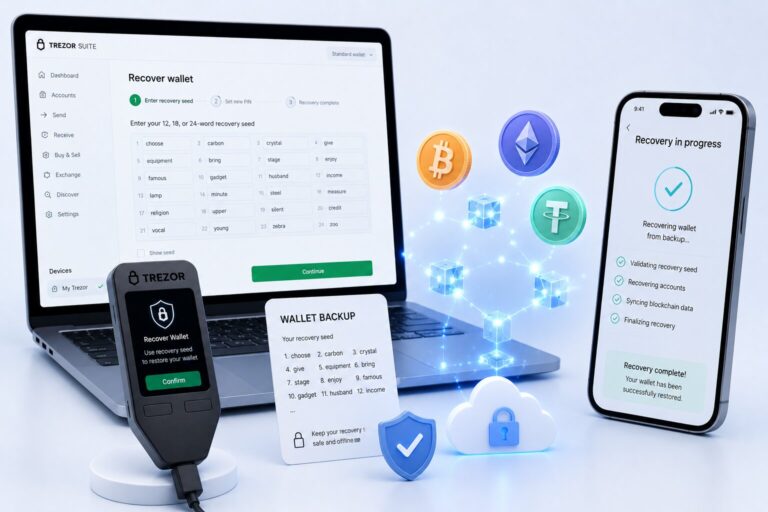
Trust Wallet recovery reinstates wallet access by re-deriving Private Keys from the 12-word Recovery Phrase. It is required when the app is reinstalled, the device is replaced, or the wallet is migrated.
Why Recovery Doesn’t Depend on Trust Wallet as a Company
Recovery works across any BIP39-compatible device — no lock-in to any single phone or platform
No servers, support tickets, or identity verification are required to restore access
Even if Trust Wallet shut down entirely, the wallet could still be recovered elsewhere
Whoever physically holds the phrase has 100% control — keep it safe
Recovery Phrase vs Private Key
A Recovery Phrase regenerates all Private Keys across every chain via BIP44 derivation paths. A Private Key controls one specific Public Address on one chain only. The Recovery Phrase is always the preferred method for full wallet restoration.
Feature
Recovery Phrase
Private Key
Scope
All chains — full HD Wallet
Single chain — one address
Standard
BIP39 + BIP44
Chain-specific key format
Restores Multi-coin Wallet
Yes
No
Import platform
Mobile + Browser Extension
Mobile only
Risk if exposed
Entire HD Wallet compromised
One address compromised
The derivation only works one way: phrase → private key, never the reverse. An exposed Private Key risks only one address; an exposed Recovery Phrase risks the entire wallet across all 100+ chains.
BIP39, BIP44, and the HD Wallet Path
BIP39 defines a 2,048-word mnemonic list from which the 12-word phrase is generated. BIP44 defines the derivation path that maps that phrase to specific blockchain addresses, using the format m/44'/coin_type'/account'/change/address_index.
Chain
BIP44 Derivation Path
Address Format
Ethereum
m/44’/60’/0’/0/0
0x… (42 chars)
Bitcoin
m/44’/0’/0’/0/0
1… or bc1…
BNB Chain
m/44’/60’/0’/0/0
0x… (same as ETH)
Solana
m/44’/501’/0’/0′
Base58 (44 chars)
Word Order MattersEntering the correct 12 words in the wrong sequence produces a completely different HD Wallet — different addresses, different balances, no error shown.
Mobile Recovery — Step by Step
1
Download from official sources
App Store or Google Play only — avoid third-party APKs.
2
Tap “I already have a wallet”
Not “Create new wallet” — that generates an empty HD Wallet instead.
3
Select Secret Phrase → Multi-coin Wallet
Restores all 100+ supported chain addresses at once.
4
Enter all 12 words in exact order
One word per field — verify spelling against the BIP39 word list.
5
Restore, set PIN, enable Biometric Auth
Blockchain sync typically completes in 10 seconds to 2 minutes.
Screenshots Are Disabled on PurposeTrust Wallet blocks screenshots during Recovery Phrase entry as a deliberate security measure — write the phrase down manually instead.
Recovery Errors and Fixes
Error Type
Cause
Fix
Wrong word in phrase
Word not in BIP39 2,048-word list
Check spelling against original backup
Correct words, wrong order
Different BIP44 derivation tree generated
Re-enter in correct sequence
Zero balance after restore
Wrong phrase sequence — different HD Wallet
Verify Public Address matches original
Missing tokens after restore
Token not enabled by default
Manually enable via Manage Crypto
Custom network missing
Network config not stored in phrase
Re-add custom networks manually
If the balance shows zero after a correct-looking restore, it almost always means the word sequence is wrong — not that funds are lost. The original funds remain untouched on the blockchain.
Verifying a Successful Recovery
1
Tap the asset
Open ETH, BNB, or any other asset’s detail page.
2
Copy the Public Address
This is the address that should hold your funds on-chain.
3
Open a Block Explorer
Etherscan for Ethereum, BscScan for BNB Chain.
4
Compare the balance
Matching balance confirms a correct recovery.
Verification Check
Tool
Confirms
ETH balance + address
Etherscan.io
Correct HD Wallet restored
BNB balance + address
BscScan.com
Correct BNB Chain address
SOL balance + address
Solscan.io
Correct Solana address
BTC balance + address
Blockchain.com
Correct Bitcoin address
Browser Extension Recovery
Available on Chrome, Brave, Edge, and Opera via “Recover with mnemonic.” The Browser Extension does not sync with mobile — the same phrase must be entered separately on each platform, and custom networks must be re-added manually.
Step
Mobile App
Browser Extension
Entry point
“I already have a wallet”
“Recover with mnemonic”
Biometric Auth
Face ID / fingerprint
Password only
Private Key import
Supported
Not supported
Multi-coin HD Wallet restore
Yes
Yes
Auto-sync with mobile
Independent instance
Independent instance
Avoiding Recovery Scams
Trust Wallet Never Asks for Your PhraseAny service requesting your Recovery Phrase to “unlock” or “recover” funds is a scam — the blockchain is cryptographically irreversible, and no legitimate service needs the phrase to help.
Red Flag
What It Signals
Claims to recover lost crypto
Blockchain is cryptographically irreversible
Requests 12-word Recovery Phrase
Scam — grants full HD Wallet control
Charges upfront fee
Scam — payment before fabricated delivery
Impersonates Trust Wallet support
Trust Wallet never requests the phrase
Securing Your Recovery Phrase
Storage Method
Risk Level
Recommendation
Paper (offline, multiple copies)
Very Low
Best for most users
Metal backup plate
Very Low
Best for fire/flood resistance
Hardware Wallet
Very Low
Best for large holdings
Phone notes app
High
Device compromise risk
Cloud storage
Very High
Remote access risk
Screenshot
High
Trust Wallet deliberately blocks this
Splitting the Phrase Reduces RiskStoring two halves of the phrase in two separate secure locations means a thief finding one half still cannot reconstruct the full wallet.
Frequently Asked Questions
Install the app, tap “I already have a wallet,” select Secret Phrase, enter all 12 words in exact BIP39 order, select Multi-coin Wallet, and tap Restore Wallet. Verify by checking the Public Address on Etherscan or BscScan.
No. Trust Wallet is non-custodial and stores no credentials. Without the 12-word phrase, the BIP44 derivation tree cannot be reconstructed. Private Key import only works for a single chain.
Losing the phrase with no device access results in permanent, irreversible fund loss. On-chain funds remain on the blockchain but are cryptographically inaccessible. Avoid “recovery scam” services entirely.
Install the app on the new phone, tap “I already have a wallet,” enter the 12-word phrase in exact order, select Multi-coin Wallet, and tap Restore Wallet. Re-enable Biometric Auth and re-add custom networks afterward.
Yes. The same phrase restores identical addresses on multiple devices simultaneously, each operating as an independent instance. Anyone holding the phrase controls the full wallet.