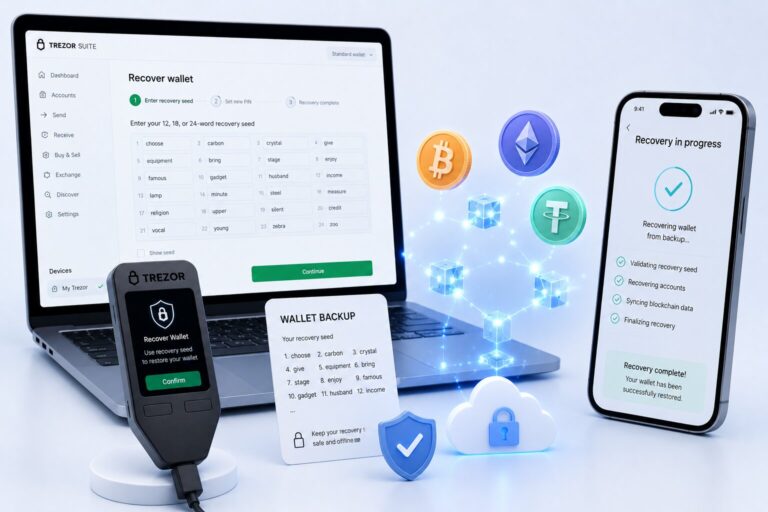
You recover Phantom Wallet by reinstalling the app, selecting “I already have a wallet,” entering your recovery phrase in the correct order, and setting a new password — the wallet then restores your addresses, balances, and history.
Phantom never stores your keys. The recovery phrase is the only way to restore access, so treat it as irreplaceable.
Required Input
Why It Matters
Secret Recovery Phrase (12/24 words)
BIP39 standard, encodes wallet identity
Correct word order
Sequence defines the wallet
Secure device
Prevents malware attacks
What Does “Recover Phantom Wallet” Mean?
Recovering Phantom Wallet means rebuilding your wallet access using a BIP39-compatible seed phrase. The private key derives multiple wallet addresses, each linked to networks like Solana, Ethereum, and Polygon.
When Do You Need to Recover Phantom Wallet?
Common Scenarios
Device loss — phone or computer unavailable
App deletion — wallet data removed
Browser reset — extension storage cleared
Session expiration — wallet disconnected
Your assets always remain on the blockchain itself — recovering the wallet only restores your access to them.
How Do You Recover Phantom Wallet Step by Step?
1
Install Phantom Wallet
Download only from the official source.
2
Select “I already have a wallet”
Choose this option instead of creating a new wallet.
3
Enter your recovery phrase
Input every word in the exact correct order.
4
Set a new password
This encrypts local access to the wallet on this device.
5
Confirm wallet load
Verify your balances and addresses appear correctly.
How Do You Verify a Successful Recovery?
Verification Checklist
Address match — compare with your previous public address
Token balances — SOL, ETH, and tokens are visible
Transaction history — previous activity appears
Network sync — Solana, Ethereum, Polygon all load
How Does Phantom Recovery Compare to Other Wallets?
Wallet
Recovery Method
Standard
Phantom Wallet
Seed phrase
BIP39
MetaMask
Seed phrase
BIP39
Ledger Wallet
Seed phrase + hardware
BIP39
Why Does Phantom Wallet Recovery Fail?
Cause
Result
Incorrect phrase
Wrong word breaks derivation
Wrong order
Sequence mismatch
Missing words
Incomplete phrase
Phishing apps
Fake wallet interface steals data
Even one incorrect word results in a completely different wallet — not an error message.
What Happens If You Enter a Valid but Wrong Seed Phrase?
It does not show an error — it silently generates a completely different wallet. You may see zero token balance, no transaction history, and a different wallet address, which often confuses users into thinking the wallet is broken rather than simply different.
How to Secure Phantom Wallet After Recovery?
Security Best PracticesEnable a password lock, store your phrase offline, avoid taking screenshots of it, and consider a hardware wallet like Ledger for extra isolation.
Can You Recover Phantom Wallet Without a Seed Phrase?
No. Phantom Wallet does not store user private keys, and the blockchain does not track user identity — the seed phrase is the only recovery method. Without it, assets remain on-chain but permanently inaccessible.
What Are Common Mistakes During Recovery?
Avoid These Errors
Typing errors — incorrect spelling
Mixing up wallet standards from MetaMask expectations
Clicking fake support links (phishing scams)
Recovering over public Wi-Fi (keylogging risk)
What Is the Safest Way to Store a Recovery Phrase?
Storage Option
Trade-off
Paper backup
Simple but fragile
Metal plates
Resistant to fire and water
Password manager
Encrypted storage
Split storage
Distributes risk across locations
Frequently Asked Questions
Yes. NFTs reappear automatically once the wallet address matches and the correct blockchain network is enabled.
No. A missing or incorrect word breaks the seed phrase, and the wallet cannot derive the correct private key without the complete phrase.
Yes. Phantom Wallet can be restored on any device by entering the correct recovery phrase into the official application.
Recovery becomes impossible. Phantom does not store your keys, so a lost seed phrase means permanently lost access to those assets.
No. Only enter your seed phrase inside the official Phantom application — never on a website, even one that looks like Phantom’s real interface.