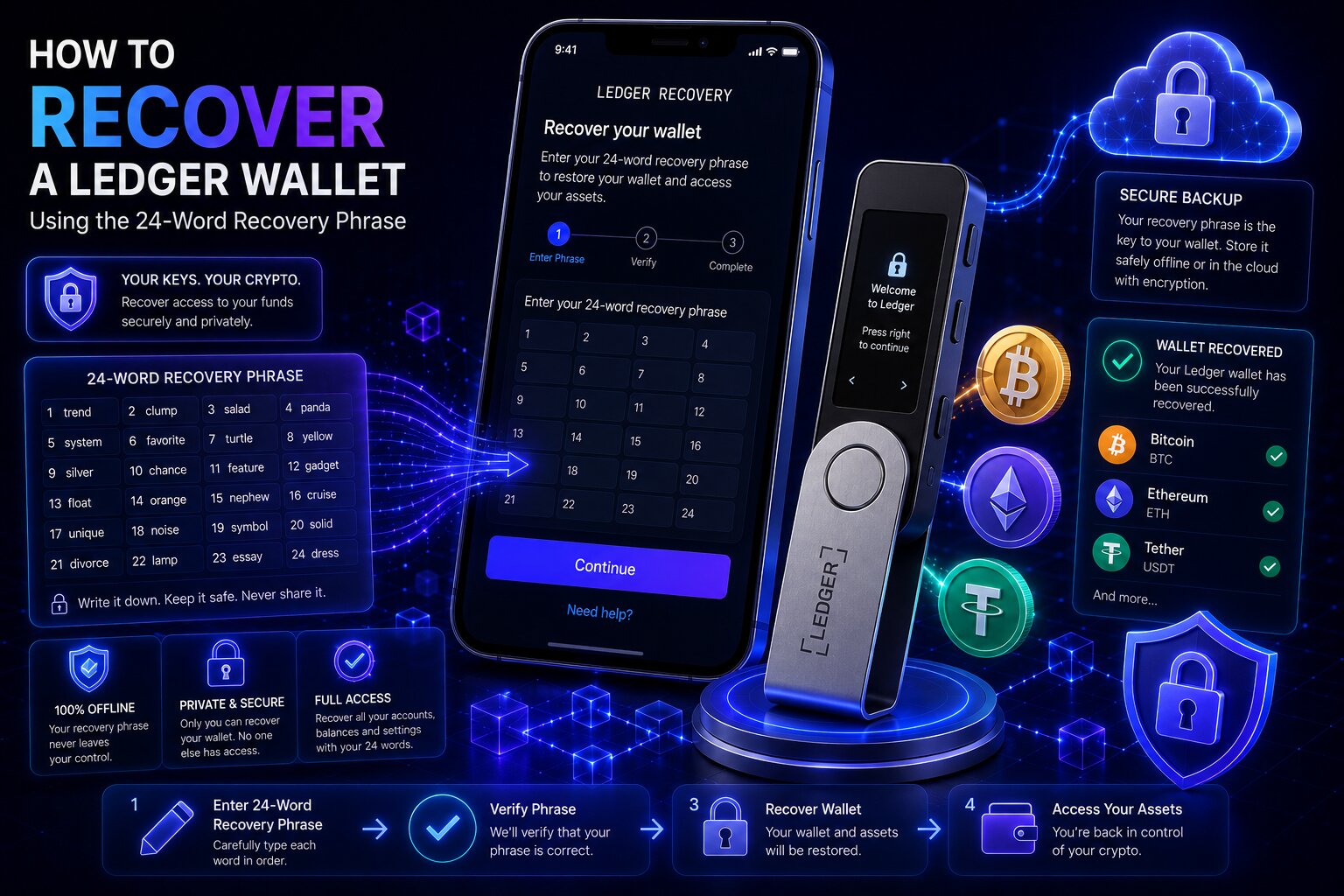
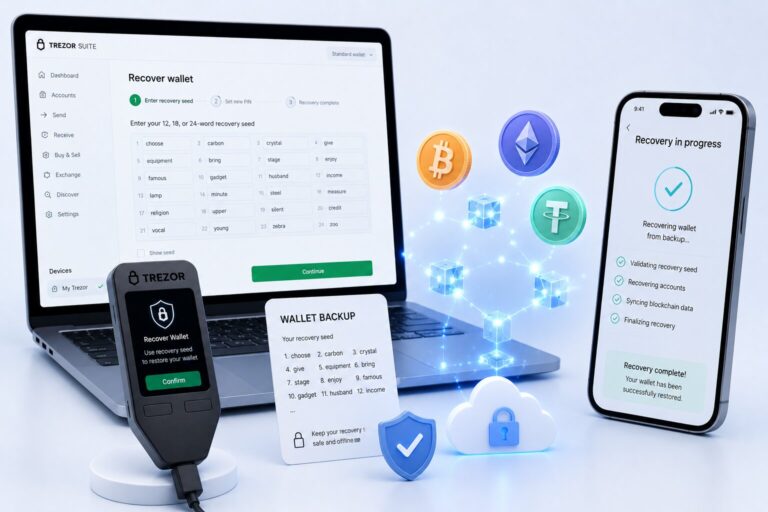
Ledger wallet recovery restores blockchain private keys using the original 24-word Recovery Phrase generated during wallet setup — never the device itself.
Four recovery scenarios exist depending on whether the device, the phrase, both, or neither is available — identifying the correct one before acting prevents irreversible mistakes.
Scenario
Device
Recovery Phrase
First Action
A — Device lost or broken
Unavailable
Available
Buy new device → restore seed phrase
B — PIN forgotten
Available
Available
Enter wrong PIN 3 times → restore phrase
C — Phrase compromised
Available
Seen by others
Move all assets to new wallet immediately
D — Both lost
Unavailable
Unavailable
Permanent Loss — no recovery path
Recovery Scam WarningLedger support never asks for the seed phrase, never calls users, and cannot recover any wallet. Sharing the recovery seed with anyone gives them permanent, complete control of all funds.
Key Terms for Ledger Wallet Recovery
Term
Definition
Recovery Phrase
24-word mnemonic (seed phrase) that encodes the master private key
Secure Element Chip
Tamper-resistant hardware chip that generates and stores private keys
BIP-39 / BIP-44
Standards governing deterministic wallet address generation from a seed
Passphrase (25th word)
Optional string extending the seed into a separate Hidden Wallet
Ledger Recover
Optional paid subscription that splits an encrypted seed backup into 3 fragments
Recovery Key
Physical NFC card storing an encrypted seed for tap-to-restore
What Is Ledger Wallet Recovery?
Ledger is a self-custody cold storage device — private keys are generated inside the Secure Element Chip and the recovery seed is never transmitted to Ledger’s servers. Entering the correct 24-word mnemonic phrase on a new or reset device recreates the same wallet addresses and restores full access to all associated on-chain assets.
Crypto assets exist on the blockchain, not on the physical device — a lost device does not mean lost funds as long as the recovery seed is intact.
The 4 Ledger Recovery Scenarios
Scenario A is the most common — a damaged, lost, or factory-reset device combined with an intact backup phrase results in complete, lossless recovery. Scenario C is the most urgent — a seed phrase seen or accessed by anyone unauthorized is a security emergency requiring immediate asset transfer, not wallet recovery.
Standard Recovery Restores Only the Primary Wallet
Users who enabled an optional Passphrase must complete an additional step to access Hidden Wallet balances — see the Hidden Wallet section below.
How Do You Recover a Ledger Wallet — Step by Step?
Set up a new or reset device, select “Restore from recovery phrase,” create a new PIN, and enter all 24 words in the exact original sequence. The Secure Element Chip regenerates the master private key, recreating all wallet addresses.
1
Get a new device
Purchase from ledger.com or an authorized retailer — never a third-party marketplace where tampering is possible.
2
Select restore, not new
Choose “Restore from recovery phrase” — never “Set up as new device,” which generates a completely different wallet.
3
Enter the 24 words
Create a new PIN, then enter each word in exact original sequence using the device buttons or touchscreen.
4
Restore balance visibility
Open Ledger Wallet app → Accounts → Add Account for each blockchain. Balances load after syncing — assets were never on the device.
Only Type the Phrase on the DeviceEnter the mnemonic phrase only on the Ledger device’s own screen — never into any computer, website, email, or messaging app.
What if the words are entered in the wrong order?
Wrong word order generates a completely different wallet with a zero balance — the original wallet remains on the blockchain and becomes accessible again only when the exact original sequence is entered correctly. A zero balance after restore almost always indicates an order or spelling error, not fund loss.
Can You Recover a Ledger Wallet on a Different Brand?
Yes. The 24-word mnemonic follows BIP-39/BIP-44 standards — compatible with any wallet supporting these protocols, including Trezor hardware wallets, MetaMask, Trust Wallet, and Exodus. Restoring into a software wallet exposes private keys to internet-connected device memory — significantly lower security than hardware restoration, so a replacement Ledger device should be obtained as soon as possible.
Forgotten PIN Recovery
A forgotten PIN is fully recoverable as long as the seed phrase is available. Deliberately entering three wrong PIN attempts triggers a factory reset — the recovery seed then restores complete wallet access.
1
Enter 3 wrong PINs
A warning appears after the second wrong attempt; the third triggers a factory reset.
2
Restore from recovery phrase
Local app/account data is erased, but no on-chain assets are affected — enter the 24-word phrase to restore.
3
Reinstall Asset Apps
Via My Ledger — all on-chain balances reload automatically.
The three-attempt PIN lockout is an anti-brute-force mechanism. The Secure Element Chip is rated EAL5+ (Nano S Plus, Nano X) and EAL6+ (Flex, Stax) — physically resistant to chip-level extraction of private key material. A stolen device without the seed phrase is useless to an attacker.
Recovering a Ledger Hidden Wallet (Passphrase)
The Passphrase is an optional user-defined string — called the “25th word” — that extends the mnemonic into a secondary derivation, generating a Hidden Wallet with entirely different private keys and addresses. Ledger does not store it; it must be memorized or backed up separately from the recovery seed.
Passphrase Fact
Detail
Case sensitivity
“Bitcoin” and “bitcoin” derive completely different wallets
Wrong entry
No error — silently opens a different Hidden Wallet with zero balance
Forgotten passphrase
Permanent, irrecoverable loss of the Hidden Wallet
Ledger Recover Service
Ledger Recover is an optional paid subscription that encrypts the seed inside the Secure Element Chip and splits it into three fragments, each held by an independent company in a Hardware Security Module across three countries. Restoring requires identity verification through two of the three companies before fragments recombine on the new device.
Feature
Paper Seed Backup
Ledger Recover
Cost
Free
Paid subscription
Requires internet
No
Yes
KYC / identity verification
None
Government ID required
Self-custody purity
Maximum
Third-party involvement
Lost or Stolen Device
Priority
Action
Why
1
Assess whether attacker may have the seed phrase
If yes → move assets immediately
2
Purchase a new Ledger device
Required to restore access
3
Restore the mnemonic phrase
Regenerates all keys and addresses
4
Transfer assets to a newly generated wallet
Eliminates risk if seed was potentially seen
5
Revoke DeFi token approvals via revoke.cash
Prevents protocol-level draining
A stolen device alone cannot access funds — the PIN Code locks after three wrong attempts, and the EAL6+ Secure Element Chip physically prevents private key extraction even under hardware attack.
Common Ledger Recovery Mistakes
Avoid These Errors
Entering words in the wrong order — produces an empty wallet, not fund loss
Wrong passphrase capitalization — opens a different Hidden Wallet
Selecting “Set up as new device” — generates an unrelated wallet
Typing the seed phrase into a website — immediate compromise
Restoring on the wrong network account — assets appear invisible
Losing both device and seed phrase — Permanent Loss
Signs of a Ledger Recovery Scam
Red Flag
What It Means
Claims to recover an undocumented seed phrase
Cryptographically impossible
Asks for the seed phrase to “verify”
Sharing gives immediate full wallet control
Provides a phone number for support
Ledger has no wallet recovery phone line
Charges an upfront fee
Legitimate services are success-fee only
Contacts via Telegram/Discord/social media
Ledger never initiates unsolicited contact
Frequently Asked Questions
Set up a new or reset device, select “Restore from recovery phrase,” create a new PIN, and enter the 24-word phrase in exact original order. The Secure Element Chip regenerates all keys and addresses. Add accounts in Ledger Wallet app to restore balance visibility.
No. Ledger stores no user’s seed — no employee or system can retrieve it. Without the phrase, a Ledger Recover subscription enrolled before the loss, or a Recovery Key card, Permanent Loss occurs.
Enter the wrong PIN three times deliberately — the device resets to factory settings. No on-chain funds are affected. Select “Restore from recovery phrase” and enter the 24-word phrase to restore full access with a new PIN.
Restore the 24-word seed phrase first, then navigate to Settings → Security → Passphrase and enter the exact character-sensitive Passphrase. A wrong entry silently opens a different, empty Hidden Wallet with no error message.
An optional paid subscription that splits an encrypted seed backup into three fragments held by independent companies. Restoring requires identity verification through two of the three companies before the fragments recombine on a new device.