How to Add a Network to Ledger Wallet (2026 Guide)
Ledger Wallet does not have a custom RPC URL field. Networks are accessed through four architectures depending on whether the blockchain is natively supported, EVM-compatible but unlisted, dApp-accessible, or cross-chain reachable. Ledger Wallet separates network access from transaction signing β the Secure Element Chip handles private key authorization regardless of which access method is used.
| Network Access Method | Use Case | What Handles Network | What Handles Signing |
| Add Account (native) | Officially supported chains | Ledger Wallet app | Secure Element Chip |
| MetaMask + Ledger | Custom EVM chains via RPC URL | MetaMask (Browser Wallet) | Secure Element Chip |
| WalletConnect | Any dApp on supported network | dApp + WalletConnect protocol | Secure Element Chip |
| Li.Fi / THORChain | Cross-chain asset bridging | Ledger Wallet 4.0 interface | Secure Element Chip |
- Ledger Wallet 4.0 is a hardware wallet ecosystem supporting 15,000+ coins across 90+ blockchains natively β most users never need custom network configuration.
- The Secure Element Chip stores private keys in a tamper-resistant hardware environment β network access method does not change the signing security model.
- Clear Signing displays full transaction details in human-readable format on the Secure Screen before Physical Confirmation β the preferred mode for all network interactions.
- ERC-7730 transaction metadata support, expanded by Ledger in 2026, increases the number of DeFi protocols covered by Clear Signing across EVM chains.
Key Terms for Adding Networks to Ledger Wallet
| Term | Definition |
| Asset App | Chain-specific app installed on the Ledger signer β contains cryptographic signing logic for that blockchain |
| Ethereum App | The Ledger Asset App that acts as a universal EVM signer β supports all EVM-compatible chains via EIP-155 |
| Secure Element Chip | Tamper-resistant hardware chip inside the Ledger signer β generates and stores private keys, signs all transactions |
| EVM Compatible | A blockchain running the Ethereum Virtual Machine β uses Ethereum address format, signing standards, and Gas Fees |
| EIP-155 | Ethereum Improvement Proposal embedding Chain ID into transaction signatures β prevents cross-chain replay attacks |
| JSON-RPC | Protocol used to communicate with blockchain nodes β MetaMask routes JSON-RPC requests through the RPC URL |
| Clear Signing | Transaction mode where full details render in human-readable format on the Secure Screen before approval |
| Blind Signing | Allows signing arbitrary EVM transaction data β required when Clear Signing parser cannot decode the smart contract |
| WalletConnect | Open protocol connecting hardware and software wallets to dApps β managed by the WalletConnect Foundation |
| Li.Fi | Cross-chain swap aggregator natively integrated in Ledger Wallet 4.0 for EVM-to-EVM bridge routing |
| THORChain | Decentralized cross-chain protocol for native BTC β ETH/SOL swaps without wrapped token intermediaries |
| Chainlist | Aggregator of verified EVM network RPC URLs and Chain IDs β primary reference for MetaMask custom network setup |
| Layer 2 | Blockchain built on top of Ethereum that inherits EVM execution logic while improving speed and reducing Gas Fees |
| ERC-7730 | Ethereum standard for structured transaction metadata β enables broader Clear Signing coverage across DeFi protocols |
What are the 4 ways to add networks to Ledger Wallet?
Ledger Wallet supports network access through four architectures. Each serves a different use case and requires a different setup path.
| Method | Network Type | Setup Required | Blind Signing |
| 1. Add Account | Officially supported chains (90+) | Asset App install + Add Account | Not needed |
| 2. MetaMask + Ledger | Any EVM chain via custom RPC URL | MetaMask + Ethereum App | Often required |
| 3. WalletConnect | Any dApp-connected network | WalletConnect session in Ledger Wallet | Often not needed |
| 4. Li.Fi / THORChain | Cross-chain bridging EVM + non-EVM | Built into Ledger Wallet 4.0 Swap | Not needed |
- The correct method depends on whether the blockchain is natively listed in Ledger Wallet, EVM-compatible, dApp-accessible, or only reachable through cross-chain routing.
- The Secure Element Chip signs every transaction regardless of which method was used to access the network β the hardware security model is constant across all four paths.
Which method should you use to add a network to Ledger Wallet?
Use Add Account if:
- The network appears in Ledger Wallet’s account search (Accounts β ‘+’ β search)
- The blockchain is officially supported by Ledger Wallet natively
- You want full Clear Signing with human-readable transaction details
Use MetaMask + Ledger if:
- The target chain is EVM-compatible but not listed in Ledger Wallet
- The network requires a custom RPC URL and Chain ID configuration
- The specific dApp does not support WalletConnect
Use WalletConnect if:
- The dApp already supports WalletConnect connection
- You want dApp access without configuring MetaMask or a custom RPC URL
- You prefer to keep all signing within Ledger Wallet without a Browser Wallet
Use Li.Fi or THORChain if:
- You want to move assets from one blockchain to another (bridging)
- You do not need direct wallet interaction on the target chain
- You are swapping Bitcoin natively for ETH or SOL without a centralized exchange
Does Ledger Wallet have a custom RPC field – and how does adding networks actually work?
Ledger Wallet does not have a custom RPC URL field. Unlike MetaMask β a Browser Wallet that routes JSON-RPC requests through user-specified RPC endpoints β Ledger Wallet manages network access through the Asset App architecture on the Secure Element Chip and through native blockchain account support.
Why does Ledger Wallet not have a custom RPC URL field like MetaMask?
Ledger Wallet separates network configuration from transaction signing. MetaMask configures the network layer through RPC URLs while Ledger secures private key authorization through the Secure Element Chip. This architecture means Ledger Wallet communicates with blockchains through its own node infrastructure β not through user-configurable JSON-RPC endpoints.
- MetaMask routes JSON-RPC requests through a user-specified RPC URL β which opens exposure to Malicious RPC attacks where a fraudulent endpoint intercepts or manipulates transaction data.
- Ledger Wallet routes blockchain requests through Ledger’s own node infrastructure and verified partner integrations β eliminating user-side RPC configuration and its associated attack surface.
- For EVM chains not natively supported in Ledger Wallet, MetaMask handles the JSON-RPC network layer while Ledger’s Secure Element Chip handles the cryptographic signing β the two systems complement each other.
What is the difference between adding a network in Ledger Wallet vs MetaMask?
Ledger Wallet uses Asset Apps and hardware-enforced signing via the Secure Element Chip. MetaMask uses software-based network configuration through user-specified RPC URLs. The two approaches serve different purposes and different security models.
| Feature | Ledger Wallet | MetaMask (Browser Wallet) |
| RPC URL configuration | Not user editable | User editable |
| Signing method | Secure Element Chip (hardware) | Software wallet (device memory) |
| Malicious RPC exposure | Not applicable – no user RPC | Present – user enters RPC |
| Blind Signing requirement | Optional – Clear Signing preferred | Frequent for DeFi interactions |
| Hardware key isolation | Yes – Secure Element Chip | No – software-based |
| Custom EVM network access | Via MetaMask integration | Direct native configuration |
| Gas Fee visibility | Clear Signing shows exact gas | Displayed in MetaMask interface |
What networks does Ledger Wallet support natively in 2026?
Ledger Wallet 4.0 natively supports 90+ blockchains with built-in account management, Clear Signing, and transaction history. Arbitrum, Base, Optimism, and zkSync are Ethereum-compatible Layer 2 networks because they inherit Ethereum transaction standards and EVM execution logic β all use the Ethereum App installed on the Ledger signer.
| Network | Asset App | Network Type | EIP-155 Chain ID | Clear Signing |
| Ethereum | Ethereum app | L1 EVM | 1 | Yes |
| Base | Ethereum app | L2 OP Stack (Coinbase) | 8453 | Yes |
| Arbitrum One | Ethereum app | L2 Optimistic rollup | 42161 | Yes |
| Polygon | Ethereum app | L2 Sidechain | 137 | Yes |
| Optimism | Ethereum app | L2 Optimistic rollup | 10 | Yes |
| BNB Chain | Ethereum app | L1 EVM (Binance) | 56 | Yes |
| Avalanche C-Chain | Ethereum app | L1 EVM | 43114 | Yes |
| Bitcoin | Bitcoin app | L1 non-EVM | N/A | Yes |
| Solana | Solana app | L1 non-EVM | N/A | Yes |
| Etherlink (Tezos EVM) | Ethereum app | EVM Smart Rollup | β | Yes |
- Base is an OP Stack Layer 2 blockchain built by Coinbase that settles transactions to Ethereum mainnet while using ETH for Gas Fees β natively supported in Ledger Wallet since launch.
- All EVM-compatible chains use the same Ethereum App on the Ledger signer β EIP-155 Chain IDs differentiate signed transactions across chains, preventing cross-chain replay attacks.
- New networks are added to Ledger Wallet’s native support through firmware updates β Etherlink (Tezos EVM rollup) was added natively in January 2026.
How do you add a natively supported network to Ledger Wallet – step by step?
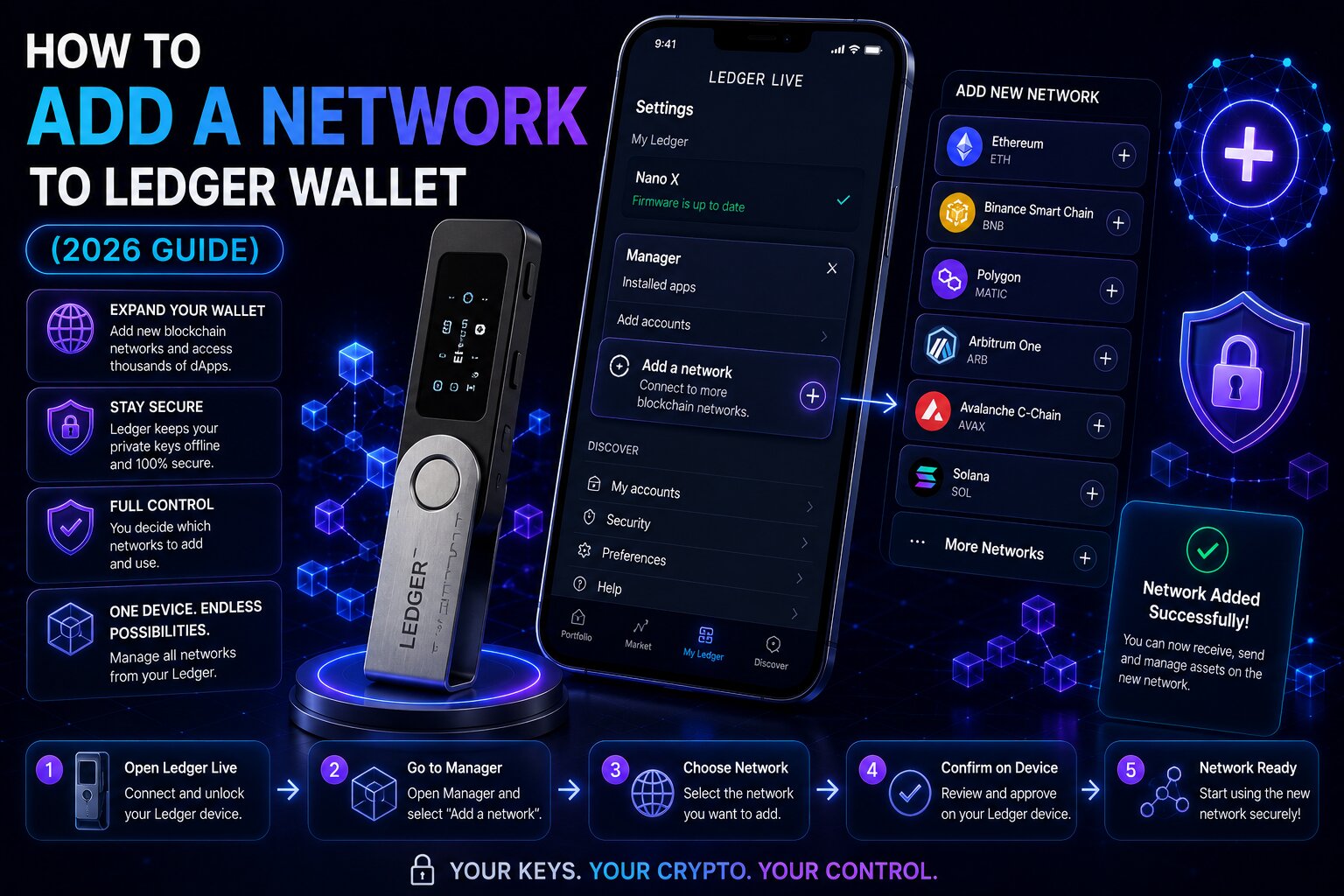
To add a natively supported network, install the correct Asset App on the Ledger signer, then create a new account for that network in Ledger Wallet. The entire process takes under 3 minutes for any officially supported chain.
Steps:
- Connect the Ledger signer via USB-C and unlock it by entering the PIN.
- Open Ledger Wallet and navigate to the My Ledger section (device icon in the left sidebar).
- Find the correct Asset App in the App Catalog β for all EVM-compatible chains (Base, Arbitrum, Polygon, BNB Chain), this is the Ethereum app.
- Click Install β the Asset App installs directly onto the Secure Element Chip environment on the Ledger signer.
- Navigate to the Accounts tab and click the ‘+’ icon to open the Add Account flow.
- Search for the target network β for example, “Base (ETH)” for the Base Layer 2 network.
- Ledger Wallet detects the Ethereum App on the device and opens the account creation screen.
- The Ledger signer displays the new account address on the Secure Screen β verify every character and press both buttons to confirm.
- The new network account appears in the Accounts tab with full balance visibility, transaction history, and Clear Signing active.
Verify the account address on the Secure Screen before depositing any funds β the address the Secure Element Chip generates is the only trusted verification source.
How do you add Base, Arbitrum, Polygon, or BNB Chain to Ledger Wallet?
All four are EVM-compatible networks that use the Ethereum App already installed on the Ledger signer. If the Ethereum App is already installed, only the Add Account step is required β no reinstallation needed.
| Network | Add Account Search Term | Chain Type | Gas Fee Token |
| Base | “Base (ETH)” | OP Stack L2 | ETH |
| Arbitrum One | “Arbitrum (ETH)” | Optimistic rollup | ETH |
| Polygon | “Polygon (POL)” | Sidechain | POL |
| BNB Chain | “BNB Chain (BNB)” | L1 EVM | BNB |
| Optimism | “Optimism (ETH)” | Optimistic rollup | ETH |
Does Ledger Wallet support Layer 2 networks?
Yes. Ledger Wallet natively supports all major Ethereum Layer 2 networks β Base, Arbitrum, Optimism, Polygon, and zkSync among others. Layer 2 networks inherit Ethereum transaction standards and EVM execution logic, so they all use the Ethereum App for signing. EIP-1559 Gas Fee architecture applies to ETH-based Layer 2s β Ledger Wallet displays the exact gas fee in human-readable form via Clear Signing before every transaction.
Why does Ledger show the same address across EVM chains?
The same Ethereum address appears across all EVM-compatible chains because the Secure Element Chip derives wallet addresses from the same private key using the same derivation path β only the EIP-155 Chain ID embedded in each signed transaction differentiates which blockchain the transaction targets.
- The same 0x address holds ETH on Ethereum, ETH on Base, ETH on Arbitrum, and tokens on BNB Chain simultaneously β these are separate balances on separate blockchains, not the same funds.
- Chain IDs prevent cross-chain replay β a transaction signed for Ethereum (Chain ID 1) is cryptographically invalid on Base (Chain ID 8453) even though both use the same address.
Why does Ledger require the Ethereum App to sign transactions on EVM-compatible chains?
The Ethereum App contains the EVM transaction signing logic β it constructs, encodes, and signs transactions according to Ethereum protocol standards used by all EVM-compatible chains. Blind Signing becomes necessary because unsupported EVM networks often use smart contract interactions that Ledger’s Clear Signing parser cannot yet decode into structured transaction fields.
- Clear Signing support has been expanded through ERC-7730 transaction metadata, introduced in 2026 β more DeFi protocols now display human-readable details on the Secure Screen before signing.
- Gas Fees for EVM transactions are calculated using EIP-1559 dynamic pricing β the Secure Screen shows the exact fee amount before Physical Confirmation.
How do you add an unsupported EVM network to Ledger using MetaMask – step by step?
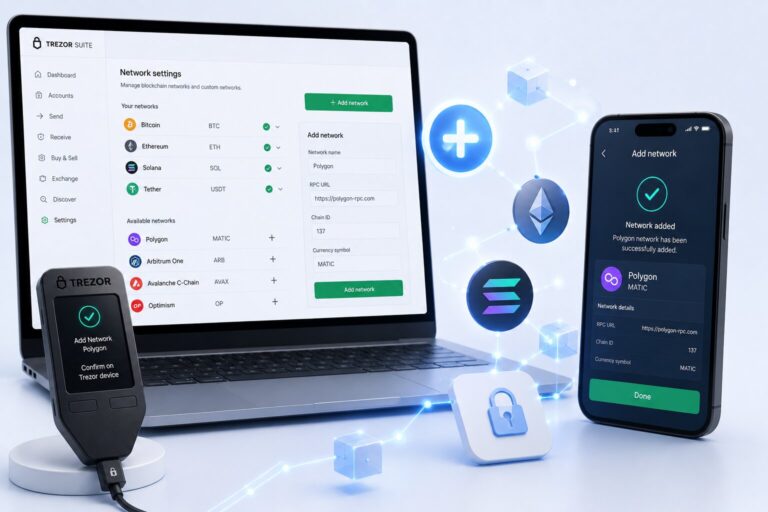
For EVM chains not natively listed in Ledger Wallet, MetaMask acts as the network configuration layer while the Ledger signer handles all transaction signing via the Secure Element Chip. This is the established solution for developer-focused or niche EVM chains.
Steps:
- Install the Ethereum App on the Ledger signer via My Ledger if not already installed.
- Enable Blind Signing in the Ethereum App settings on the Ledger device β required for smart contract interactions on custom EVM networks where Clear Signing is unavailable.
- Install the MetaMask browser extension from metamask.io and unlock an existing wallet.
- In MetaMask, click the profile icon β Settings β Networks β Add Network.
- Enter the five required fields β Network Name, RPC URL (sourced from official docs or Chainlist), Chain ID, Currency Symbol, and Block Explorer URL.
- Click Save – the custom network appears in MetaMask’s network selector.
- In MetaMask, click account selector β Add account or hardware wallet β Hardware wallet β Ledger.
- Connect the Ledger signer via USB-C, unlock it, and select the account to connect.
- Click Unlock β the Ledger account is now active in MetaMask on the custom EVM network.
- All MetaMask transactions on this network route to the Ledger signer for Physical Confirmation via the Secure Screen.
What information do you need to add a custom EVM network via MetaMask + Ledger?
| Field | Example (zkSync Era) | Source |
| Network Name | zkSync Era Mainnet | Official docs |
| RPC URL | https://mainnet.era.zksync.io | Official docs or Chainlist |
| Chain ID | 324 | Official docs or Chainlist |
| Currency Symbol | ETH | Official docs |
| Block Explorer URL | https://explorer.zksync.io | Official docs |
Chainlist β maintained by the Ethereum community β aggregates verified RPC URLs and Chain IDs for hundreds of EVM networks. It is the safest source for custom network details outside of official project documentation.
What is Blind Signing on Ledger and when should you enable it?
Blind Signing allows the Ledger signer to sign arbitrary EVM transaction data β including complex smart contract calls that the Clear Signing parser cannot yet render in human-readable form. It becomes necessary because unsupported EVM networks frequently use smart contract interactions that Ledger’s ERC-7730 metadata catalog has not yet indexed.
| Mode | Secure Screen Shows | Risk Level | Enable When |
| Clear Signing | Full human-readable transaction details | Low | All standard transfers, major DeFi on supported chains |
| Blind Signing | Raw hex or minimal contract data | Higher | Complex DeFi contracts on custom EVM networks via MetaMask |
- Disable Blind Signing after completing the specific interaction that required it β leaving it enabled permanently increases exposure to transaction manipulation.
- ERC-7730 is progressively expanding Clear Signing coverage β protocols that previously required Blind Signing are gaining structured metadata support through the Ledger developer program.
Can malicious RPC URLs affect Ledger users?
A Malicious RPC URL entered into MetaMask can intercept JSON-RPC requests, read transaction data, front-run transactions, and in some implementations alter displayed transaction data before signing. The Secure Element Chip’s signing key cannot be extracted through the RPC connection β but transaction manipulation before the signing request reaches the Secure Screen remains a risk.
- Always source RPC URLs from official project documentation or Chainlist β never from social media, Discord DMs, or unsolicited messages.
- The Secure Screen displays transaction details as submitted to the Secure Element Chip β verifying every character of the recipient address and amount before Physical Confirmation mitigates manipulation risk.
Is adding a network to Ledger Wallet safe?
Adding a natively supported network through the Add Account flow is fully safe β Ledger Wallet’s own infrastructure handles the network connection and Clear Signing protects all transaction verification. Adding custom EVM networks via MetaMask introduces RPC URL risk and Blind Signing exposure β both are manageable with careful RPC source verification and position sizing.
How do you access any EVM dApp network on Ledger using WalletConnect?
WalletConnect β the open protocol managed by the WalletConnect Foundation β connects Ledger Wallet directly to dApps on any supported EVM network without requiring MetaMask, a Browser Wallet, or custom RPC configuration. Every transaction routes to the Ledger signer for Physical Confirmation on the Secure Screen.
Steps:
- Open Ledger Wallet β navigate to My Apps or Discover.
- Select WalletConnect from the connection options.
- On the target dApp, click Connect Wallet β WalletConnect.
- Scan the QR code or paste the connection URI into Ledger Wallet.
- Approve the session β the dApp displays the Ledger account as connected.
- All transactions the dApp initiates route to the Ledger signer for Secure Screen verification.
How does WalletConnect replace the need for custom RPC networks in Ledger Wallet?
WalletConnect allows Ledger Wallet to interact with dApps on any network the dApp supports β the dApp handles the network context and constructs the transaction while Ledger signs it via the Secure Element Chip. No user-side RPC URL configuration is required.
| Approach | Network Config | Browser Extension | Secure Screen |
| Add Account | In Ledger Wallet | Not needed | Yes |
| MetaMask + Ledger | In MetaMask | Required | Yes |
| WalletConnect | Not needed | Not needed | Yes |
- WalletConnect is the recommended first step before configuring MetaMask + Ledger for any unsupported EVM network – if the dApp supports WalletConnect, no custom RPC setup is needed.
- WalletConnect sessions are temporary – they disconnect automatically when the session ends or when manually terminated from Ledger Wallet.
How do you access cross-chain networks on Ledger Wallet using Li.Fi and THORChain?
Ledger Wallet 4.0 integrates Li.Fi and THORChain natively – enabling cross-chain asset movement without adding individual networks or configuring custom RPC endpoints. The Swap interface in Ledger Wallet handles routing automatically.
Which cross-chain route should you use on Ledger Wallet – Li.Fi or THORChain?
| Feature | Li.Fi | THORChain |
| Chain scope | EVM-to-EVM bridging | BTC, ETH, SOL, AVAX + others |
| Asset type | ERC-20 and native EVM tokens | Native Layer 1 assets |
| Gas Fee currency | Source chain native token or USDC swap | Native source asset |
| Best for | Moving USDC/ETH across Base, Arbitrum, BNB | Swapping BTC for ETH/SOL natively |
| Wrapped tokens required | No | No |
| Access in Ledger Wallet | Swap β Bridge β Li.Fi route | Swap β THORChain route |
- Li.Fi scans 15+ bridge providers to find the optimal route for EVM-to-EVM asset movement β users see the best available path for cost and speed before Physical Confirmation.
- THORChain executes cross-chain swaps natively without wrapped token intermediaries β Bitcoin is swapped directly for ETH at the protocol level without any centralized exchange involvement.
- Gas Fees for cross-chain operations are displayed on the Secure Screen in human-readable format via Clear Signing before each transaction is authorized.
Why is a network not showing in Ledger Wallet – troubleshooting guide?
Most network display issues trace to three causes β the Asset App not installed on the Ledger signer, the Add Account step not completed, or the Ethereum App requiring an update.
What causes a network account not to appear in Ledger Wallet after adding?
| Cause | Symptom | Fix |
| Asset App not installed | Add Account cannot detect device | My Ledger β install correct Asset App |
| Asset App outdated | Account creation fails or errors | My Ledger β update Asset App |
| Add Account step skipped | Network supported but no account visible | Accounts β ‘+’ β search and create account |
| Ledger Wallet app outdated | Network missing from Add Account search | Update Ledger Wallet from official source |
| Wrong EVM account selected | Zero balance despite confirmed on-chain funds | Base and Ethereum use same address β different accounts show different balances |
| Network only dApp-accessible | Network not in native list | Use WalletConnect or MetaMask + Ledger |
Conditional logic:
- If the network appears in Add Account search but the device is not detected β ensure the correct Asset App is installed and open on the Ledger signer before proceeding.
- If the network does not appear in Add Account at all β the chain may not be natively supported β try WalletConnect first, then MetaMask + Ledger if WalletConnect does not provide sufficient access.
- If a token on a newly added EVM network is not visible β tokens not in the default list must be imported manually via contract address in the account settings β verify the contract address on the network’s Block Explorer before importing.
FAQ
How do I add a network to Ledger Wallet?
Ledger Wallet has no custom RPC field. For natively supported networks: Accounts β ‘+’ β search the network β install the Asset App on the signer β verify on Secure Screen. For unsupported EVM chains: connect Ledger to MetaMask β add custom RPC in MetaMask β Ledger Secure Element Chip signs transactions. For dApp access: use WalletConnect in Ledger Wallet without any custom configuration.
How do I add a custom network to Ledger Live?
Ledger Live is now Ledger Wallet β it has no custom RPC URL field. Add custom EVM networks via MetaMask: Settings β Networks β Add Network β enter RPC URL from official docs or Chainlist, Chain ID, Currency Symbol, and Block Explorer URL. Connect the Ledger signer to MetaMask β the Secure Element Chip signs all transactions on the custom network via the Secure Screen.
Does Ledger support custom EVM networks?
Yes β through MetaMask. The Ethereum App on the Ledger signer is a universal EVM signing engine for any EVM-compatible chain. Configure the custom network in MetaMask using the JSON-RPC endpoint and EIP-155 Chain ID from official docs or Chainlist, connect the Ledger device, and the Secure Element Chip signs all transactions on that chain. Enable Blind Signing in the Ethereum App for smart contract interactions.
How do I add Arbitrum to Ledger?
Open Ledger Wallet β Accounts β ‘+’ β search “Arbitrum (ETH)” β install the Ethereum App if not already installed β verify the Arbitrum account address on the Secure Screen. Arbitrum One is natively supported in Ledger Wallet β no MetaMask, custom RPC, or Blind Signing is required. The Ethereum App signs all Arbitrum transactions using EIP-155 Chain ID 42161.
How do I add Base to Ledger Wallet?
Open Ledger Wallet β Accounts β ‘+’ β search “Base (ETH)” β ensure the Ethereum App is installed on the Ledger signer β verify the Base account address on the Secure Screen. Base is a Coinbase-built OP Stack Layer 2 natively supported in Ledger Wallet with full Clear Signing. EIP-155 Chain ID 8453 differentiates Base transactions from Ethereum mainnet transactions signed by the same key.
Can I use Ledger with MetaMask to access any EVM chain?
Yes. Connect the Ledger signer to MetaMask via the hardware wallet integration, add any EVM chain to MetaMask using its JSON-RPC RPC URL and EIP-155 Chain ID from Chainlist or official documentation, and the Secure Element Chip signs all transactions on that chain via the Secure Screen. Enable Blind Signing in the Ethereum App for DeFi contract interactions on custom networks.
Does Ledger Wallet support all EVM chains?
Ledger Wallet natively supports 90+ networks including all major EVM chains and Layer 2s. For EVM chains not natively listed: WalletConnect provides dApp-based access without custom configuration; MetaMask + Ledger provides direct account access via custom JSON-RPC endpoints. The Ethereum App’s EIP-155 signing architecture supports any EVM-compatible chain regardless of whether it appears in the native list.
How do I add a custom RPC to Ledger?
Ledger Wallet does not support custom RPC URL entry directly. To use a custom EVM RPC: install MetaMask β Settings β Networks β Add Network β enter the JSON-RPC URL sourced from Chainlist or official project documentation β connect the Ledger signer to MetaMask via hardware wallet integration. The Secure Element Chip in the Ledger signer signs all transactions on the custom RPC network via the Secure Screen.