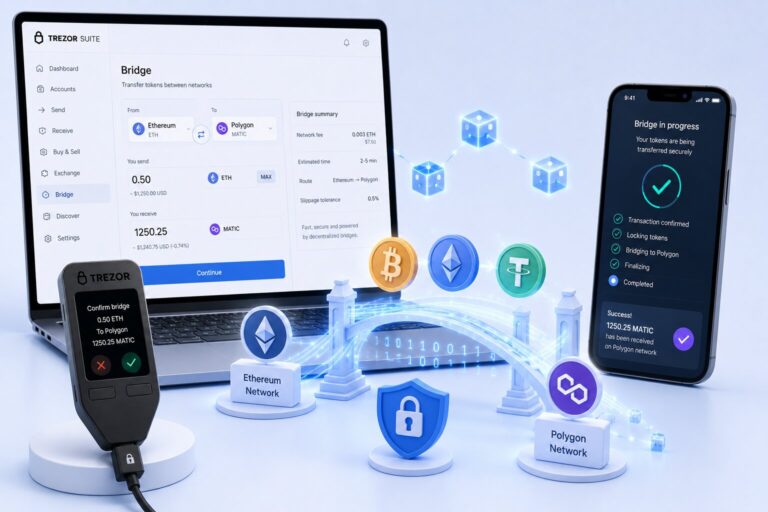
MetaMask Bridge enables cross-chain token transfers by aggregating routes across protocols, optimizing fees, and executing swaps across EVM networks.
It queries providers like LI.FI and Socket, then ranks results by cost and execution time.
How Does MetaMask Bridge Work?
Aggregation Process
MetaMask sends the request
LI.FI / Socket scan liquidity routes
Bridge protocols execute the transfer
MetaMask integrates providers including Across Protocol, Hop Protocol, Connext, Celer cBridge, and Polygon Bridge — each supplying liquidity, speed, or security advantages.
Bridge vs Cross-Chain Swap
A bridge transfers identical assets. A cross-chain swap transfers different assets in one transaction, and MetaMask bundles swaps and bridging into a single signature.
Feature
Bridge
Cross-Chain Swap
Asset type
Same
Different
Example
ETH → ETH
ETH → USDC
Steps
1
Bundled multi-step
Complexity
Low
Higher
Supported Networks and Tokens
MetaMask supports EVM-compatible networks including Ethereum Mainnet, Polygon, Arbitrum, Optimism, BNB Smart Chain, Linea, Base, and Avalanche. Each network requires its own native gas token — ETH on Ethereum and Arbitrum, POL on Polygon, BNB on BNB Chain.
Supported token categories include native tokens (ETH, AVAX), stablecoins (USDC, USDT, DAI), wrapped tokens (WETH), and other ERC-20 tokens with available liquidity. Tokens without a route display “Unable to bridge.”
Before Bridging, CheckYour wallet must hold the gas token, the transfer value must be between $10 and $50,000, and ERC-20 tokens must have approval granted before the bridge can execute.
What Is Token Approval?
Token approval grants a smart contract access to spend your ERC-20 tokens. The user submits an approval transaction, the smart contract receives an allowance, and the bridge then transfers the tokens. Approval costs gas and typically happens once per token.
How to Bridge on MetaMask Extension
1
Open MetaMask and click “Bridge”
This launches MetaMask Portfolio.
2
Select source network and token
Choose where you’re bridging from.
3
Select destination network
Choose where the funds should arrive.
4
Enter amount, review, confirm
Review the quote, then confirm the transaction.
How to Bridge on MetaMask Mobile
Open MetaMask Mobile, tap the menu button, tap “Bridge,” select networks and tokens, enter the amount, and confirm. Alternatively, use the in-app browser to navigate to portfolio.metamask.io, connect your wallet, and execute the bridge there.
Comparing Bridge Quotes
Quotes are compared on output amount (tokens received), estimated time, and total cost. Choose the lowest cost to maximize output, or the fastest route to minimize delay — quotes refresh every minute.
What Fees Does MetaMask Bridge Charge?
Fee Type
Range
MetaMask fee
0.875%
Bridge fee
0.1–0.5%
Gas fee
Variable
Price impact
Variable
All of these fees are included in the final quote before you confirm.
How Long Does Bridging Take?
Standard routes complete in 1–15 minutes; high congestion can cause longer delays. If bridged tokens don’t arrive, wait up to 3 hours, check transaction status, then contact support — never resend or cancel an active bridge, as duplicate actions risk fund loss.
MetaMask Multichain Accounts
MetaMask Multichain Accounts unify multiple blockchain addresses under one account, letting you manage assets across Ethereum, Polygon, Arbitrum, and Solana without switching accounts — simplifying tracking and reducing network switching.
Frequently Asked Questions
Open MetaMask, select Bridge, choose networks and tokens, enter the amount, review the quote, and confirm. MetaMask aggregates routes and executes the transfer automatically.
MetaMask charges a 0.875% fee per transaction, plus additional gas fees and bridge provider fees.
MetaMask supports ERC-20 tokens with available liquidity. Tokens without an active route cannot be bridged.
Wait up to three hours and check the transaction status. Contact support if it remains pending — never resend or cancel the transaction.
The minimum is $10, though some networks require higher minimums up to $30.