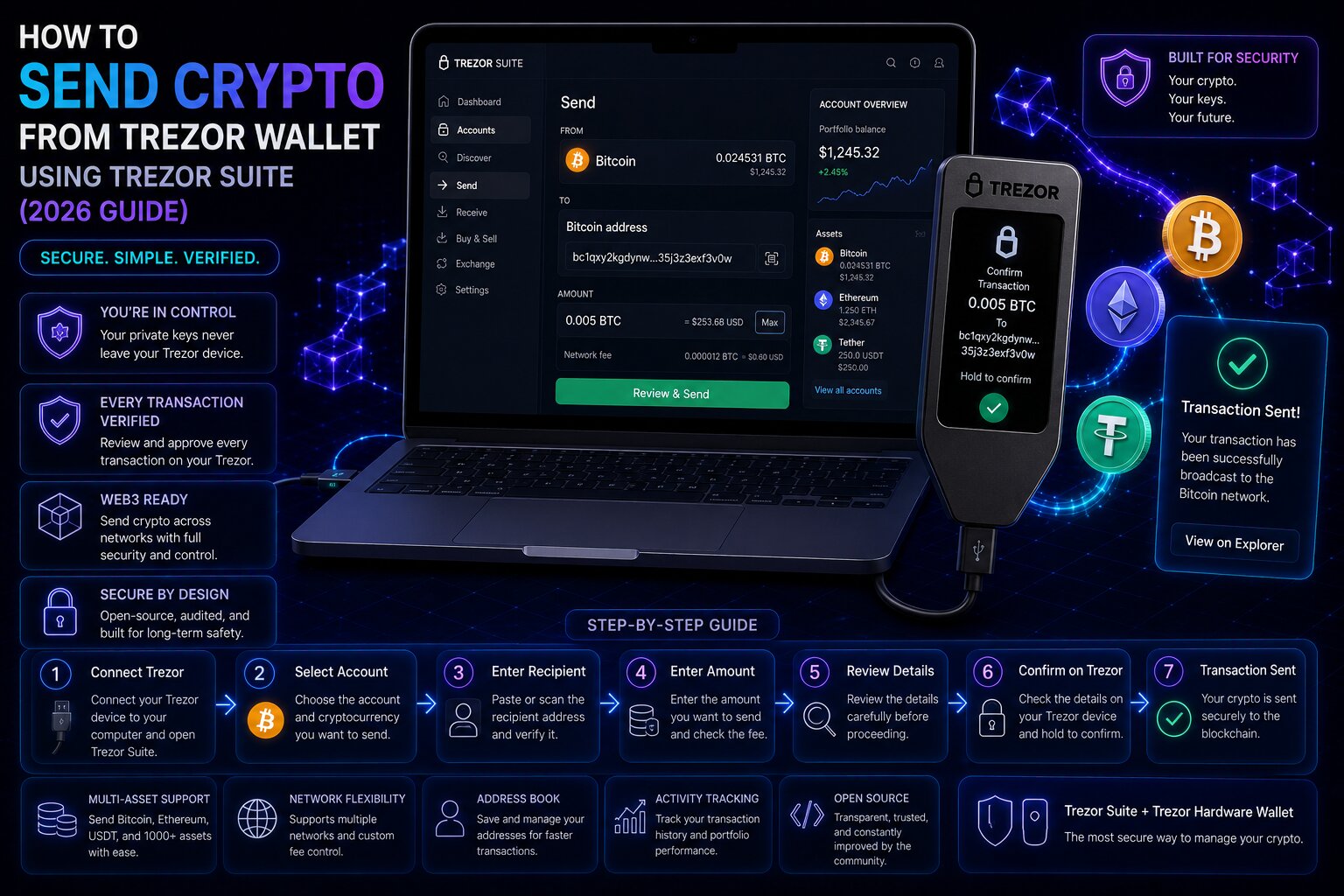
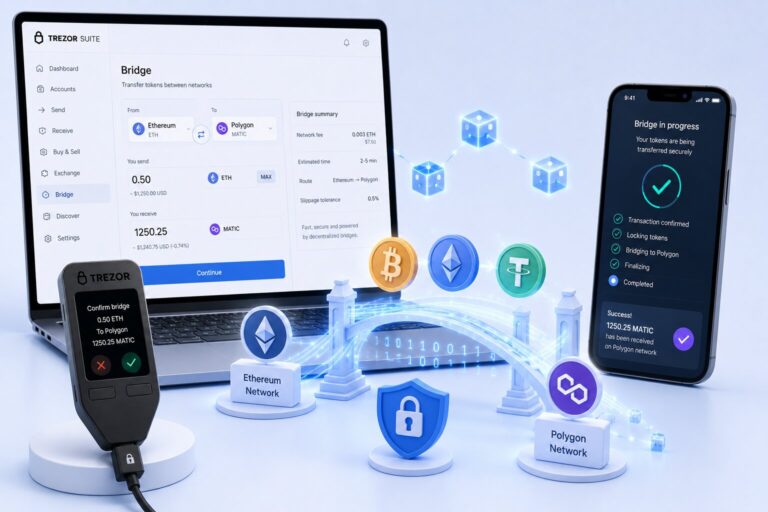
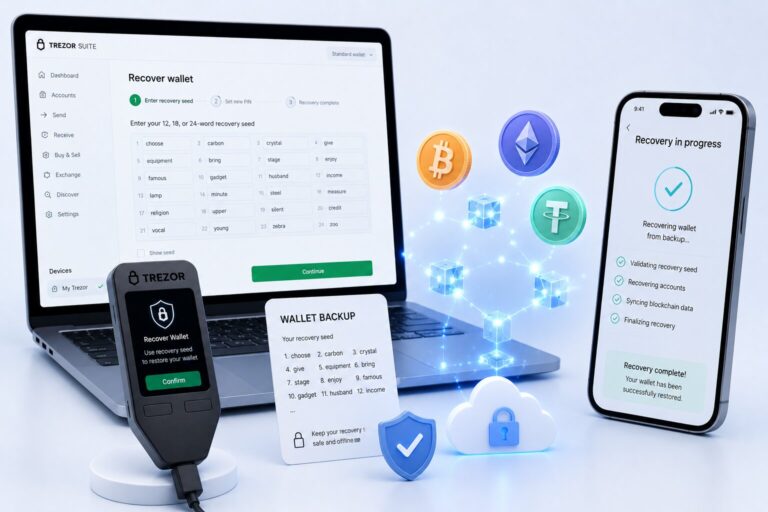
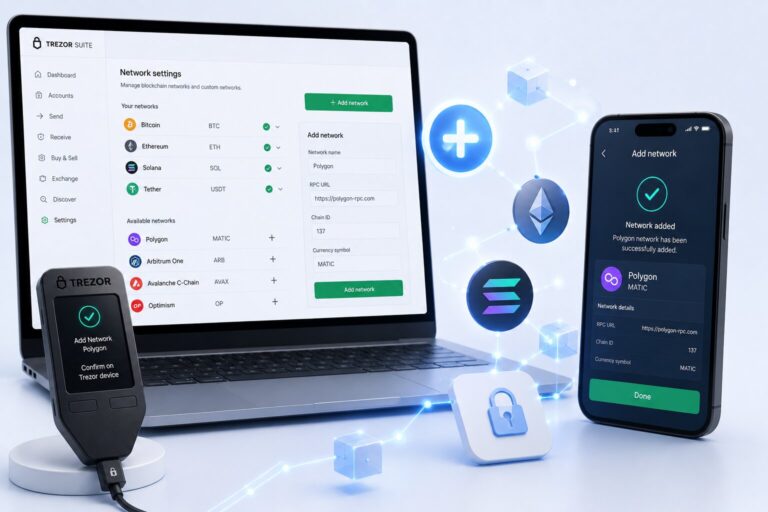
How to Send Crypto from Trezor Wallet Using Trezor Suite (2026 Guide)
Sending crypto from Trezor Wallet routes transaction construction through the companion application and transaction signing through the hardware device β private keys never leave the cold storage environment.
Every outgoing transfer requires physical button confirmation on the Trezor device, where the recipient address and amount must exactly match the intended transaction before authorization.
| Send Step | Platform | Critical Action |
| Enter recipient address | Wallet interface | Paste or QR scan β never type manually |
| Enter amount | Wallet interface | Use Send Max for full balance |
| Select fee level | Wallet interface | Low / Normal / High or custom |
| Verify and confirm | Hardware device screen | Match address + amount against source |
| Broadcast | Blockchain network | Irreversible after first confirmation |
- The companion application validates recipient address format automatically – invalid formats are rejected before reaching the hardware confirmation screen.
- Clipboard malware replaces a copied address with an attacker-controlled substitute between copy and paste – device screen verification is the only reliable detection point.
- Replace-By-Fee (RBF) is enabled by default for Bitcoin transactions – allowing fee escalation on pending mempool transactions without rebroadcasting from scratch.
- Sending on the wrong network causes permanent or difficult-to-recover fund loss – verifying the account network selector before confirmation is essential.
Key Terms for Sending from Trezor Wallet
| Term | Definition |
| Mempool | Memory pool where unconfirmed transactions wait for miner or validator inclusion |
| sat/vByte | Satoshis per virtual byte β Bitcoin fee unit measuring cost per unit of transaction weight |
| UTXO | Unspent Transaction Output β Bitcoin’s accounting unit; wallet selects UTXOs to fund each send |
| SegWit (Bech32) | Segregated Witness address format (bc1 prefix) β reduces transaction weight and fees vs legacy addresses |
| EIP-1559 | Ethereum fee mechanism with a burned base fee plus a validator priority tip |
| Gas limit | Maximum gas units the sender authorizes for an Ethereum transaction |
| Max priority fee | EIP-1559 tip paid to validators above the burned base fee |
| Nonce | Sequential transaction counter on Ethereum β each account sends transactions in strict nonce order |
| RBF | Replace-By-Fee β replaces a pending Bitcoin transaction with a higher-fee version in the mempool |
| CPFP | Child-Pays-For-Parent β creates a new transaction spending an unconfirmed output with a fee high enough to pull the parent transaction through |
| Finality | The state where a transaction is considered irreversible by the network β varies by chain |
What does sending crypto from Trezor Wallet involve?
Sending crypto from Trezor Wallet separates transaction construction from transaction authorization β the wallet interface on the computer builds the unsigned transaction while the hardware signer generates the cryptographic signature in offline isolation. This host-device trust separation prevents any software on the connected computer from authorizing transfers without physical user action.
- The hardware signer passes only the signed transaction back to the companion application β private keys and seed phrases are never transmitted through the USB connection.
- Natively supported networks in the wallet interface include Bitcoin, Ethereum, Litecoin, Dogecoin, Cardano, XRP, Solana, Polygon PoS, BNB Smart Chain, Arbitrum One, Base, Optimism, and ERC-20 tokens β each accessible through dedicated account views.
- XRP, Solana, and Cardano require Safe 3, Safe 5, Safe 7, or Model T β Model One does not support these assets natively in the companion application.
Why does every Trezor send require device confirmation?
Device confirmation ensures that even a fully compromised host computer β infected with clipboard malware, keyloggers, or remote access tools β cannot broadcast unauthorized transactions. The hardware display renders transaction parameters from the signed data independently, not from the computer screen.
How do you send crypto from Trezor Wallet – step by step?
How do you send Bitcoin from Trezor Wallet β step by step?
Steps β Bitcoin send:
- Connect the cold storage device via USB and enter the PIN Code to unlock.
- Open the companion application β Accounts β select the Bitcoin account.
- Click the Send tab.
- Enter the recipient’s Bitcoin address β paste from clipboard, scan QR by clicking Scan, or upload a QR code image. SegWit (Bech32 bc1 prefix) addresses incur lower fees than legacy addresses due to reduced transaction weight.
- Enter the BTC amount β or click Send Max to send the full UTXO balance minus the estimated fee.
- Select the fee level β Low, Normal, or High β or enter a custom sat/vByte value based on current mempool conditions.
- Click Review & Send β verify the recipient address and BTC amount on the hardware device screen.
- Press the confirm button β the signed transaction broadcasts to the Bitcoin network and enters the mempool.
- Monitor confirmation progress in the wallet dashboard β 3-6 confirmations (~30-60 minutes at Normal fee) are considered final for most purposes.
If the address shown on the hardware device screen differs from the intended recipient address β do not press confirm. Disconnect the device and scan the computer for malware before retrying.
How do you send Ethereum and ERC-20 tokens from Trezor Wallet?
Steps β Ethereum send:
- Connect and unlock the hardware signer.
- Wallet interface β Accounts β select the Ethereum account (or Arbitrum, Base, Polygon, BNB Chain for the target network).
- Click Send β enter the recipient Ethereum address.
- For ERC-20 tokens, click the asset selector and choose the specific token (USDC, USDT, LINK) from the account’s token list.
- Enter the amount β for tokens, ensure the Ethereum account holds sufficient ETH for gas.
- Review the EIP-1559 gas estimate β the interface displays the base fee (burned by the network) and the max priority fee (paid to the validator) separately.
- Review & Send β verify recipient address and amount on the hardware display β confirm.
- ERC-20 transfers consume ETH for gas regardless of which token is sent β a USDC transfer requires ETH in the account to pay the gas limit.
- Each Ethereum account maintains an independent nonce counter β transactions from the same account must confirm in nonce order; a stuck transaction blocks all subsequent sends.
Real-world example β Sending USDC from Ethereum to Coinbase: Select the Ethereum account (not Arbitrum or Base). Confirm Coinbase’s USDC deposit page specifies the Ethereum network. Enter the Coinbase deposit address. Select USDC from the token list. Set Normal fee (~$0.50-3.00 depending on congestion). Confirm the Ethereum address (starting with 0x) on the hardware display. Expect 12-35 confirmations before Coinbase credits the deposit.
How do you send the full balance using Send Max on Trezor Wallet?
Send Max deducts the transaction fee from the total account balance and sends the remainder β useful when emptying an account or consolidating UTXOs.
- For Bitcoin, Send Max consolidates all UTXOs in the account into a single output β the fee is calculated based on the combined UTXO transaction weight at the selected sat/vByte rate.
- For Ethereum, Send Max deducts the estimated gas cost (gas limit Γ gas price) from the ETH balance β the output amount adjusts if gas prices fluctuate before confirmation.
- Send Max for ERC-20 tokens sends the entire token balance β the ETH gas fee is separate and not deducted from the token amount.
Fee selection determines transaction priority, but recipient verification determines transaction safety. The next stage focuses on detecting address manipulation before the hardware signer authorizes the transfer.
How do you verify the recipient address on Trezor before sending?
Address verification on Trezor compares the address rendered on the hardware device screen β generated from the signed transaction data β against the intended recipient address. Any discrepancy indicates address manipulation on the host computer.
The verification protocol: compare the first 4-5 characters and the last 4-5 characters at minimum. For transactions above $1,000 in value, verify the full address character by character.
What is clipboard malware and how does it target Trezor users?
Clipboard malware monitors the system clipboard for cryptocurrency address patterns and silently replaces them with attacker-controlled addresses at the moment of paste. The substituted address appears in the wallet interface without visual warning β only the hardware device screen reveals the discrepancy.
| Clipboard Malware Attack Stage | What Happens |
| User copies address from exchange | Legitimate address enters clipboard |
| Malware detects crypto address format | Substitution triggered silently |
| User pastes into wallet interface | Attacker’s address appears in field |
| User reviews wallet interface only | Attack invisible at this stage |
| Hardware device screen shows attacker’s address | Mismatch detectable here β only reliable checkpoint |
| User verifies device vs source β catches substitution | Attack prevented |
- Scanning a QR code instead of pasting from clipboard eliminates this attack vector entirely β QR scanning bypasses the clipboard layer where substitution occurs.
- Phishing domains that mimic exchange deposit pages provide attacker-controlled addresses from the start β always navigate to exchange deposit pages directly, not via email links.
What is address poisoning and how do you prevent it when sending from Trezor?
Address poisoning distributes tiny transactions (often $0.001 or less) from addresses visually resembling the victim’s frequently used recipients β targeting users who copy addresses from transaction history instead of authoritative sources.
- Poisoned addresses share the first 4-6 and last 4-6 characters with the legitimate address β the middle characters differ but are rarely checked.
- Prevention: always obtain recipient addresses directly from the recipient or the platform’s deposit page β never copy from the wallet’s transaction history.
- The hardware device confirmation screen displays the full address β character-by-character verification at confirmation eliminates address poisoning risk regardless of how the address was obtained.
Which Trezor fee level is best for fast confirmations?
Fee selection determines how quickly the network processes a transaction β higher fees outbid competing transactions in the mempool for inclusion in the next available block.
Fee and confirmation comparison across networks
| Network | Fee Unit | Mechanism | Low Fee Risk | Speed Up Method |
| Bitcoin | sat/vByte | Mempool priority bid | Hours to days pending | RBF (Replace-By-Fee) |
| Ethereum | Gwei (base + priority) | EIP-1559 base fee + tip | Pending if below base fee | Speed Up (nonce replacement) |
| Arbitrum | Gwei | L2 sequencer + L1 calldata | Rare pending | Speed Up |
| Solana | Lamports | Priority fee | Rarely congested | Priority fee escalation |
Network confirmation time comparison
| Network | Block Time | Recommended Confirmations | Total Wait (Normal fee) |
| Bitcoin | ~10 minutes | 3-6 blocks | 30-60 minutes |
| Ethereum | ~12 seconds | 12-35 (exchange-dependent) | 2-7 minutes |
| Arbitrum One | <1 second | 1-2 | Under 1 minute |
| Base | <1 second | 1-2 | Under 1 minute |
| Polygon | ~2 seconds | 5-10 | Under 1 minute |
| Solana | ~400ms | 1 | Seconds |
What is the difference between Low, Normal, and High fees on Trezor?
| Fee Level | Bitcoin (sat/vByte) | Confirmation Target | Use Case |
| Low | Below median mempool | Hours to days | Non-urgent transfers, cost priority |
| Normal (default) | Median mempool rate | 1-3 blocks (~10-30 min) | Standard sends, most use cases |
| High | Above 90th percentile | Next block (~10 min) | Exchange deposits, time-sensitive |
| Custom | User-defined | Depends on value entered | Advanced users using sat/vByte estimators |
- Bitcoin mempool congestion fluctuates significantly β checking a sat/vByte estimator (mempool.space or Trezor Suite’s built-in estimate) before setting a Low fee avoids extended delays.
- Ethereum base fees are burned and fluctuate with network demand β the max priority fee tip determines validator preference when multiple transactions offer the same base fee.
- Layer 2 networks (Arbitrum, Base, Polygon) maintain significantly lower gas fees than Ethereum mainnet β using these networks reduces send costs by 10-100x for EVM transfers.
What is the fastest way to send crypto from Trezor?
For Bitcoin, selecting High fee targets the next available block (~10 minutes). For EVM transfers, Layer 2 networks confirm in under one minute with negligible fees β Arbitrum and Base are faster and cheaper than Ethereum mainnet for most transfers.

- Layer 2 networks (Arbitrum, Base, Polygon, Optimism) confirm EVM transactions in seconds to minutes at fees measuring fractions of a cent β the fastest and cheapest EVM send option available through the wallet interface.
- For urgent Bitcoin sends, setting a custom sat/vByte at the 95th-percentile mempool rate targets next-block inclusion β mempool.space’s fee estimator provides real-time sat/vByte recommendations.
What is the cheapest way to send crypto from Trezor?
| Network | Typical Send Fee (2026) | Cheapest For |
| Solana | <$0.001 (lamports) | SOL and SPL tokens |
| Base | <$0.01 (gwei) | ETH and ERC-20 equivalent tokens |
| Arbitrum | <$0.05 (gwei) | ETH and ERC-20 equivalent tokens |
| Polygon | <$0.01 (gwei) | MATIC and ERC-20 equivalent tokens |
| Bitcoin (Low fee) | $0.50β$2 (sat/vByte) | BTC non-urgent |
| Ethereum (Low fee) | $0.50β$5 (gwei) | ETH non-urgent, avoid peak congestion |
- Sending USDC on Base costs a fraction of a cent compared to $0.50-$3 on Ethereum mainnet β using the correct network for token transfers significantly reduces send costs.
- Bitcoin Lightning Network (accessible via third-party apps) provides near-zero fee Bitcoin sends for small amounts β not natively available in Trezor Suite but accessible through compatible wallets.
What is the safest way to send crypto from Trezor?
The safest send workflow combines QR-code address entry (bypasses clipboard), full-address verification on the hardware device screen, a test transaction for new recipients, and direct address sourcing from the recipient rather than transaction history.
- QR scanning is safer than clipboard paste because it bypasses the clipboard layer where substitution malware operates.
- Hardware device screen verification is the definitive safety checkpoint β it shows the signed transaction parameters independent of the host computer’s display.
- CoinJoin (Bitcoin) and TOR broadcast support in the companion application add transaction privacy layers β CoinJoin obscures the transaction graph and TOR routing conceals the sender’s IP address from nodes receiving the broadcast.
How do you speed up a slow or pending Trezor transaction?
A pending transaction indicates the fee is insufficient for current network conditions β the signed transaction waits in the mempool or sequencer queue for inclusion.
How do you bump the fee on a pending Bitcoin transaction using RBF?
Replace-By-Fee rebroadcasts the transaction with a higher sat/vByte value β miners replace the lower-fee version in their mempool with the higher-fee version.
Steps – Bitcoin RBF fee bump:
- Wallet interface β Bitcoin account β locate pending transaction (shows “Pending” status).
- Click the pending transaction β Bump fee.
- Set a higher fee level β Normal or High depending on urgency.
- Review & confirm on the hardware device screen.
- The replacement transaction broadcasts β the higher-fee version displaces the original in the mempool.
- CPFP (Child-Pays-For-Parent) is an alternative fee escalation method available through Electrum β it creates a new transaction spending the unconfirmed output at a fee high enough to pull both transactions through simultaneously. Not available natively in Trezor Suite.
- RBF is only available if the original transaction was broadcast with RBF signaling enabled β the companion application enables RBF by default for all Bitcoin sends.
How do you speed up a pending Ethereum transaction using EIP-1559?
EIP-1559 transactions support nonce replacement β broadcasting a new transaction with the same nonce but a higher max priority fee displaces the original in validator queues.
Steps – Ethereum EIP-1559 speed up:
- Wallet interface β Ethereum account β locate pending transaction.
- Click Speed up β fee adjustment window opens.
- Set a higher max priority fee above the current network average (check Etherscan Gas Tracker).
- Confirm on the hardware device β replacement transaction broadcasts.
- Non-EIP-1559 legacy Ethereum transactions cannot be replaced after broadcast β the only option is waiting for mempool expiry (typically 24-72 hours under low congestion) or network conditions to improve.
- Each Ethereum account’s nonce counter blocks all subsequent transactions from that account while any nonce is pending β resolving a stuck transaction unblocks the entire send queue.
What is the wrong network risk when sending from Trezor – and how do you prevent it?
| Scenario | Result | Recovery Path |
| USDC (ERC-20) sent to Solana address | Incompatible format β broadcast rejected | Transaction fails before confirmation |
| ETH on Ethereum sent to Base recipient | ETH on Ethereum β recipient needs Ethereum access | Recoverable if recipient can access Ethereum |
| USDC (Ethereum) sent via Polygon network | USDC on Polygon β recipient may lack Polygon config | Recoverable if recipient adds Polygon network |
| XRP sent without destination tag | Funds may be credited to exchange general pool | Contact exchange support β tag required for most CEXs |
| BTC sent to BCH address | Format incompatible β rejected before broadcast | Usually rejected |
- XRP, XLM, and ATOM require a destination tag or memo when sending to centralized exchanges β missing a tag sends funds to the exchange’s untagged pool, requiring manual recovery through exchange support.
- The network account selector in the wallet dashboard is the critical control point β “Ethereum #1”, “Arbitrum #1”, and “Base #1” are distinct accounts that route to different blockchains.
- When sending stablecoins to an exchange, verify the exchange’s deposit page specifies the accepted network before selecting the source account β most exchanges accept only specific networks for each token.
Common mistakes when sending from Trezor Wallet
| Mistake | Result | Prevention |
| Not verifying device screen | Clipboard malware sends funds to attacker | Always compare device screen vs source address |
| Copying address from transaction history | Address poisoning β similar attacker address used | Source address from recipient or official platform directly |
| Wrong network account selected | Funds on unintended chain | Verify account name matches recipient’s expected network |
| No ETH for ERC-20 gas | Token transfer fails | Check ETH balance before any ERC-20 send |
| No destination tag (XRP/XLM) | Exchange cannot credit deposit | Check exchange deposit page for required memo/tag |
| Setting fee too low for urgency | Pending for hours or days | Use Normal for standard sends; High for exchanges |
FAQ
How do I send crypto from my Trezor wallet?
Connect the cold storage device via USB, unlock with PIN, open the companion application β Accounts β select account β Send tab. Enter recipient address (paste or QR scan), amount, and fee level. Click Review & Send β verify recipient address and amount on the hardware device screen β press confirm. The signed transaction broadcasts to the network immediately after physical confirmation.
How do I send Bitcoin from Trezor?
Wallet interface β Bitcoin account β Send β enter Bech32 recipient address β enter BTC amount or click Send Max β select fee level based on mempool conditions β Review & Send β verify address and amount on device screen β confirm. RBF is enabled by default β pending transactions can be fee-bumped via Bump fee in the transaction history if confirmation is delayed.
How do I verify the address on Trezor before sending?
After clicking Review & Send, the hardware device screen shows the recipient address and amount from the signed transaction data. Compare the first 4-5 and last 4-5 characters against the source address. For high-value transfers, verify every character. If any character differs β the host computer is likely infected with clipboard malware β abort and scan for malware before proceeding.
What happens if I send to the wrong address on Trezor?
Crypto transactions cannot be reversed after blockchain confirmation β funds sent to an incorrect address are permanently inaccessible unless the address owner returns them voluntarily. Recovery depends entirely on whether the recipient controls the destination and is willing to return the funds. Hardware device confirmation screen verification before pressing confirm prevents this outcome entirely.
How do I speed up a slow Trezor transaction?
For Bitcoin: wallet interface β pending transaction β Bump fee β set higher sat/vByte β confirm on device (RBF replaces original in mempool). For Ethereum (EIP-1559): pending transaction β Speed up β set higher max priority fee above current network average β confirm on device. Check mempool.space (Bitcoin) or Etherscan Gas Tracker (Ethereum) for current fee benchmarks before setting replacement fees.
Which Trezor fee level is best for fast confirmations?
High fee targets the next Bitcoin block (~10 minutes) using above-90th-percentile sat/vByte rates. For EVM chains, Layer 2 networks (Arbitrum, Base, Polygon) confirm in under one minute with fees below $0.05 β significantly faster and cheaper than Ethereum mainnet. Normal fee suits most Bitcoin sends targeting 1-3 block confirmation (10-30 minutes).
Why is my Trezor transaction pending?
A pending transaction indicates the fee is below current mempool competition. For Bitcoin: use Bump fee (RBF) in the companion application to broadcast a replacement with higher sat/vByte. For EIP-1559 Ethereum: use Speed up to replace with higher max priority fee. For non-EIP-1559 Ethereum: wait for mempool expiry (24-72 hours). Check current network conditions on mempool.space or Etherscan Gas Tracker before setting replacement fees.
How do I send ETH from Trezor?
Wallet interface β Ethereum account β Send β paste recipient 0x address β enter ETH amount β review EIP-1559 gas estimate (base fee + max priority fee) β Review & Send β verify address and ETH amount on hardware display β confirm. For ERC-20 tokens (USDC, USDT), select the token from the asset list β ETH is still required for gas. Verify the Ethereum account is selected, not an Arbitrum or Base account, before sending.