How to Import a Seed Phrase into Ledger Wallet: Complete 2026 Guide
How to Import a Seed Phrase into Ledger Wallet: Complete 2026 Guide
CrisCoin 11 min readLedger
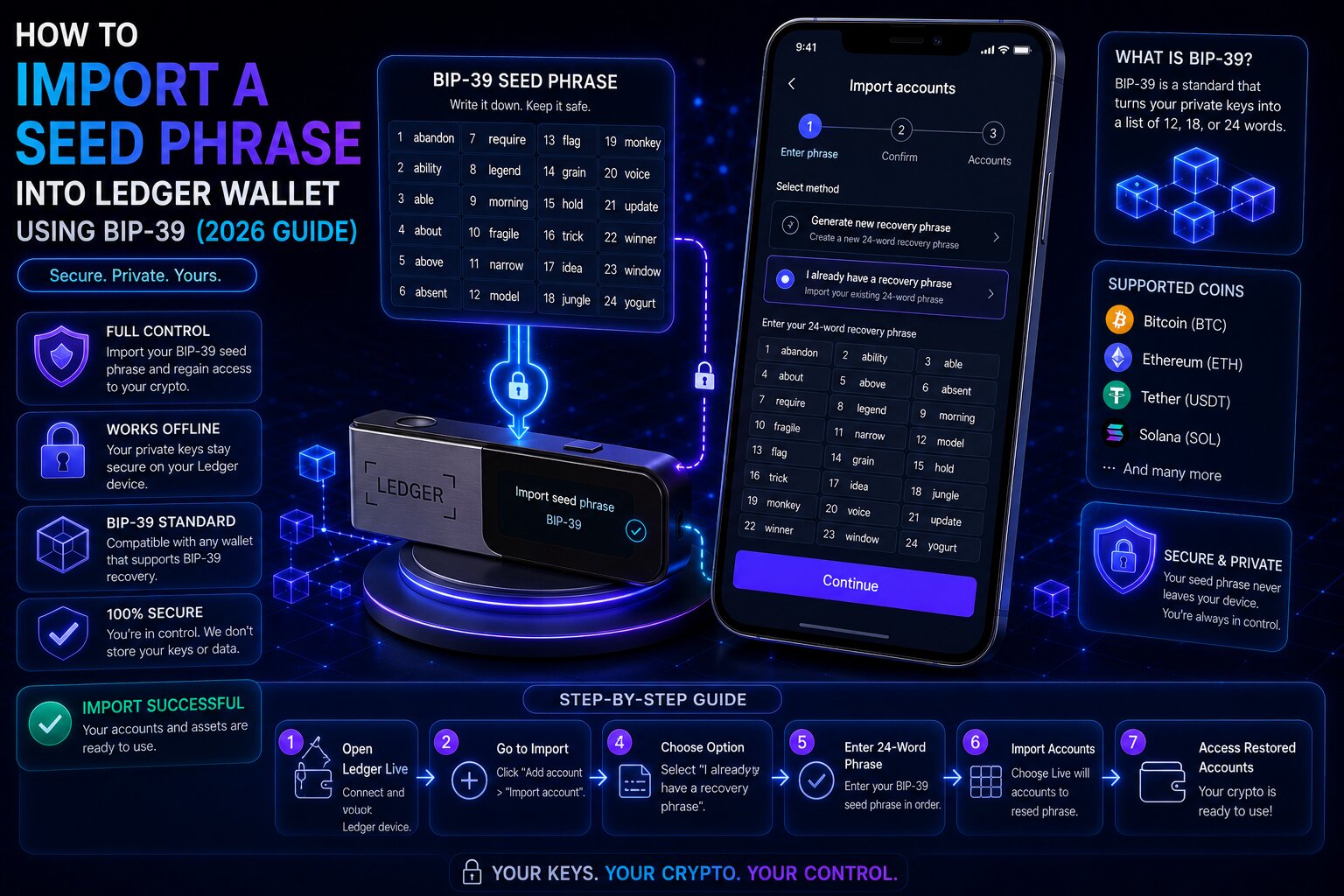
Importing a seed phrase into Ledger Wallet restores an existing BIP-39 mnemonic onto a Ledger device — regenerating identical private keys and blockchain accounts through deterministic HD wallet derivation.
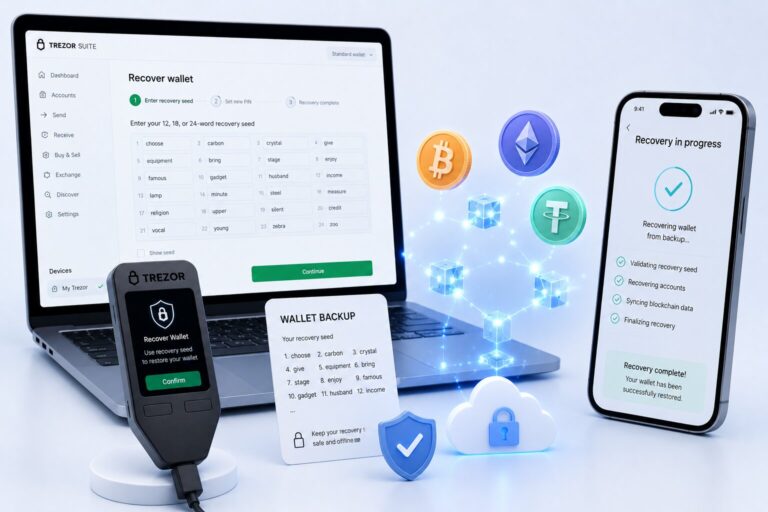
Any BIP-39 compatible wallet’s recovery phrase can initialize a Ledger device using the “Restore from recovery phrase” setup flow.
Security WarningEnter the mnemonic phrase only on the Ledger device’s own screen — never type it into any website, browser, app, or message. Any digital exposure of the recovery seed permanently compromises all associated funds.
Feature
Software Wallet
Ledger Hardware Wallet
Private key storage
Device memory — internet-connected
Hardware enclave — air-gapped
Transaction signing
Software-based
Inside isolated signing environment
Seed phrase portable
Yes
Yes — BIP-39 standard
Importing a mnemonic phrase from a software wallet upgrades private key storage from internet-connected device memory into a certified hardware enclave. The original software wallet keeps working after import — both access the same on-chain accounts through identical private keys, though the PIN Code is never portable and must be set fresh on the Ledger.
What Is a Ledger Seed Phrase Import?
A seed phrase import restores an existing BIP-39 recovery phrase onto a Ledger device, regenerating the same private keys and accounts using BIP-32 and BIP-44 derivation. A mnemonic phrase encodes the master private key as 12 or 24 words from the BIP-39 2,048-word list. BIP-39 portability means the same phrase initializes matching addresses on any compatible wallet — Ledger, Trezor, MetaMask, Trust Wallet, or Coinbase Wallet.
Which Wallets Support Ledger Imports?
Source Wallet
BIP-39 Compatible
Phrase Length
ETH Derivation Path
MetaMask
Yes
12 words
m/44’/60’/0’/0
Trust Wallet
Yes
12 words
m/44’/60’/0’/0
Coinbase Wallet
Yes
12 words
m/44’/60’/0’/0
Trezor
Yes
12 or 24 words
m/44’/60’/0’/0
Wallets Not Fully Compatible
Wallet
Compatibility Issue
Electrum (Bitcoin)
Proprietary seed format, not standard BIP-39 — addresses may differ
Exchange accounts
Custodial — no user-accessible seed phrase exists
Argent (Smart Contract Wallet)
Account abstraction — no BIP-39 seed phrase
Exchange custodial wallets never expose a seed phrase to the user, since the exchange holds the private keys — these accounts can’t be imported into any self-custody hardware wallet.
How Do You Import a MetaMask Phrase — Step by Step?
Locating the MetaMask Phrase
1
Open Settings
MetaMask → Settings → Security & Privacy.
2
Reveal the phrase
Click Reveal Secret Recovery Phrase, enter your password, then Hold to reveal.
3
Write it down
Record each word in numbered order on paper — never screenshot or type it digitally.
Initializing Ledger with the Phrase
1
Restore from recovery phrase
Connect the Ledger, select “Restore from recovery phrase” during setup.
2
Set a new PIN
Independent of the MetaMask password.
3
Enter 12 words
Select 12 as the phrase length and enter each word in exact original order.
4
Add accounts
Open Ledger Wallet app → Accounts → Add Account → Ethereum to restore visibility.
Why Do Accounts Appear Empty After Import?
A derivation path mismatch is the most common cause — the phrase is valid but the wallet derives different addresses from a different HD path.
Wallet
Ethereum Derivation Path
Matches
MetaMask
m/44’/60’/0’/0
Coinbase Wallet, Trust Wallet
Ledger Wallet (current)
m/44’/60’/0’/0
MetaMask
Ledger Live (legacy)
m/44’/60’/0’/0/0
Different address from MetaMask
The current Ledger Wallet app uses the same BIP-44 path as MetaMask — a MetaMask phrase imported into an up-to-date installation generates matching addresses. If it differs, switch to the BIP44 path in Ledger Wallet’s account settings. Accounts without prior ETH activity aren’t auto-detected and must be added manually in sequence.
How Do You Import a Trust Wallet Phrase?
1
Locate the phrase
Trust Wallet → Settings → Wallets → three dots → Manual Backup → confirm with PIN or biometrics.
2
Initialize Ledger
Connect Ledger → Restore from recovery phrase → new PIN → select 12 words → enter in exact order.
3
Add accounts
Ledger Wallet app → Accounts → Add Account for each blockchain.
12-Word vs 24-Word Phrases
Phrase Length
Entropy
Ledger Compatible
Common Source
12 words
128 bits
Yes
MetaMask, Trust Wallet, Coinbase Wallet
18 words
192 bits
Yes
Less common
24 words
256 bits
Yes
Ledger default, Trezor
Both lengths are cryptographically secure — 24 words simply provide more entropy headroom, not a compatibility requirement. Ledger’s hardware enclave accepts 12, 18, and 24-word phrases equally.
What Is a Derivation Path?
A derivation path is the mathematical address within the HD wallet tree specifying which private key to generate from the master seed. The same mnemonic regenerates different addresses under different paths — the primary cause of empty accounts after a correct import.
Blockchain
MetaMask Path
Ledger Wallet Path
Ethereum
m/44’/60’/0’/0
m/44’/60’/0’/0
Bitcoin
N/A
m/84’/0’/0’/0/0 (BIP-84 Native SegWit)
Solana
N/A
m/44’/501’/0’/0′
MetaMask doesn’t support native Bitcoin accounts — a phrase imported from MetaMask won’t show a Bitcoin balance on Ledger without separately adding a Bitcoin account using BIP-84.
Fixing Empty Accounts After Import
Cause
Symptom
Fix
Derivation path mismatch
Different Ethereum address than original
Switch to BIP44 path in account settings
Account not added manually
Correct address, zero balance
Accounts → Add Account sequentially
No ETH on mainnet
Account not auto-detected
Add accounts manually in original order
Wrong word order entered
Completely unfamiliar addresses
Re-enter phrase in exact numbered sequence
Can Ledger import a private key directly?No. Ledger devices restore accounts exclusively through BIP-39 mnemonic phrases and HD derivation — raw private key import isn’t supported, since it would require transmitting the key through an external interface Ledger’s architecture intentionally avoids.
Is It Safe to Import a Seed Phrase into Ledger?
Moving a mnemonic from a software wallet into a Ledger is a security upgrade — private keys migrate from internet-connected memory into an isolated hardware enclave. The reverse direction is a downgrade.
Scenario
Risk Level
MetaMask phrase → Ledger device
Secure upgrade
Ledger phrase → MetaMask
Security downgrade — internet exposure
If a Ledger phrase is ever entered into a software wallet as an emergency measure, transfer all assets to a newly generated Ledger wallet with a fresh phrase as soon as hardware access is restored. Never enter any mnemonic into a website, even one claiming to be an official recovery tool.
Most Common Mistakes When Importing
Avoid These Errors
Wrong word order — produces a completely different wallet with zero balance
Wrong phrase length selected — 12 for MetaMask/Trust Wallet, 24 for Ledger-generated phrases
Entering the phrase into a website — immediate and permanent wallet compromise
Not adding accounts after import — no balances will appear until added manually
Using a proprietary Electrum seed — generates the wrong Bitcoin addresses
Frequently Asked Questions
Select “Restore from recovery phrase” during setup, create a new PIN, choose the correct phrase length (12 for MetaMask/Trust Wallet, 24 for Ledger-generated phrases), and enter each word in exact order. Then add accounts for each blockchain in the Ledger Wallet app.
Yes. MetaMask uses a 12-word BIP-39 mnemonic fully compatible with Ledger’s import flow. Select 12 words during setup and enter the phrase in exact order — the current Ledger Wallet app uses the same derivation path, so Ethereum addresses will match.
A derivation path mismatch is the most common cause. Switch to the BIP44 path in Ledger Wallet settings. If addresses match but show zero balance, go to Accounts → Add Account and add them manually in sequence.
Technically yes, but it’s a security downgrade — it exposes private keys to internet-connected device memory. Use this only as an emergency measure and transfer assets to a newly generated wallet with a fresh phrase as soon as possible.
Both are BIP-39 mnemonics — 12 words encode 128 bits of entropy, 24 words encode 256 bits. Both are cryptographically secure and compatible with Ledger’s import flow. MetaMask and Trust Wallet default to 12 words; Ledger defaults to 24.