How to Recover a Ledger Wallet Using the 24-Word Recovery Phrase

Home / Blog / Article
Facebook Twitter LinkedIn
Copied! Paste in ChatGPT πŸš€
How to Recover a Ledger Wallet

Ledger wallet recovery restores blockchain private keys using the original 24-word Recovery Phrase β€” also called a seed phrase or mnemonic phrase – generated during wallet setup. The process recreates identical wallet addresses and private keys on a new or reset Ledger device. Four recovery scenarios exist, each requiring a different response.

Recovery ScenarioDeviceRecovery PhraseFirst Action
A β€” Device lost or brokenUnavailableAvailableBuy new device β†’ restore seed phrase
B β€” PIN forgottenAvailableAvailableEnter wrong PIN 3 times β†’ restore mnemonic phrase
C β€” Phrase compromisedAvailableSeen by othersMove all assets to new wallet immediately
D β€” Both lostUnavailableUnavailablePermanent Loss β€” no recovery path
  • Ledger is a self-custody cold storage device β€” private keys are generated inside the Secure Element Chip and the recovery seed is never transmitted to Ledger’s servers.
  • BIP-39 and BIP-44 standards govern how Ledger devices generate deterministic wallet addresses from the 24-word mnemonic phrase β€” making the same seed phrase portable across compatible hardware and software wallets.
  • Ledger does not store any user’s recovery seed β€” no employee, support agent, or system can retrieve it.
  • No legitimate service can recover a completely undocumented seed phrase β€” any claim to the contrary is a recovery scam.

Recovery Scam Warning: Fraudulent services advertise Ledger wallet recovery with fake phone numbers and false promises. Ledger support never asks for the seed phrase, never calls users, and cannot recover any wallet. Sharing the recovery seed with anyone gives them permanent, complete control of all funds.

What is Ledger wallet recovery?

Ledger wallet recovery is the process of restoring blockchain private keys using the original 24-word Recovery Phrase generated during wallet setup. Entering the correct mnemonic phrase on a new or reset Ledger device recreates the same wallet addresses and restores full access to all associated on-chain assets.

  • The Recovery Phrase β€” also called a seed phrase, backup phrase, or mnemonic phrase β€” encodes the master private key using the BIP-39 standard 2,048-word list.
  • Private keys derived from the recovery seed sign every outgoing transaction β€” without them, on-chain funds cannot be spent or moved.
  • Wallet addresses on the blockchain are derived from private keys using BIP-44 derivation paths β€” the same seed phrase always generates the same wallet addresses on the same blockchain.
  • Crypto assets exist on the blockchain β€” not on the physical Ledger device. A lost device does not mean lost funds, as long as the recovery seed is intact.

What are the 4 Ledger recovery scenarios – and which applies to you?

Every Ledger recovery situation maps to one of four scenarios. Identifying the correct one before taking action prevents irreversible mistakes β€” particularly resetting a working device before moving assets.

ScenarioRecovery Seed StatusDevice StatusOutcome
AAvailableLost or brokenFull recovery – new device + seed restore
BAvailableAvailable but PIN forgottenFull recovery – reset device + seed restore
CPotentially seen by othersWorkingEmergency – move assets immediately
DLost or destroyedLost or brokenPermanent Loss
  • Scenario A is the most common – a damaged, lost, or factory-reset device combined with an intact backup phrase results in complete, lossless recovery.
  • Scenario B is fully recoverable – three deliberate wrong PIN entries trigger a device reset, after which the mnemonic phrase restores full access.
  • Scenario C is the most urgent – a seed phrase seen, photographed, or accessed by anyone unauthorized is a security emergency requiring immediate asset transfer, not wallet recovery.
  • Scenario D results in Permanent Loss – when both the device and the recovery seed are unavailable, no technical path exists.

Standard recovery restores only the primary wallet. Users who enabled an optional Passphrase must complete an additional step to access hidden wallet balances – covered in the Hidden Wallet section below.

How do you recover a Ledger wallet using the 24-word Recovery Phrase – step by step?

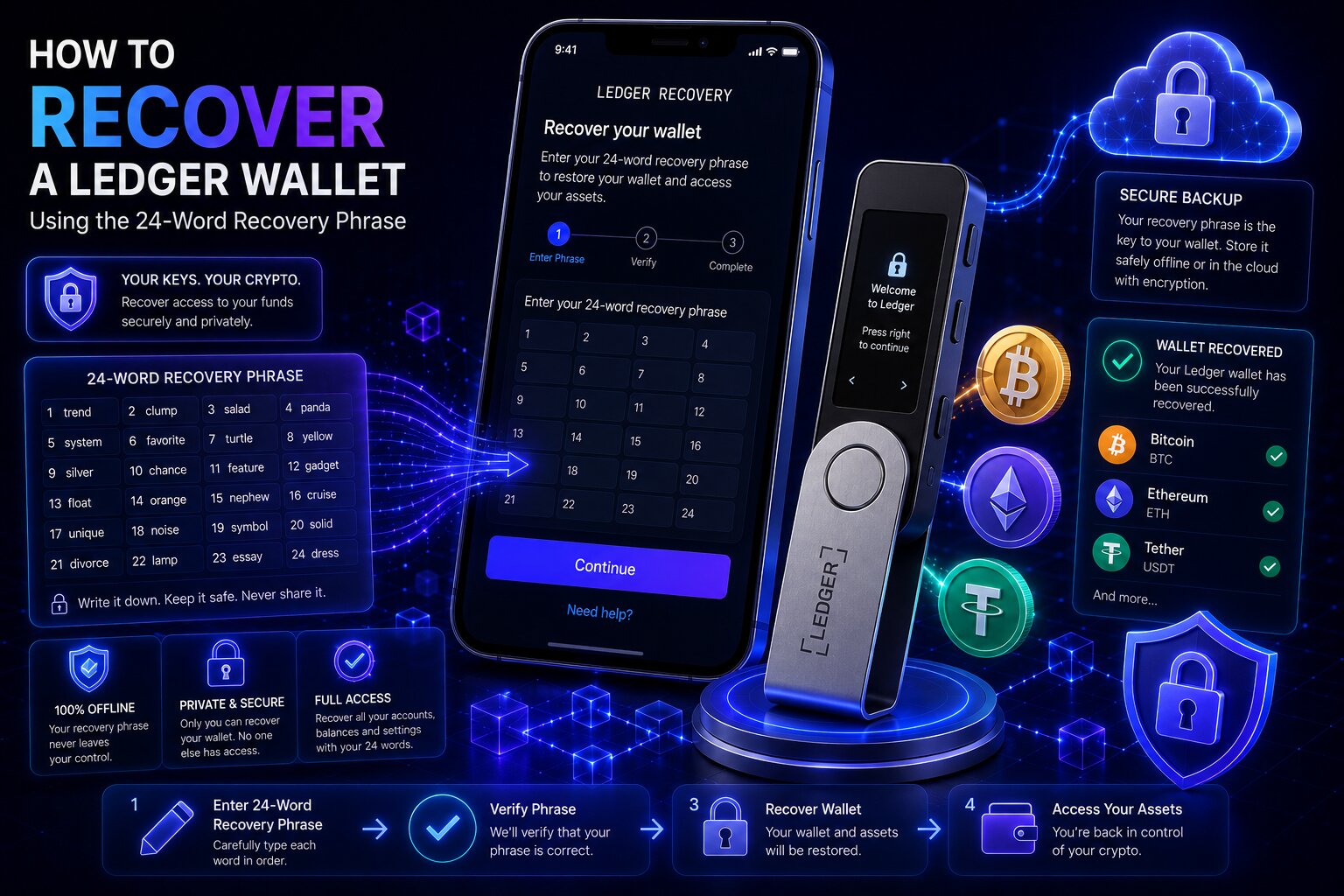
To recover a Ledger wallet, set up a new or reset device, select “Restore from recovery phrase,” create a new PIN, and enter all 24 words in the exact original sequence. The Secure Element Chip regenerates the master private key from the mnemonic phrase, recreating all wallet addresses.

Steps β€” Seed phrase restore on new device:

  1. Purchase a new Ledger device from ledger.com or an authorized retailer β€” never from a third-party marketplace where tampering is possible.
  2. Connect and power on the new device β€” the initial setup screen appears automatically.
  3. Select “Restore from recovery phrase” β€” do not select “Set up as new device” as this generates a completely different wallet with new private keys.
  4. Create a new PIN Code for the device β€” this can differ from the original PIN.
  5. Select the phrase length β€” 24 words for all standard Ledger devices.
  6. Enter each word using the device buttons or touchscreen β€” in exact original sequence from word 1 to word 24.
  7. Verify each word against the BIP-39 list β€” the device rejects any word not in the 2,048-word standard list.
  8. Complete the entry β€” the Secure Element Chip regenerates all private keys and wallet addresses.
  9. Open Ledger Wallet app β†’ Accounts β†’ Add Account for each blockchain to restore balance visibility.
  10. All on-chain balances load after syncing with the blockchain β€” assets were never stored on the device itself.

Enter the mnemonic phrase only on the Ledger device’s own screen β€” never type it into any computer, website, email, or messaging app. Any digital exposure of the recovery seed compromises all funds permanently.

What happens if you enter the Recovery Phrase words in the wrong order on Ledger?

Entering an incorrect word order generates a different wallet with different addresses and a zero balance. The original wallet remains on the blockchain and becomes accessible again only when the exact original sequence is entered correctly.

  • Wrong word order creates different private keys β€” a completely unrelated wallet with no connection to the original.
  • Wrong spelling that still matches a BIP-39 word generates a different valid wallet β€” the device shows no error and the balance appears empty.
  • Zero balances after restore almost always indicate a word order or spelling error β€” not fund loss.
  • Re-enter the sequence carefully, comparing each word against the original written backup one at a time.

Can you recover a Ledger wallet on a different brand hardware or software wallet?

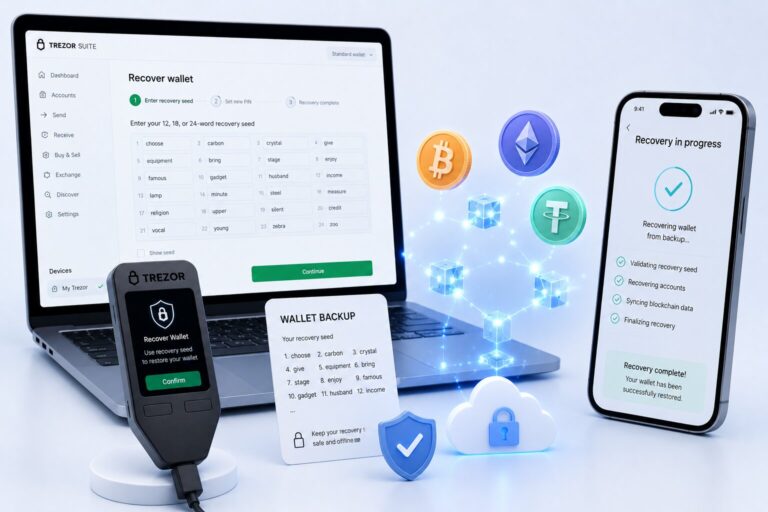
Yes. The 24-word mnemonic phrase follows BIP-39/BIP-44 standards β€” compatible with any wallet supporting these protocols including Trezor hardware wallets, MetaMask, Trust Wallet, and Exodus.

Recovery TargetBIP-39 CompatibleHardware SecuritySelf-Custody
New Ledger deviceYesSecure Element ChipYes
TrezorYesHardwareYes
MetaMaskYesSoftware onlyYes
Trust WalletYesSoftware onlyYes
  • Restoring a Ledger seed phrase into a software wallet exposes private keys to internet-connected device memory β€” significantly lower security than hardware restoration.
  • Cross-brand hardware restoration is technically valid for emergency access but a replacement Ledger device should be obtained as soon as possible.

What happens if you forget your Ledger PIN – and how do you recover access?

A forgotten PIN is fully recoverable as long as the 24-word seed phrase is available. Deliberately entering three wrong PIN attempts triggers a factory reset β€” after which the recovery seed restores complete wallet access.

Steps – Forgotten PIN recovery:

  1. Power on the Ledger device.
  2. Enter an incorrect PIN three consecutive times β€” a warning appears after the second wrong attempt.
  3. After the third wrong PIN, the device resets to factory settings β€” all locally stored apps and account data are erased, but no on-chain assets are affected.
  4. The setup screen appears β€” select “Restore from recovery phrase.”
  5. Create a new PIN and enter the 24-word mnemonic phrase in exact original order.
  6. Reinstall Asset Apps via My Ledger β€” all on-chain balances reload automatically.

How does the 3-attempt PIN lockout protect Ledger cold storage?

The three-attempt PIN lockout is an anti-brute-force security mechanism β€” it prevents anyone who physically obtains a cold storage device from iterating through PIN combinations. After three failures, the device wipes local data but the blockchain assets remain unaffected.

  • The reset erases device-level firmware data only β€” private keys exist on the blockchain, not inside the hardware device.
  • A stolen Ledger device is useless to an attacker without the recovery seed β€” the PIN lockout destroys local signing capability after three attempts.
  • The Secure Element Chip is rated EAL5+ (Nano S Plus, Nano X) and EAL6+ (Flex, Stax) β€” physically resistant to chip-level extraction of private key material.

How do you recover a Ledger wallet after the device is lost or stolen?

A lost or stolen device with an intact recovery seed requires only a replacement device and standard seed phrase restore. The Secure Element Chip’s PIN lockout protects against unauthorized access to the stolen hardware.

What should you do immediately if your Ledger device is stolen?

PriorityActionWhy
1Assess whether the attacker may have the seed phraseIf yes β†’ move assets immediately to new wallet
2Purchase a new Ledger device from ledger.comRequired to restore wallet access
3Restore the mnemonic phrase on the new deviceRegenerates all private keys and wallet addresses
4Transfer assets to a newly generated walletEliminates risk if seed phrase was potentially seen
5Revoke all DeFi token approvals via revoke.cashPrevents protocol-level draining from old approvals

Is crypto safe when only the Ledger device is stolen β€” without the seed phrase?

Yes. A stolen cold storage device alone cannot access funds. The PIN Code locks the device after three wrong attempts, triggering a factory reset β€” and the Secure Element Chip physically prevents private key extraction even under hardware attack.

  • The EAL6+ Secure Element Chip destroys private key material under tampering attempts β€” chip-level extraction is not feasible with any known consumer-grade equipment.
  • A device thief without the recovery seed and without the correct PIN cannot spend any on-chain asset β€” the wallet addresses remain inaccessible permanently.

How do you recover a Ledger Hidden Wallet – passphrase recovery explained?

Standard Ledger wallet recovery restores only the primary wallet derived from the 24-word seed phrase. Users who enabled an optional Passphrase must complete an additional step to access hidden wallet balances β€” the Passphrase generates a completely separate set of private keys and wallet addresses.

What is the Ledger passphrase and why is it called the “25th word”?

The Passphrase is an optional user-defined string that extends the BIP-39 mnemonic phrase into a secondary derivation β€” generating a Hidden Wallet with entirely different private keys and wallet addresses. Security practitioners call it the “25th word” because it functions as an additional mnemonic input appended to the standard 24-word seed.

  • The 24-word seed phrase alone opens the primary wallet β€” the same seed with the Passphrase attached opens the Hidden Wallet with different addresses and private keys.
  • Ledger does not store the Passphrase β€” it must be memorized or backed up separately from the recovery seed itself.
  • The Passphrase is case-sensitive and character-exact β€” “Bitcoin” and “bitcoin” derive completely different Hidden Wallets with no connection to each other.
  • A forgotten Passphrase results in permanent, irrecoverable loss of the Hidden Wallet β€” the cryptographic derivation cannot be reversed without the exact input.

Steps β€” Hidden Wallet recovery:

  1. Unlock the Ledger device with the main wallet PIN after restoring the 24-word seed phrase.
  2. Navigate to Settings β†’ Security β†’ Passphrase on the device.
  3. Select the Passphrase attachment method used during original setup β€” “Attach to PIN” or “Set temporary.”
  4. Enter the exact Passphrase β€” character by character, verifying case and spelling on the device screen carefully.
  5. Confirm by entering the PIN associated with the Passphrase.
  6. Restart the device β€” the Hidden Wallet’s private keys load into the signing environment.
  7. Open Ledger Wallet app β†’ Accounts β†’ Add Account to restore Hidden Wallet balances.

What happens if you enter the wrong passphrase when recovering a Ledger hidden wallet?

Entering an incorrect Passphrase produces no error message – the device silently generates a different Hidden Wallet with different private keys and a zero balance. This is the most common cause of Hidden Wallet recovery failures.

  • The correct Hidden Wallet loads only when the exact Passphrase – including identical capitalization, spacing, and special characters β€” is entered.
  • A forgotten Passphrase cannot be recovered by Ledger, by any service, or through brute-force in most cases β€” the Passphrase input space is effectively unlimited.
  • Always back up the Passphrase in a separate, secure offline location from the 24-word seed phrase β€” storing them together eliminates the security advantage of a Hidden Wallet.

What is Ledger Recover and how does it work as a backup for the Recovery Phrase?

Ledger Recover is an optional paid subscription service that creates an encrypted backup of the recovery seed β€” accessible through online identity verification rather than physical phrase storage. It requires enrollment before any loss event occurs.

  • Ledger Recover encrypts the Recovery Phrase inside the Secure Element Chip and splits the encrypted seed into three independent fragments β€” each distributed to one of three independent companies across three countries, each stored in a Hardware Security Module (HSM).
  • Restoring via Ledger Recover requires identity verification through two of the three companies β€” confirming the restore request is legitimate before the fragments recombine inside the new device’s Secure Element Chip.
  • No single fragment holder can reconstruct the wallet β€” each HSM stores only one third of the encrypted seed.

How do you restore a Ledger wallet using the Ledger Recover service?

Steps β€” Ledger Recover restore:

  1. Purchase a compatible new Ledger device (Nano X, Flex, or Stax β€” Nano S Plus is not supported).
  2. Open Ledger Wallet app β†’ My Ledger β†’ Ledger Recover β†’ Restore my wallet.
  3. Complete identity verification with two of the three Ledger Recover partner companies β€” typically a government-issued ID and facial recognition scan.
  4. The three encrypted fragments recombine inside the new device’s Secure Element Chip after verification.
  5. Create a new PIN β€” the wallet restores fully.
  6. Add accounts in Ledger Wallet app to restore balance visibility.

Should you use Ledger Recover or a paper seed phrase backup?

FeaturePaper Seed BackupLedger Recover
CostFreePaid subscription
Recovery requires internetNoYes
KYC/identity verificationNoneGovernment ID required
Single point of failurePhysical paperIdentity system
Self-custody purityMaximumThird-party involvement
Geographic availabilityUniversalCountry-dependent
Suitable forAll usersUsers unable to secure physical backup
  • A paper or metal seed backup stored in multiple offline locations remains the most sovereign recovery method β€” no internet, no KYC, no third-party involvement.
  • Ledger Recover suits users who cannot reliably secure a physical seed backup β€” travelers, users in high-theft environments, or those managing large self-custody positions.

What is the Ledger Recovery Key and how does NFC tap-to-restore work?

The Ledger Recovery Key is a physical NFC card that stores an encrypted copy of the recovery seed β€” allowing wallet restoration by tapping the card against a compatible Ledger device instead of manually entering 24 mnemonic words.

  • The Recovery Key encrypts the mnemonic phrase using NFC (Near Field Communication) β€” data transmits only within approximately 4 cm of physical range and never over the internet.
  • Tapping the Recovery Key card initiates the restore process automatically β€” eliminating word order errors, misspellings, and handwriting misread risks.
  • The Recovery Key requires the same physical security discipline as a paper seed backup β€” if lost or stolen alongside the device, both must be treated as compromised.

What are the most common Ledger recovery mistakes?

Most Ledger wallet recovery failures trace to six avoidable errors β€” none involving permanent fund loss as long as the seed phrase is correctly documented.

MistakeResultPrevention
Entering words in wrong orderEmpty wallet β€” different private keysFollow numbered backup precisely word 1–24
Wrong passphrase capitalizationDifferent Hidden Wallet β€” zero balanceEnter Passphrase character-by-character on device
Selecting “Set up as new device”New wallet generated β€” old one inaccessibleAlways select “Restore from recovery phrase”
Typing seed phrase into a websiteImmediate wallet compromise β€” funds stolenEnter only on the Ledger device itself
Restoring correct seed on wrong networkAssets visible on wrong blockchain accountAdd the correct network account in Ledger Wallet
Losing both device and seed phrasePermanent LossMaintain multiple offline seed backups
  • Wrong word order is the most common restore error β€” it produces an empty wallet with no error message, mimicking fund loss when the funds are actually intact on the original wallet.
  • Entering the seed phrase into any website or app β€” including phishing sites disguised as Ledger support tools β€” is the leading cause of theft during recovery attempts.

What happens if the Ledger Recovery Phrase is lost – and can it be recovered?

A completely undocumented recovery seed with no Ledger Recover subscription and no Recovery Key card results in Permanent Loss. Ledger stores no record of any user’s mnemonic phrase β€” no reconstruction is possible from zero documentation.

Can Ledger recover a wallet without the 24-word Recovery Phrase?

No. Ledger’s self-custody architecture means the recovery seed was never stored on any server. Without the seed phrase, a Ledger Recover subscription enrolled before the loss, or a Recovery Key card, access cannot be restored.

  • If the device is still accessible via PIN, the recovery seed can be viewed in Settings β†’ Security β†’ Recovery Phrase β€” this is the final opportunity to back it up before the device fails.
  • Partial phrase reconstruction is technically possible when most of the 24 words are documented β€” specialized services attempt brute-force reconstruction across the missing word positions.
  • A partial seed (20–23 correct words in correct positions) reduces the search space enough to make reconstruction feasible in some cases β€” completely undocumented seeds cannot be reconstructed.

Can you recover crypto directly from the blockchain without a Ledger wallet?

Blockchain assets are not stored inside the Ledger device β€” they exist on the blockchain and are controlled by private keys. Anyone who holds the recovery seed can regenerate the private keys using any BIP-39/BIP-44-compatible wallet and access the funds β€” the Ledger hardware itself is not required.

  • The blockchain records asset ownership by wallet address β€” any wallet software that can generate the same private keys from the same seed phrase can sign transactions for those addresses.
  • This means recovery is possible on MetaMask, Trust Wallet, Trezor, or any BIP-39-compatible wallet using the same 24-word seed β€” the Ledger brand is irrelevant to on-chain asset ownership.

What are the signs of a Ledger wallet recovery scam?

Red FlagWhat It Means
Claims to recover a completely undocumented seed phraseCryptographically impossible
Asks for the seed phrase to “verify” or “restore”Sharing gives immediate full wallet control
Provides a phone number for Ledger wallet supportLedger has no wallet recovery phone line
Charges an upfront fee before recoveryLegitimate partial-phrase services are success-fee only
Contacts user via Telegram, Discord, or social mediaLedger support never initiates unsolicited contact
Claims to access blockchain funds without private keysImpossible – blockchain requires valid private key signatures

FAQ 

How do I recover my Ledger wallet?

Set up a new or reset Ledger device, select “Restore from recovery phrase,” create a new PIN, and enter the 24-word seed phrase in exact original order. The Secure Element Chip regenerates all private keys and wallet addresses from the mnemonic phrase. Add accounts in Ledger Wallet app to restore balance visibility across all supported blockchains.

Can Ledger recover my wallet without the phrase?

No. Ledger’s self-custody architecture means the recovery seed was never stored on any server β€” Ledger has no mechanism to retrieve or reconstruct it. Without the 24-word mnemonic phrase, a Ledger Recover subscription enrolled before the loss, or a Recovery Key NFC card, Permanent Loss occurs.

What happens if I forget my Ledger PIN?

Enter the wrong PIN three times deliberately β€” the device resets to factory settings after the third failure. No on-chain funds are affected. After reset, select “Restore from recovery phrase” and enter the 24-word seed phrase to restore full access with a new PIN. The PIN lockout is an anti-brute-force feature protecting cold storage from physical theft.

How do I restore a Ledger wallet to a new device?

Purchase a new Ledger device, select “Restore from recovery phrase” during setup, create a new PIN, and enter the 24-word mnemonic phrase in exact original order. BIP-39 and BIP-44 standards ensure the same seed phrase always regenerates the same private keys and wallet addresses. Open Ledger Wallet app and add accounts to restore balance visibility.

What is Ledger Recover and how does it work?

Ledger Recover is an optional paid subscription that encrypts the recovery seed inside the Secure Element Chip, splits it into three fragments, and distributes each to one of three independent companies storing them in Hardware Security Modules across three countries. Recovery requires identity verification through two of the three companies β€” after which fragments recombine on a new device. Enrollment must occur before any loss event.

Can I recover a Ledger wallet without the Recovery Phrase?

Only if Ledger Recover was enrolled before the loss, or a Recovery Key NFC card exists. If the device is still accessible via PIN, the mnemonic phrase can be viewed in Settings β†’ Security β†’ Recovery Phrase before the device fails. Partial reconstruction (20–23 correct words documented) may be feasible through specialized services. Zero documentation = Permanent Loss.

What happens if I enter the wrong PIN 3 times on Ledger?

The device resets to factory settings after three wrong PIN attempts β€” all locally stored app and account data is erased, but no on-chain funds are affected. This is a deliberate anti-theft mechanism for cold storage devices. Restore the wallet by entering the 24-word seed phrase on the reset device using “Restore from recovery phrase.”

How do I recover a Ledger hidden wallet?

Restore the 24-word seed phrase first to access the primary wallet. Then navigate to Settings β†’ Security β†’ Passphrase on the device and enter the exact Passphrase used during Hidden Wallet setup – character-exact including capitalization. An incorrect Passphrase silently opens a different Hidden Wallet with zero balance and no error message. A forgotten Passphrase results in Permanent Loss of the Hidden Wallet.

Share:

Resend posts

Our insights? Click below to add us as your preferred source on Google
Follow trusted sources to improve your search experience

Send Us A Message