Bitcoin staking taxes involve three distinct questions that most guides conflate: is locking your BTC in a Babylon staking contract taxable, are BABY token rewards taxable when received, and is receiving LBTC when depositing into Lombard Finance taxable?
The answers are different for each, and the liquid staking receipt token issue has no direct IRS guidance, creating the most significant tax uncertainty in Bitcoin staking.
Disclaimer: This article is educational and does not constitute tax advice. Consult a licensed CPA for guidance specific to your situation.
Event 1: Locking BTC in Babylon — Not Taxable
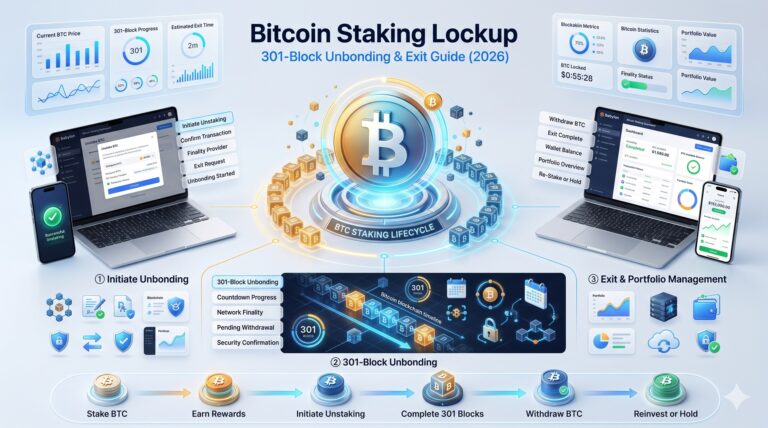
When you create a Babylon time-lock staking transaction, you are placing your own BTC into a script that you control. You retain your private keys. No third party holds your BTC. The BTC does not change ownership.
Under IRS guidance on cryptocurrency as property, moving property from one address or format to another that you own is not a taxable disposal. Staking the BTC is a transfer to yourself — a non-taxable event.
Industry Framework: This is confirmed by Block3 Finance’s framework, which treats locking a token into a staking pool or delegating to a validator as a non-taxable transfer to oneself. The same principle applies to Babylon BTC staking.
Similarly, unstaking — when your BTC returns to a standard spendable UTXO after the timelock expires — is not a taxable event. You are simply regaining access to the same BTC you locked. No gain or loss occurs at the unstaking step.
Event 2: Receiving BABY Token Rewards — Taxable as Ordinary Income
Under Revenue Ruling 2023-14, staking rewards received from proof-of-stake networks are taxable as ordinary income at fair market value when the taxpayer gains dominion and control over them.
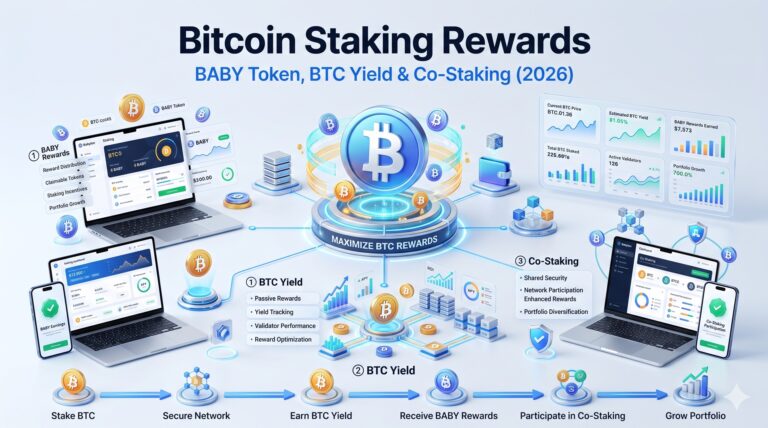
BABY token rewards from Babylon staking are taxable as ordinary income at the moment they become claimable in your Babylon Genesis chain wallet. The taxable amount is the USD fair market value of the BABY tokens at the exact time you receive dominion and control.
Two-Event Structure for BABY Rewards
Two Separate Taxable Moments
Event 2a — Income at receipt: You recognize ordinary income equal to the USD FMV of BABY tokens when you claim or receive them. Report on Schedule 1, Form 1040, Line 8z.
Event 2b — Capital gain on disposal: When you later sell, swap, or spend the BABY tokens, you realize a capital gain or loss. Gain = proceeds minus cost basis (FMV at original receipt). Short-term rates apply if held under 1 year; long-term rates (0%, 15%, 20%) if held over 1 year.
BABY-Specific Complexity: BABY’s price was highly volatile in 2026 — ranging from $0.0107 to $0.06. If you received BABY rewards across multiple dates throughout the year, each receipt event has a different FMV and creates a separate income recognition event with its own cost basis. Crypto tax software is strongly recommended for tracking these.
Weekly vs. continuous accrual: Kraken pays BABY rewards weekly to your spot balance. Each weekly credit is a separate income event. Babylon native staking accrues continuously on the Genesis chain, with each claimable batch representing its own event at the FMV at claim time.
Event 3: Is Receiving LBTC a Taxable Event? The Liquid Staking Question With No IRS Answer
This is the most significant unresolved tax question in Bitcoin staking, and it applies equally to LBTC (Lombard Finance), SolvBTC (Solv Protocol), stBTC (Acre), and any other liquid BTC staking token.
When you deposit BTC into Lombard Finance, you receive LBTC — a token representing your staked BTC position. The key question: is receiving LBTC a taxable disposal of BTC?
The Case That It IS Taxable
BTC and LBTC are different assets with different contract addresses and different economic properties
Exchanging one asset for another is generally a taxable disposal under IRS Notice 2014-21
LBTC is not simply BTC — it is a new token issued by a third-party protocol
The Case That It Is NOT Taxable
LBTC is backed 1:1 by BTC and designed to represent the same underlying asset
The economic substance is similar to staking your BTC with yourself — no proceeds are received
Some tax practitioners argue LBTC receipt is analogous to receiving a receipt for property held in trust, which is not a taxable exchange
No Clear Guidance: The IRS has not issued specific guidance on liquid staking receipt tokens. Koinly and other tax platforms default to treating the deposit of BTC for LBTC as a taxable exchange (recognizing any gain since BTC acquisition as capital gain), while noting that conservative practitioners argue for non-taxable treatment.
The practical approach: If your BTC position has significant unrealized gains since acquisition, the taxable-exchange treatment creates an immediate capital gain event. Consult a crypto CPA before depositing BTC into any liquid staking protocol.
Bitcoin Transaction Fees and Wrapping — Tax Treatment
Staking and unstaking BTC via Babylon requires Bitcoin transaction fees (paid in satoshis). These fees have specific tax treatment:
Fee Treatment
Bitcoin fee paid to create a staking transaction — can be added to the cost basis of your staked BTC position
Bitcoin fee paid during on-demand unbonding — deducted from proceeds at unstaking, reducing any taxable gain
These fees are small (typically $1–$10) but should be tracked alongside each staking event for accurate tax reporting.
Wrapping BTC (WBTC, cbBTC) — Taxable Disposal: If you wrap BTC into WBTC or cbBTC to access Ethereum DeFi while “earning” on your BTC, this is a taxable event: you are disposing of BTC and acquiring a new asset. Any unrealized gain in your BTC position becomes a realized taxable gain at the moment of wrapping. This is separate from Babylon native staking.
How to Report Bitcoin Staking Taxes
Form
What to Report
Schedule 1, Line 8z
Total USD FMV of all BABY token rewards received during the year, reported as ordinary income
Form 8949 / Schedule D
Any sale, swap, or disposal of BABY tokens or BTC (including wrapped BTC). Each transaction requires date acquired, date disposed, proceeds, and cost basis
No 1099 expected for Babylon native staking: The Babylon protocol does not issue US tax forms. Exchanges (Kraken) may issue Form 1099-MISC for staking rewards over $600, or Form 1099-DA for broader crypto reporting starting with the 2025 tax year.
Best tax software for Bitcoin staking: Koinly (supports Babylon Genesis chain address import and BABY token tracking), CoinTracker (tracks multi-chain positions including Cosmos SDK chains), CoinLedger (supports cross-chain staking activity).
Frequently Asked Questions
No. Locking your BTC in a Babylon time-lock script is a transfer to yourself — you retain private keys and ownership. The IRS treats this as a non-taxable event. No gain or loss is recognized when staking. Similarly, unstaking (when the timelock expires and BTC returns to spendable UTXO) is not taxable.
Yes. Under Rev. Rul. 2023-14, BABY token rewards are taxable as ordinary income at their fair market value when you receive them (when they become claimable in your Babylon Genesis wallet). Report the total annual BABY income on Schedule 1, Line 8z. When you later sell BABY, realize a capital gain or loss based on proceeds minus cost basis.
This is unresolved. The IRS has not issued guidance on liquid staking receipt tokens. Koinly treats it as a taxable exchange (BTC for LBTC), triggering capital gain recognition on unrealized BTC gains. Some practitioners argue it is non-taxable (receipt for same underlying asset). Consult a crypto CPA before depositing BTC with significant unrealized gains into liquid staking.
Use crypto tax software that supports the Babylon Genesis chain (a Cosmos SDK chain). Koinly and CoinTracker both support Cosmos-compatible address imports and can track BABY reward events with historical USD pricing. For Kraken or Binance exchange staking, download your complete transaction history and import it into your tax software.
Yes. Bitcoin fees paid when creating staking transactions can be added to your BTC cost basis. Fees paid during on-demand unbonding transactions reduce your proceeds, decreasing taxable gain. These are small amounts but should be included for accurate reporting.
Final Tip: Track every BABY reward receipt date and FMV as it happens rather than at year-end — reconstructing historical BABY prices across a volatile year is far harder after the fact.