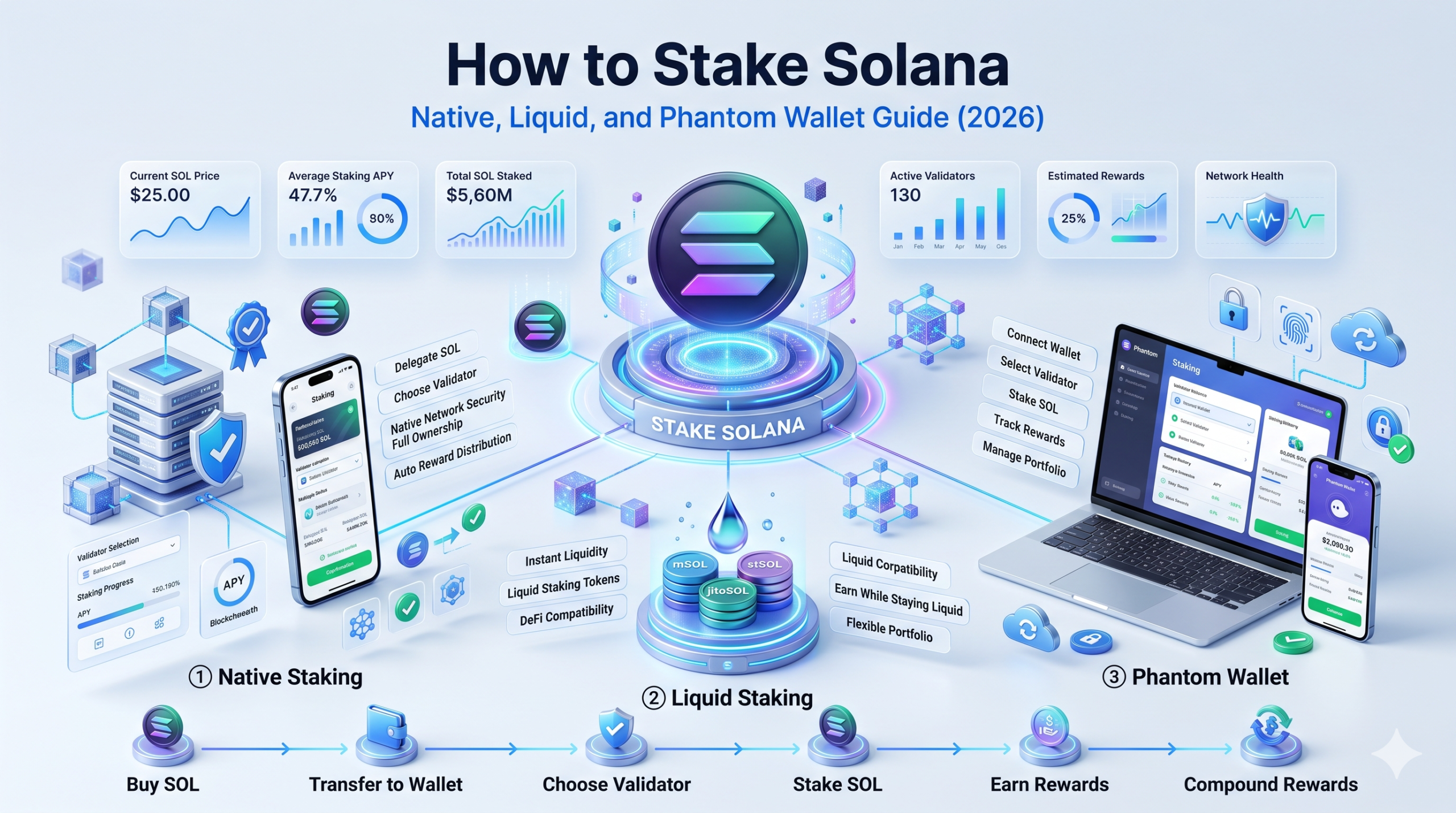
How to Stake Solana: Complete Step-by-Step Guide (2026)
How to Stake Solana: Complete Step-by-Step Guide (2026)
CrisCoin 8 min readSolana
To stake Solana, you delegate your SOL to a validator from a wallet like Phantom, and the network rewards you with a share of inflation each epoch while your SOL stays in your custody.
The process takes minutes, has no minimum beyond a tiny rent fee, and works the same whether you stake 1 SOL or 1,000. This guide walks through native staking step by step, explains the stake account that confuses most beginners, and shows when liquid staking is the better route.
What “How to Stake Solana” Actually Means
Staking Solana means delegating your SOL to a validator that produces blocks and votes on consensus, in exchange for a share of the network’s inflation rewards. Solana runs on a delegated proof-of-stake model paired with its Proof-of-History ordering system, which lets it process high transaction volumes at low cost. When you stake, you add your SOL’s weight to a validator’s voting power without giving up ownership of the coins.
The critical point that separates Solana staking from custodial products is that your SOL never leaves your wallet during native delegation. Only the delegation itself is recorded on-chain, through a structure called a stake account. You retain full ownership and can unstake whenever you choose, subject to the network’s epoch-based cooldown of roughly 2-3 days.
Native vs Liquid Staking at a Glance
There are two main routes to stake SOL, and choosing between them upfront determines the entire process you will follow. Native staking is direct delegation; liquid staking issues you a tradeable token in return.
Method
What You Hold
Liquidity
Best For
Native staking
A stake account delegated to a validator
Locked until 2-3 day unstake
Long-term holders wanting direct control
Liquid staking
An LST like JitoSOL or mSOL
Instantly tradeable
DeFi users wanting flexibility
Native staking gives you the most direct exposure to validator rewards and lets you choose your validator. Liquid staking pools your SOL and hands you a token that earns yield while remaining usable across DeFi, removing the cooldown at the cost of added smart contract risk.
Beyond these two, SOL can also be staked through a centralized exchange or a stake pool, but both reduce to variations of the same idea. For a hands-on staker learning the mechanics, native delegation from a wallet is the clearest starting point because it exposes every moving part: the validator, the stake account, the epoch cycle, and the rewards.
How to Stake Solana Natively in Phantom
Native staking through Phantom is the most common way beginners stake SOL, and the entire flow takes only a few steps once your wallet is funded. Phantom is a non-custodial wallet, meaning you control the keys and the SOL never moves to a third party. Before you start, you need SOL in your wallet plus a small amount left unstaked, around 0.01 SOL, to cover transaction fees.
1
Open Phantom
Select Solana in your portfolio to reach the asset page.
2
Start staking
Select Start Earning SOL or More, then Stake SOL, then choose Native Staking.
3
Choose a validator
Phantom sorts validators by delegated stake and estimated APY.
4
Enter an amount
Enter the amount of SOL you want to stake, leaving some for fees.
5
Confirm
Select Stake to broadcast the delegation transaction.
Once confirmed, Phantom creates a separate stake account and delegates it to your chosen validator. Your stake then begins activating, and it may take a few seconds for the stake account to appear under Your Stake on the Solana token page. From that point, rewards accrue automatically each epoch.
Choosing a Validator the Right Way
Your validator choice affects both your rewards and the health of the Solana network, so it deserves more than picking the top of the list. The factors that matter are commission rate, uptime, and consistent vote performance. A lower commission means more of the reward reaches you, while strong uptime ensures your stake is actually earning rather than sitting idle behind an offline validator.
Overlooked Factor: Phantom and other interfaces often sort validators by how much SOL is already delegated, tempting users to pick the biggest. Staking only with the largest validators worsens Solana’s stake concentration, so spreading delegation to smaller, reputable, high-uptime validators strengthens the network while still earning competitive yield.
A practical way to evaluate a validator is to check three numbers before delegating: its commission percentage, its recent vote success rate, and its total active stake. A validator charging 0% commission with strong uptime maximizes your share, while one with a high commission or spotty vote record quietly erodes returns. Some validators also capture MEV and share a portion with delegators, adding roughly 0.5% to 1% on top of base yield.
What the Stake Account Is and Why It Matters
The stake account is the single concept that confuses most new Solana stakers, and understanding it prevents nearly every common mistake. When you delegate natively, the wallet creates a purpose-built stake account that records your delegation, the validator you chose, and your stake’s current activation state. This is different from a token account, which simply holds SPL tokens.
Two behaviors of the stake account trip people up. First, once a stake account is created, you cannot add more SOL to it; staking additional SOL means creating a new stake account with its own delegation. Second, after you unstake, the account becomes inactive but your SOL is not automatically returned. You must explicitly withdraw the SOL from the inactive stake account back to your wallet balance.
Rent Note: Creating a stake account requires a rent exemption deposit of roughly 0.00228 SOL, which is why there is no true zero minimum. This rent is recoverable when the account closes.
How to Stake Solana With Liquid Staking
Liquid staking is the better route when you want to keep your SOL usable while it earns, and the process is even simpler than native delegation. Instead of creating a stake account, you deposit SOL into a liquid staking protocol and receive a liquid staking token in return, such as JitoSOL from Jito or mSOL from Marinade.
Why Choose Liquid Staking
The LST is immediately tradeable as collateral or DEX liquidity
Swap back to SOL instantly, bypassing the 2-3 day cooldown
Phantom offers PSOL for native in-wallet liquid staking
Tradeoff: introduces smart contract risk since SOL passes through a program
The steps are short: open the protocol or wallet, select the liquid staking option, enter the amount of SOL, and confirm. The protocol returns the LST to your wallet immediately, and the token earns automatically with no stake account to manage.
When Rewards Start and How They Compound
Solana staking rewards do not begin the instant you delegate; they follow the network’s epoch schedule. After you stake natively, your stake enters an activation or warm-up period and starts earning at the next epoch boundary, with epochs lasting roughly 2-3 days. From then on, rewards accrue every epoch and compound automatically into your staked balance.
With liquid staking, the mechanic differs slightly: rather than your balance growing, the LST’s exchange rate against SOL drifts upward as epoch rewards land. You can track native stake rewards in Phantom under Your Stake, or view a full per-epoch breakdown by entering your wallet address at solanabeach.io.
How to Unstake Solana
Unstaking reverses the delegation, and the key thing to know is that it is a two-step process with a waiting period in between. You first deactivate the stake, then wait for it to become inactive, then withdraw. In Phantom, you select Solana, open Your Stake, choose the stake account, and select Unstake to begin deactivation.
The stake account does not become inactive immediately, since deactivation completes at an epoch boundary, taking roughly 2-3 days. Once inactive, you select Withdraw Stake and your SOL returns to your wallet balance within seconds. If you skip the withdrawal step, your SOL sits in an inactive stake account doing nothing.
Common Solana Staking Mistakes
Mistake
Result
Prevention
Staking 100% of SOL balance
No SOL left for fees
Keep ~0.01 SOL unstaked
Forgetting to withdraw after unstaking
SOL stuck in inactive account
Complete the withdraw step
Adding SOL to an existing stake account
Transaction not possible
Create a new stake account
Delegating to the largest validator
Worsens centralization
Pick smaller high-uptime validators
Expecting instant rewards
Confusion over zero early yield
Rewards start at next epoch
Ignoring smart contract risk on LSTs
Exposure beyond base staking
Use audited liquid staking protocols
What Staking Solana Cannot Guarantee
Staking returns are estimates, not promises, and no wallet or protocol can guarantee a fixed APY. Reward rates depend on network conditions, validator performance, and Solana’s inflation schedule, which steps down over time toward a lower terminal rate. A validator can underperform or go offline, reducing your actual rewards below the advertised figure.
Educational Note: The dollar value of your staked SOL ultimately tracks SOL’s market price far more than your staking method, so staking is best understood as a way to accumulate more SOL rather than a guaranteed return. This guide is educational and not financial advice.
Frequently Asked Questions
Open a wallet like Phantom, select Solana, choose Stake SOL then Native Staking, pick a validator, enter an amount while leaving SOL for fees, and confirm. The wallet creates a stake account and delegates it, and rewards begin at the next epoch.
There is no official minimum to delegate SOL. In practice you need enough to cover the stake account’s rent exemption of roughly 0.00228 SOL plus the amount you want to stake, and a little extra unstaked SOL for transaction fees.
Yes, with native staking your SOL never leaves your wallet; you only delegate voting weight to a validator through a stake account. You retain full ownership and custody throughout, and you can unstake at any time subject to the epoch cooldown.
After you delegate natively, your stake enters an activation warm-up and begins earning at the next epoch boundary, with epochs lasting about 2-3 days. Rewards then accrue every epoch and compound automatically into your staked balance.
A stake account is a purpose-built account created when you delegate SOL natively. It records your delegation, your chosen validator, and the stake’s activation state. You cannot add SOL to an existing stake account, and you must withdraw from it after unstaking.
In Phantom, select Solana, open Your Stake, choose the stake account, and select Unstake to begin deactivation. Wait roughly 2-3 days for the account to become inactive, then select Withdraw Stake to return your SOL to your wallet.
Native staking suits long-term holders who want direct control and clean economics. Liquid staking suits users who want to keep their SOL usable in DeFi or exit instantly, accepting smart contract risk in exchange for a tradeable token like JitoSOL or mSOL.
Native staking carries validator performance and downtime risk but no smart contract risk, since you delegate directly to the network and keep custody. Liquid staking adds smart contract risk, and exchange staking adds custodial risk because the platform holds your SOL.