How to Stake Cosmos (ATOM): Step-by-Step Guide 2026
How to Stake Cosmos (ATOM): Step-by-Step Guide
CrisCoin 10 min readCosmos
To stake Cosmos, you delegate your ATOM to a validator through a non-custodial wallet like Keplr, and your tokens stay in your control while earning roughly 15% to 17% APY.
Staking takes minutes, has no real minimum, and your ATOM never leaves your custody. The two things every new staker must understand are that exiting triggers a 21-day unbonding period, and that Cosmos has real slashing.
This guide walks through staking ATOM step by step in Keplr, how to choose validators, and the redelegation trick that lets you switch validators instantly without the 21-day wait.
What “How to Stake Cosmos” Actually Means
Staking Cosmos means delegating your ATOM to a validator that builds and verifies blocks on the Cosmos Hub under its delegated proof-of-stake consensus, in return for a share of rewards. Staking on Cosmos is non-custodial: the validator never has access to your tokens, so you delegate them but you keep control.
By delegating, you help secure the Cosmos Hub and the many connected chains in the ecosystem, and you earn ATOM rewards plus eligibility for airdrops that often go to stakers.
Two Things That Set Cosmos Apart: When you unstake, your ATOM enters a 21-day unbonding period during which it earns nothing, cannot be transferred, and can still be slashed. Cosmos also has real slashing for validator misbehavior — both make validator choice and stake management more consequential.
What You Need Before Staking
A short checklist covers everything required to stake ATOM natively, and having it ready makes the process smooth.
Requirement
Why It Matters
Non-custodial wallet (Keplr)
Holds your keys and connects to Cosmos Hub
ATOM in the wallet
The asset you delegate to a validator
~0.1 ATOM reserved unstaked
Covers network and reward-claim fees
A chosen validator
Receives your delegation and shares rewards
Recovery phrase secured
The only backup for full self-custody
With Keplr installed, a small ATOM balance funded, and a fee buffer reserved, you have everything needed to delegate. Network fees on Cosmos are very low, typically under 0.01 ATOM per transaction.
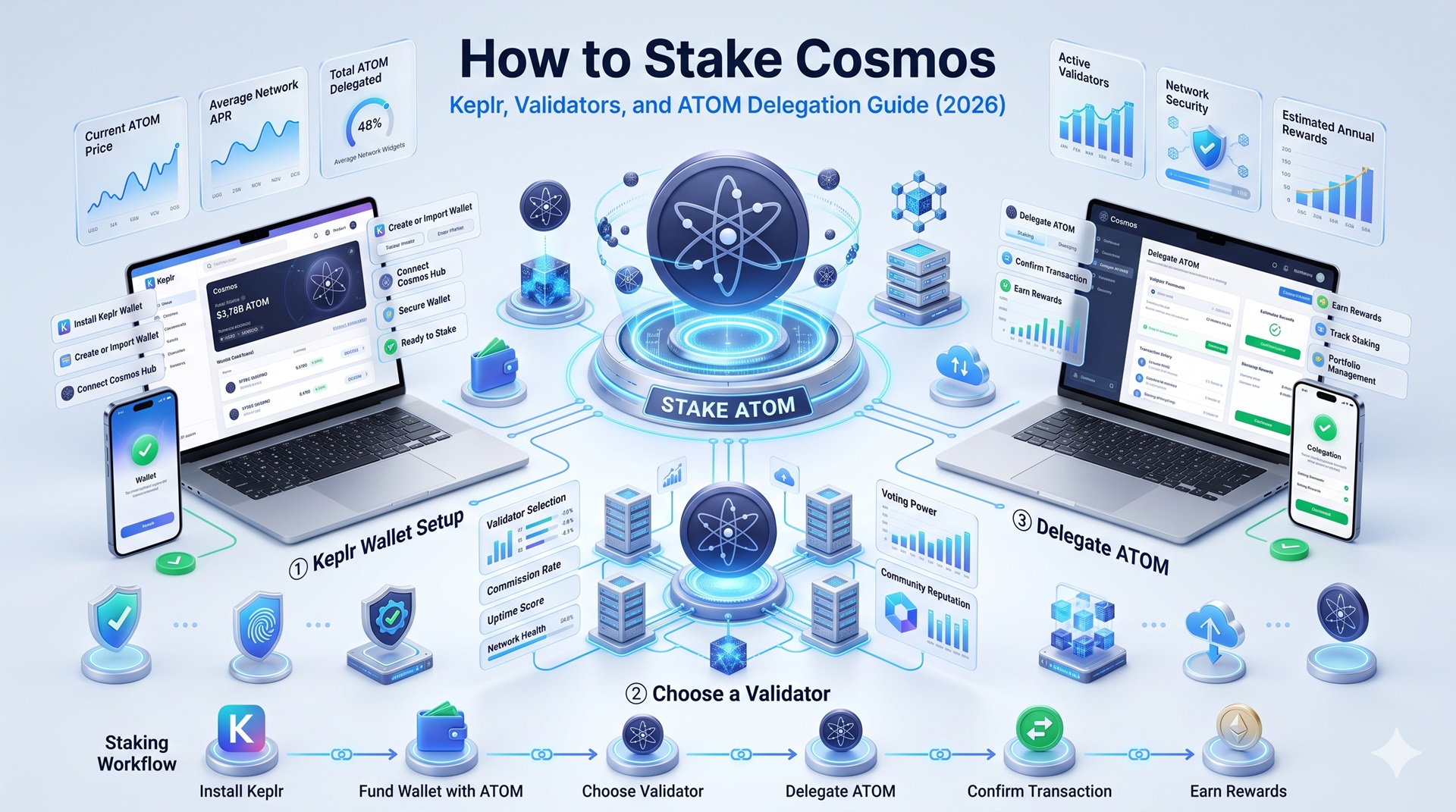
How to Stake Cosmos in Keplr Step by Step
Keplr is the default wallet used by the Cosmos ecosystem to stake ATOM, and the entire native staking flow takes only a few minutes. Keplr is non-custodial, so when you create your wallet you should choose the recovery phrase method for full self-custody rather than a social login.
1
Install Keplr
Install Keplr as a browser extension or mobile app, then create a new wallet and securely save your recovery phrase.
2
Fund the Wallet
Fund the wallet with ATOM, depositing from an exchange, and leave about 0.1 ATOM unstaked for fees. No memo is needed when depositing ATOM to Keplr.
3
Open Staking
Click your ATOM balance and select Start Staking, which opens the Keplr staking dashboard.
4
Select Cosmos Hub
Select Cosmos Hub as the network to see the full validator list with each validator’s APR, commission, and status.
5
Choose a Validator and Stake
Choose a validator, enter the amount, and stake, then approve the transaction in Keplr, which shows the 21-day unbonding terms before you confirm.
Once confirmed, your delegation becomes active immediately and rewards begin accruing block by block, roughly every 6 to 7 seconds. If you use a Ledger hardware wallet, unlock it with the Cosmos app open before approving the transaction so your keys stay offline throughout.
How to Choose a Cosmos Validator
Because Cosmos has real slashing, your validator choice directly affects both your rewards and the safety of your principal. The Cosmos Hub has around 175 active validators offering staking services with varying commission rates, and three factors matter most: commission, uptime and reliability, and how much stake the validator already holds.
Slashing Makes Reliability the Priority: Slashing can occur from downtime, when a validator fails to sign blocks, or from double signing, when a validator validates conflicting transactions. When it happens, both the validator and its delegators lose a portion of their staked ATOM.
This is why a careless validator can cost you principal, not just yield, and why it is widely recommended to distribute your stake across two or three validators with proven uptime and no slashing history rather than concentrating it all in one.
Signals of a Safe Validator
A long operating history with no past slashing events
Reasonable commission — be wary of 0% commission that later rises sharply
Not among the very top validators by stake size, to support decentralization
Redelegating vs Unstaking — Switch Validators Without the 21-Day Wait
The most useful thing a new Cosmos staker can learn is that switching validators does not require unstaking, so you are never locked into a single validator for 21 days. Cosmos lets you redelegate, moving your stake directly from one validator to another, and redelegation is effectively instant; your ATOM keeps earning the entire time with no 21-day gap.
Redelegation moves active stake between validators and is immediate, which is what you use when your validator raises its commission, degrades in performance, or you simply want to diversify. Unbonding, by contrast, is what you do to stop staking entirely and return ATOM to liquid spendable form, and only that triggers the 21-day wait.
One Limit to Know: There is typically a cap on how many times you can redelegate the same tokens within the unbonding window, to prevent abuse, so you cannot hop endlessly between validators in rapid succession.
How Cosmos Staking Rewards and Claiming Work
Cosmos rewards accrue continuously but do not compound automatically, which is a key difference from some other networks. Rewards accumulate block by block from the moment your delegation is active, and you can claim them at any time, but they sit as claimable rewards rather than automatically being added to your stake.
To avoid the manual chore, many stakers use REStake, which leverages Cosmos’s Authz module to auto-compound by periodically claiming and re-delegating your rewards on your behalf, without ever taking custody of your keys.
Why Compounding Matters More on Cosmos: At a base rate near 17%, the difference between simple and compounded returns over a year is substantial, far more than on a 3% or 6% network. Setting up REStake once, or claiming and re-delegating on a regular schedule, is one of the highest-value habits in Cosmos staking.
Common Cosmos Staking Mistakes
The errors below cost ATOM stakers yield, lock up funds unexpectedly, or expose them to slashing, each with a simple fix.
Mistake
Result
Prevention
Staking 100% of ATOM
No balance for fees or claims
Keep ~0.1 ATOM unstaked
Unstaking to switch validators
Needless 21-day lock
Redelegate instead — it’s instant
Concentrating in one validator
Slashing and downtime risk
Spread across 2-3 validators
Forgetting to compound
Lower effective APY
Use REStake or claim and re-delegate
Choosing a high-commission validator
Reduced net rewards
Compare commission before delegating
Ignoring slashing during unbonding
Principal loss even while exiting
Know unbonding ATOM is still slashable
What Staking Cosmos Cannot Guarantee
Staking returns are estimates, not promises, and the roughly 15% to 17% APY moves with network inflation, validator commission, and performance. A validator can underperform, raise its commission, or be slashed, and slashing passes a real principal loss to delegators, so your realized outcome can fall below the headline rate.
Slashing is a genuine principal risk that careful validator selection reduces but cannot fully eliminate, and it can occur even during the unbonding period. As always, the dollar value of your ATOM depends far more on its market price than on the staking yield, so treat staking as a way to accumulate more ATOM rather than guaranteed income. This guide is educational and not financial advice.
Frequently Asked Questions
Install Keplr, create a wallet with a recovery phrase, fund it with ATOM while keeping about 0.1 ATOM for fees, open Start Staking, select Cosmos Hub, choose a validator, enter an amount, and approve in Keplr. Your delegation activates immediately and rewards accrue block by block.
There is no official minimum to stake ATOM; you can delegate almost any amount. In practice you need a small unstaked balance, around 0.1 ATOM, to cover network fees for delegating and for claiming rewards.
Yes, with native staking through Keplr your ATOM stays in your control and the validator never has access to your tokens. You only delegate your stake’s weight to a validator, retaining full self-custody as long as you secure your recovery phrase.
Unstaking triggers a 21-day unbonding period, during which your ATOM earns no rewards, cannot be transferred or sold, and can still be slashed. You cannot cancel the process once started.
Yes. You can redelegate your stake directly from one validator to another almost instantly, with no 21-day wait and no gap in rewards. Only fully exiting staking triggers the unbonding period.
No. Rewards accrue block by block but sit as claimable rewards rather than compounding automatically. To compound, you claim and re-delegate them, or use REStake, which auto-compounds on your behalf without taking custody of your keys.
Slashing penalizes validators for downtime or double signing by removing a portion of staked ATOM, and that loss is shared by the validator’s delegators. It makes choosing reliable, high-uptime validators essential.
Keplr is the default and most recommended wallet, offering non-custodial staking across the Cosmos ecosystem with validator choice. Ledger adds hardware security, and Cosmostation, Leap, and Tangem are solid alternatives.
Final Tip: Choose validators carefully, keep a small ATOM buffer for fees, and use redelegation instead of unstaking whenever you just want to switch validators.