How to Withdraw from Trezor Wallet – Crypto and Fiat Withdrawal Guide (2026)Β 

Home / Blog / Article
Facebook Twitter LinkedIn
Copied! Paste in ChatGPT πŸš€
How to Withdraw from Trezor Wallet

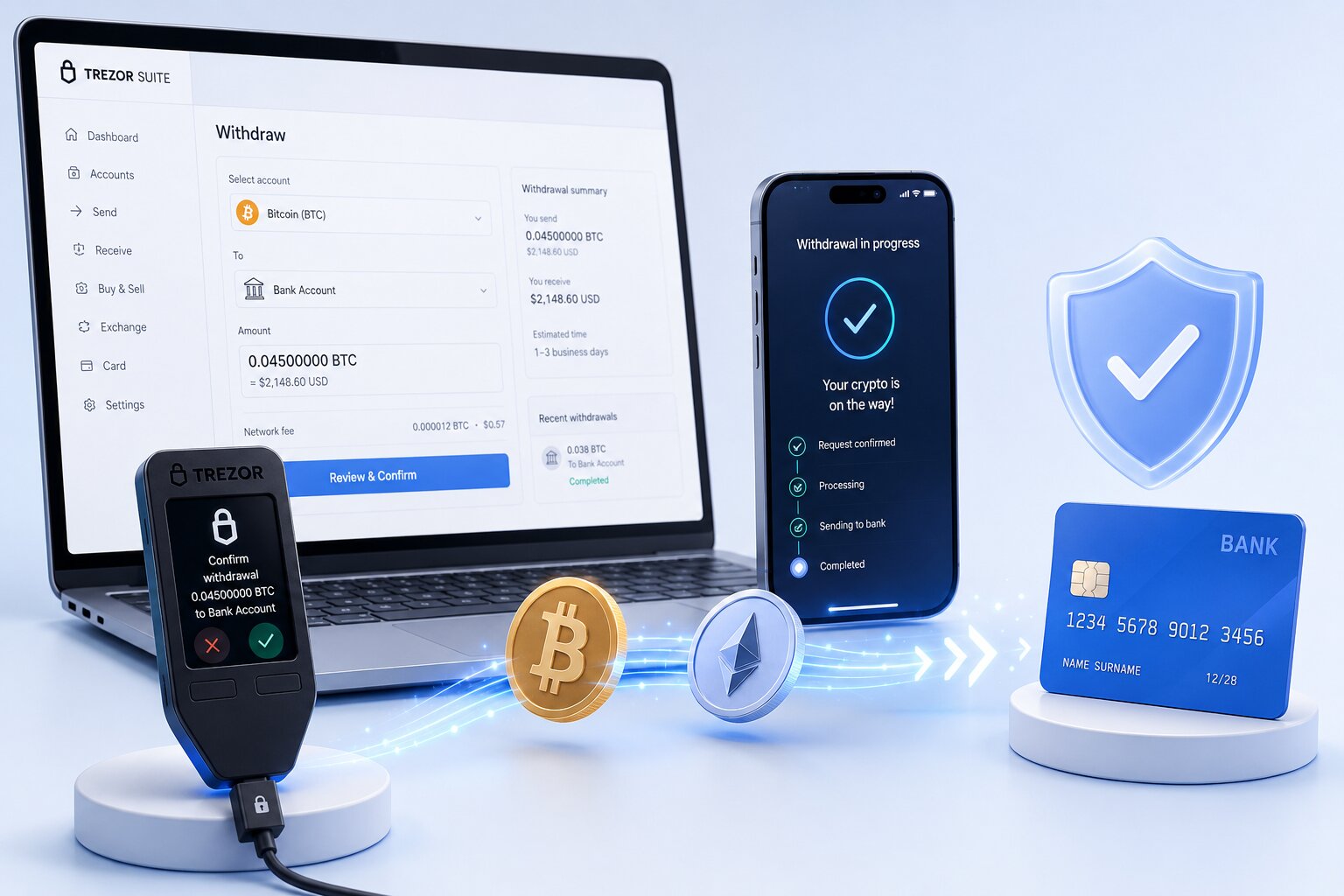
A Trezor withdrawal is either an on-chain crypto transfer to another wallet or exchange, or a crypto-to-fiat conversion through a regulated off-ramp provider. The self-custody hardware signer cannot send fiat directly to a bank β€” a conversion step through Trezor Suite’s Sell tab or a centralized exchange is always required.

Withdrawal TypeRouteKYCNetwork FeeBest For
Crypto to wallet/exchangeSend tabNoneYesMoving assets to Coinbase, Kraken, Binance
Fiat via Sell tabTrade β†’ Sell β†’ Invity providerYesYesDirect fiat payout from within Suite
Fiat via CEXSend to exchange β†’ sell β†’ bankOn exchangeYesFull control over exchange and bank method
Large fiat (>€50,000)Concierge OTC β€” BTC DirectYesYesSEPA users with large positions

What rules apply to every Trezor withdrawal?

  • The hardware signer never sends fiat directly to banks – every fiat withdrawal requires an intermediary off-ramp provider or exchange.
  • KYC identity verification applies to all fiat conversions – every regulated provider is legally required to verify customer identity under AML compliance rules.
  • Trezor charges zero platform withdrawal fees – the only cost on the send step is the blockchain network fee paid to validators.
  • Device screen verification is required for every withdrawal transaction – the hardware display confirms the exact destination address before broadcast.
  • Regional availability limits the Sell tab – users in unsupported regions must use the CEX route instead.

Β Scam Warning: Multiple fraudulent pages publish phone numbers claiming to assist Trezor withdrawals. Trezor has no withdrawal support phone line. All such phone numbers are scams. Never share a seed phrase with anyone offering to help process a withdrawal – this gives them permanent control of all funds.

Which withdrawal method is best for your situation?

User TypeBest MethodReason
Beginners with no exchange accountSell tab (Invity)Guided KYC + bank payout within Suite
Lowest total feesUSDC β†’ Base β†’ Coinbase/Kraken β†’ ACH/SEPANear-zero network fee + zero conversion spread
Fastest fiat payoutSell tab with card payoutInstant to hours vs 1-3 days for bank transfer
Large amounts (>€50,000) in SEPAConcierge OTC via BTC DirectBetter OTC spread + dedicated specialist
No KYC preferenceCrypto send onlyNo off-ramp required β€” self-custody to self-custody
Users with existing exchange accountCEX routeReuse verified exchange KYC + control payout method

How do you withdraw crypto from Trezor Wallet to an exchange or wallet?

Crypto withdrawal sends digital assets on-chain to any destination β€” an exchange deposit address, a personal wallet, or any other valid blockchain address. The process requires no KYC, no third-party registration, and incurs only the blockchain network fee.

Steps β€” crypto withdrawal (Send tab):

  1. Connect the device and unlock with PIN.
  2. Trezor Suite β†’ Accounts β†’ select the account β†’ Send tab.
  3. Enter the destination address – paste from clipboard, scan QR, or upload QR image.
  4. Verify the network matches the destination β€” sending ERC-20 tokens on Ethereum to a Polygon deposit address routes funds to the wrong chain.
  5. Enter the amount or click Send Max.
  6. Select Normal or High network fee – High for exchange deposits where timing matters.
  7. Review & Send β†’ verify destination address and amount on the hardware device screen β†’ press confirm.

How do you withdraw Bitcoin from Trezor to Coinbase, Kraken, or Binance?

  1. Log into Coinbase, Kraken, or Binance β†’ navigate to Deposit β†’ select Bitcoin β†’ copy the BTC deposit address.
  2. In Trezor Suite β†’ Bitcoin account β†’ Send β†’ paste the exchange deposit address.
  3. Verify the address on the hardware screen β€” compare character by character against the exchange page.
  4. Select Normal fee β†’ confirm on device.
  5. Wait for 3-6 confirmations (~30-60 minutes) before the exchange credits the deposit.
  • Coinbase requires 3 Bitcoin confirmations; Kraken requires 6; Binance typically requires 2 β€” confirm the exchange’s requirement before estimating arrival time.
  • Bitcoin network fee is measured in sat/vByte β€” check mempool.space for current mempool congestion before setting fee level during high-traffic periods.

How do you withdraw Ethereum from Trezor Wallet?

  1. Exchange β†’ Deposit β†’ Ethereum β†’ copy the ETH deposit address (0x format).
  2. Trezor Suite β†’ Ethereum account β†’ Send β†’ paste address β†’ enter amount.
  3. Review EIP-1559 gas fee (base fee + priority fee) on the Sell tab preview.
  4. Confirm on device β†’ broadcast.
  • Ethereum confirmations required by exchanges range from 12 (Coinbase) to 35 (some exchanges) β€” expect 2-7 minutes at Normal gas fee.
  • Sending ERC-20 tokens (USDT, USDC, LINK) uses the same Ethereum address β€” ETH must remain in the account to pay gas for the token transfer.

How do you withdraw USDT from Trezor Wallet?

USDT (Tether) is an ERC-20 token on Ethereum β€” it is withdrawn using the Ethereum account’s 0x address but requires ETH for gas.

  1. Verify whether the destination exchange accepts USDT on Ethereum (ERC-20), Polygon, or BNB Chain β€” network selection is critical.
  2. Copy the exchange’s USDT deposit address for the correct network.
  3. Trezor Suite β†’ Ethereum account β†’ Send β†’ select USDT from the token list β†’ enter amount.
  4. Confirm ETH balance covers the gas fee β†’ verify address and network on device screen β†’ confirm.
  • Sending USDT on the wrong network (e.g. ERC-20 USDT to a BEP-20 deposit address) results in funds on the wrong chain β€” verify the network on the exchange deposit page before sending.
  • USDT on Polygon or Base costs significantly less gas than USDT on Ethereum mainnet β€” if the exchange supports these networks, using them reduces withdrawal cost.

After selecting the correct withdrawal route, understanding fiat conversion options reveals the fastest and cheapest paths for cashing out.

How do you withdraw fiat from Trezor Wallet?

Method 1 – Sell tab (Invity provider network)

The Sell tab inside Trezor Suite connects to Invity β€” a SatoshiLabs subsidiary aggregating regulated fiat off-ramp providers β€” enabling crypto-to-fiat conversion with bank or card payout without leaving the wallet interface.

Steps β€” Sell tab fiat withdrawal:

  1. Trezor Suite β†’ Accounts β†’ select account β†’ Trade button β†’ Sell tab.
  2. Use amount shortcuts (10% / 25% / 50% / Max) or enter amount.
  3. Set Normal or High fee β€” a Low fee risks delays that expire the provider’s quoted rate.
  4. Select payout method β€” bank transfer or card β€” and country of residence.
  5. Review the matched provider β†’ click Compare alternatives to compare rates.
  6. Click Sell β†’ redirected to the Invity provider’s site.
  7. Complete KYC (first time only) β€” government ID, phone, sometimes selfie.
  8. Enter bank or card payout details β†’ the provider displays a crypto deposit address.
  9. Return to Trezor Suite β†’ verify the provider’s deposit address on the hardware screen β†’ confirm.
  10. Provider processes the fiat payout to the linked bank account.

Does Trezor require KYC?

No. Trezor does not require identity verification. Fiat off-ramp providers require KYC to comply with AML regulations before processing bank withdrawals or card payouts. Trezor does not collect, store, or access KYC data β€” it flows directly between the user and the provider.

Method 2 – CEX route (send to exchange β†’ sell β†’ bank)

The CEX route gives full control over the exchange platform and bank transfer method β€” useful when the user already has a verified Coinbase, Kraken, or Binance account.

Steps β€” CEX route:

  1. Exchange β†’ Deposit β†’ select asset and network β†’ copy deposit address.
  2. Trezor Suite β†’ Send β†’ paste exchange deposit address β†’ verify on device screen β†’ confirm.
  3. Wait for required blockchain confirmations.
  4. On exchange: sell crypto for fiat (USD, EUR, GBP).
  5. Exchange β†’ Withdraw β†’ select ACH (US), SEPA (EU), or wire transfer β†’ enter bank details.
  6. Fiat arrives within 1-3 business days depending on the transfer method.

Sell tab vs CEX route – which should you use?

FactorSell Tab (Invity)CEX Route (Coinbase/Kraken/Binance)
StepsFewer β€” within SuiteMore β€” two separate platforms
Existing account neededKYC completed in flowExchange account required
Rate transparencyCompare in SuiteExchange rate + bank withdrawal fee
Regional availabilityLimited by Invity networkAvailable wherever exchange operates
Payout methodsCard + bank (provider-dependent)ACH, SEPA, wire, PayPal (exchange-dependent)
Best forBeginners, no exchange accountUsers with verified exchange account

Method 3 – Concierge OTC (>€50,000 in SEPA)

The Concierge tab in Trezor Suite provides OTC trading via BTC Direct for transactions above €50,000 β€” minimum €50,000 or $50,000, SEPA area only, USD transactions require a European bank account.

Path: Trade β†’ Concierge tab β†’ confirm country β†’ Continue β†’ BTC Direct order form β†’ complete KYC β†’ send crypto β†’ receive fiat via wire.

What is the cheapest way to withdraw from Trezor Wallet?

The cheapest complete withdrawal route: swap to USDC on Base β†’ send to Coinbase or Kraken β†’ sell USDC β†’ ACH or SEPA bank transfer.

Step-by-step cheapest route:

  1. Trezor Suite β†’ Swap tab β†’ swap BTC or ETH to USDC on Base network.
  2. Send USDC from the Base account to Coinbase or Kraken β€” Base network fee is typically below $0.01.
  3. On the exchange, sell USDC for USD or EUR β€” USDC sells at exactly $1.00 with zero spread.
  4. Withdraw via free ACH (US) or SEPA (EU) β€” 1-3 business days.
  • Base network gas for USDC transfers averages below $0.01 versus $0.50-$3.00 on Ethereum mainnet β€” a 50-300x cost reduction for the send step.
  • USDC has no conversion spread since it is already denominated in USD β€” selling 1,000 USDC always yields exactly $1,000 regardless of market conditions.
  • ACH and SEPA withdrawals are free on Coinbase and Kraken β€” the total withdrawal cost is approximately $0.01 in Base gas fees.

What is the fastest way to withdraw from Trezor Wallet?

The fastest complete fiat withdrawal route: Sell tab with card payout β€” fiat arrives in hours versus 1-3 business days for bank transfer.

  • Card payouts via Invity providers typically process within minutes to a few hours β€” the provider spread is higher than bank transfer rates but justified when urgency matters.
  • For crypto-only withdrawals (not fiat), EVM Layer 2 networks (Arbitrum, Base, Polygon) confirm in under one minute β€” Bitcoin takes 30-60 minutes at Normal fee.

What are the fees for withdrawing from Trezor Wallet?

RouteTrezor FeeNetwork FeeConversion CostBank Fee
Crypto sendNoneGas (varies)NoneNone
Sell tab β€” bankNoneGasProvider spread 1-3%Provider-dependent
Sell tab β€” cardNoneGasHigher spread 2-5%None
CEX (Coinbase/Kraken)NoneGasExchange spreadFree ACH/SEPA
Concierge OTCNoneGasNegotiated OTC spreadSEPA wire
USDC via BaseNone<$0.01Zero (USDC = $1.00)Free ACH/SEPA
  • Why do withdrawal fees vary? The blockchain network fee fluctuates with mempool congestion β€” checking mempool.space (Bitcoin) or Etherscan Gas Tracker (Ethereum) before sending reveals current conditions.
  • Why does the Sell tab card payout cost more? Card payment processing carries higher interchange fees than bank transfers β€” the provider passes this cost through the conversion spread.

What causes Trezor withdrawal problems β€” and how do you fix them?

ProblemCauseFix
Sell tab shows no providersRegion not covered by Invity networkUse CEX route β€” Coinbase, Kraken, or Binance
“Trezor sell not available” in my countryInvity doesn’t operate in all jurisdictionsSend to global exchange operating in your region
Withdrawal pending β€” not confirmingLow network fee set β€” stuck in mempoolUse RBF (Bitcoin) or Speed Up (Ethereum) to bump fee
KYC rejectedID unclear, expired, or data mismatchResubmit with current, clear government ID
Wrong network sent to exchangeNetwork mismatch β€” funds on wrong chainContact exchange support with transaction hash β€” EVM networks are usually recoverable
Fiat payout delayed beyond 5 daysAML compliance review at provider levelContact Invity provider with order reference + transaction hash
Concierge tab greyed outCountry not in SEPA areaUse direct exchange OTC desk
  • Why can a Trezor withdrawal remain pending? Mempool congestion causes transactions set at Low fee to wait hours or days for block inclusion β€” use Replace-By-Fee (Bitcoin) or the Speed Up button (Ethereum) in Trezor Suite to bump the fee.
  • Why should users verify networks? EVM-compatible addresses (Ethereum, Arbitrum, Base, Polygon, BNB Chain) share the same 0x format β€” funds sent on the wrong chain arrive at the correct address on an unintended network, requiring the receiving exchange to credit manually.

Security model for Trezor withdrawals

  • Every withdrawal transaction requires hardware confirmation β€” the device screen shows the exact destination address and amount from the signed transaction data, independent of the computer display.
  • Clipboard malware is the primary attack vector during withdrawals β€” comparing the device screen address against the source (exchange deposit page) character-by-character catches any substitution.
  • Test withdrawals β€” sending a small amount first to any new exchange or provider address β€” verify the complete path before committing the full withdrawal amount.
  • KYC data submitted to Invity providers flows strictly between the user and the provider β€” the hardware wallet manufacturer never receives, stores, or accesses this data.

Common mistakes when withdrawing from Trezor Wallet

MistakeResultPrevention
Low fee on Sell tab sendRate expires β€” transaction stuckAlways use Normal or High fee for Sell tab sends
Wrong token network to exchangeFunds on wrong chainVerify network on exchange Deposit page before sending
No ETH for ERC-20 gasToken transfer failsCheck ETH balance before withdrawing any ERC-20 token
Sharing seed phrase with “support”Complete permanent wallet compromiseTrezor has no phone support β€” never share seed phrase
Skipping device screen verificationClipboard malware routes funds to attackerAlways verify provider/exchange address on hardware screen
Selling during high gas β€” EthereumHigh gas cost on conversion sendUse Base or Polygon USDC to reduce send cost

FAQ 

How do I withdraw from Trezor Wallet?

Two options: crypto withdrawal β€” Trezor Suite β†’ Send tab β†’ enter destination address β†’ verify on device β†’ confirm; fiat withdrawal β€” Trade β†’ Sell tab β†’ select Invity provider β†’ complete KYC β†’ confirm on device. Or send crypto to Coinbase, Kraken, or Binance, sell for fiat, and withdraw via ACH or SEPA. Trezor charges no platform fee.

Can I withdraw money from Trezor to a bank account?

Not directly. The self-custody hardware signer holds crypto and cannot route fiat to a bank. Use the Sell tab in Trezor Suite β€” powered by Invity β€” for integrated bank payout. Or send crypto to a centralized exchange (Coinbase, Kraken, Binance), sell for fiat, and withdraw via ACH, SEPA, or wire. KYC is required by all fiat off-ramp providers.

How do I sell crypto on Trezor?

Trezor Suite β†’ Accounts β†’ Trade button β†’ Sell tab β†’ enter amount β†’ set Normal fee β†’ select country β†’ choose bank or card payout β†’ click Sell. The wallet interface redirects to the Invity provider’s site for KYC (first time only) and payout setup. Confirm the provider’s crypto deposit address on the hardware device screen before approving the send.

How do I transfer crypto from Trezor to an exchange?

Coinbase, Kraken, or Binance β†’ Deposit β†’ select asset and network β†’ copy deposit address. Trezor Suite β†’ Send tab β†’ paste exchange address β†’ verify network matches β†’ enter amount β†’ Normal or High fee β†’ verify address on device screen β†’ confirm. Wait for blockchain confirmations: 3-6 for Bitcoin, 12-35 for Ethereum depending on the exchange.

Does Trezor have withdrawal fees?

No. Trezor charges zero platform withdrawal fees for all routes. Costs include blockchain network fees (gas) for the on-chain send, and conversion spreads charged by fiat off-ramp providers (Invity partners, Coinbase, Kraken). The cheapest complete path β€” USDC on Base β†’ exchange β†’ ACH/SEPA β€” costs under $0.01 in network fees with zero conversion spread.

How do I cash out my Trezor wallet?

Cheapest: swap to USDC on Base β†’ send to Coinbase or Kraken β†’ sell USDC β†’ free ACH or SEPA (total cost under $0.01). Fastest: Sell tab with card payout via Invity (hours). Standard: send BTC or ETH to exchange β†’ sell β†’ bank transfer (1-3 business days). Large amounts (>€50,000) in SEPA: Concierge OTC via BTC Direct in Trezor Suite.

What is the Sell feature in Trezor Suite?

The Sell feature converts crypto to fiat inside Trezor Suite via Invity β€” a SatoshiLabs subsidiary aggregating regulated off-ramp providers. Users select a provider, complete KYC on the provider’s site (first time only), and receive fiat via bank transfer or card. Trezor does not collect or store KYC data. Regional availability varies β€” use the CEX route if no providers appear for your country.

Can I withdraw directly from Trezor to my bank?

No. Trezor is a self-custody hardware signer β€” it holds crypto and cannot route fiat to a bank. The Sell tab inside Trezor Suite offers the closest experience: selecting an Invity provider with bank transfer payout converts crypto and deposits fiat in the linked account. Users in regions without Sell tab coverage send to Coinbase, Kraken, or Binance instead.

Share:

Resend posts

Our insights? Click below to add us as your preferred source on Google
Follow trusted sources to improve your search experience

Send Us A Message