How to Receive Crypto in Trust Wallet (3 Methods Explained)

Home / Blog / Article
Facebook Twitter LinkedIn
Copied! Paste in ChatGPT πŸš€
How to Receive Crypto in Trust Wallet

Trust Wallet receives crypto by generating a unique public wallet address per blockchain. The private key – stored locally via Wallet Core – authorizes outgoing transactions. No third party holds funds at any point.

ComponentRoleSecurity Level
Public Wallet AddressReceives incoming fundsSafe to share publicly
Private KeyAuthorizes outgoing transactionsNever share – stored on device
Recovery PhraseRestores wallet accessStore offline, never digitally
QR CodeEncodes public address for scanningSafe to share – contains only address
  • Trust Wallet supports 100+ blockchain networks.
  • Trust Wallet manages 10 million+ digital assets.
  • Non-custodial architecture stores private keys on your device only.
  • Network mismatch causes irreversible fund loss.

What Does a Trust Wallet Receive Address Means?

A public wallet address is a blockchain-based identifier that tells senders exactly where to route funds. It functions like a bank account number – shareable, visible on the blockchain, but incapable of granting access to your funds on its own.

How Public Wallet Address Works on Each Blockchain

Trust Wallet generates a unique address for each blockchain network. The address format differs by chain:

BlockchainAddress FormatExample PrefixLength
Bitcoin (BTC)Base58 encoding1, 3, or bc126–35 chars
Ethereum (ETH)Hexadecimal0x42 chars
BNB ChainHexadecimal0x42 chars
Solana (SOL)Base5832–44 chars
Tron (TRX)Base58T34 chars
  • A public address identifies your wallet on a specific blockchain.
  • A public address cannot authorize transactions or reveal your private key.
  • Sharing a public address does not compromise wallet security.

Why does a Bitcoin address differ from an Ethereum address?

Bitcoin and Ethereum addresses differ because each blockchain uses a unique protocol and format.

Sending assets across incompatible networks causes permanent loss.

BlockchainFormatPrefixLength
Bitcoin (BTC)Base581, 3, or bc126–35 chars
Ethereum (ETH)Hexadecimal0x42 chars
BNB ChainHexadecimal0x42 chars
Solana (SOL)Base58β€”32–44 chars
Tron (TRX)Base58T34 chars
  • A Bitcoin address uses the Base58 encoding standard.
  • An Ethereum address uses hexadecimal format with a 0x prefix.
  • Address format determines protocol compatibility per blockchain.
  • Sending funds to the wrong format results in permanent inaccessibility.
AssetCorrect Network to UseWrong Network Result
BTCBitcoin native chainPermanent loss
ETHEthereum (ERC-20)Permanent loss
USDTERC-20, BEP-20, or TRC-20 β€” must match senderFunds lost on wrong chain
SOLSolana native chainPermanent loss
NFTsNetwork-specific (ETH, BNB, SOL, Polygon)Not visible in wallet

How to Receive Crypto in Trust Wallet – Step by Step

Trust Wallet offers three receive methods. Method selection determines transaction success – choose based on sender location and asset type.

  • Receive method selection determines transaction success rate.
  • Depositing from an exchange eliminates manual address copy-paste errors.
  • Cash deposits convert physical cash into self-custody crypto.
  • Network selection prevents permanent loss before every receive.

Method 1 – Using Your Deposit Address (Copy or QR Code)

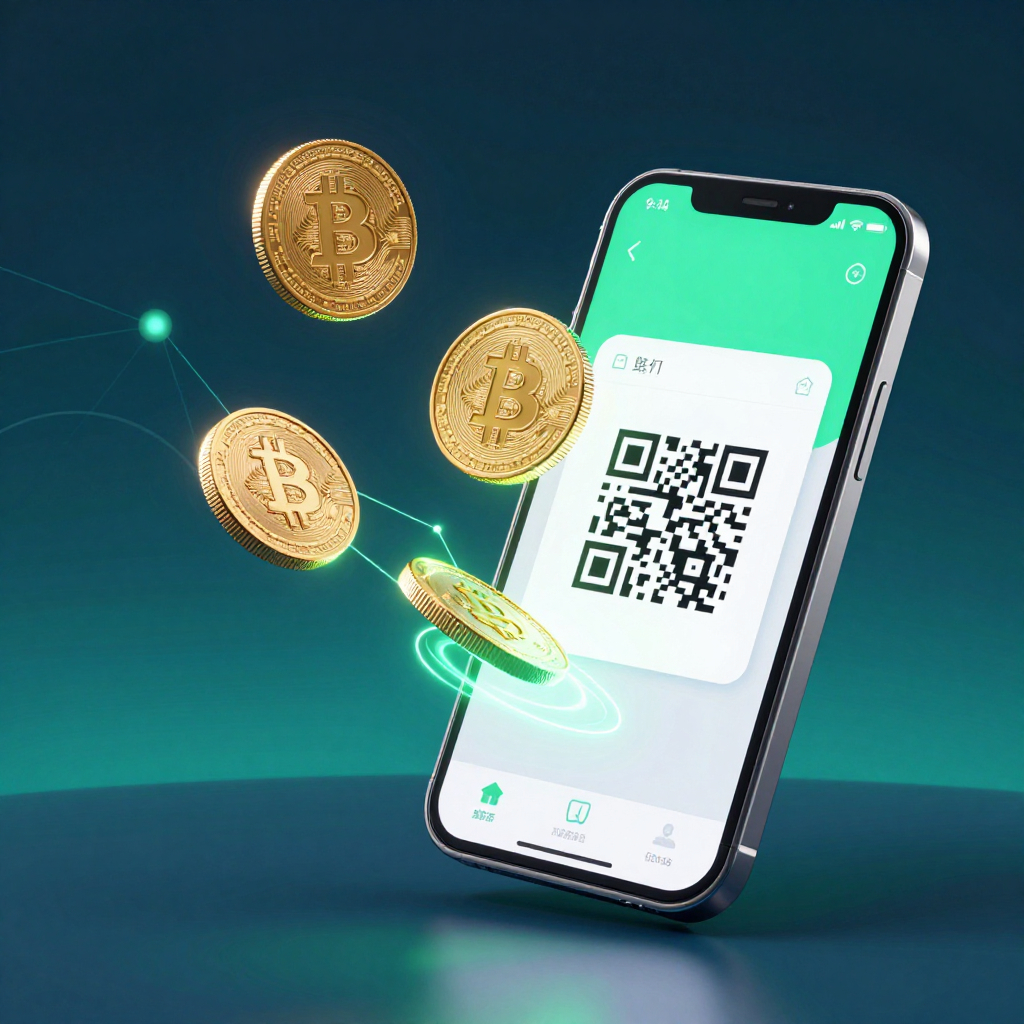
Trust Wallet generates a deposit address by selecting the asset under Receive. You share it via copy or QR code.

Steps:

  1. Open Trust Wallet β†’ tap Receive on the home screen
  2. Search for the asset you want to receive (e.g., Bitcoin, USDT, ETH)
  3. Select the asset β€” your wallet address appears below the QR code
  4. Choose one of two sharing options:
Sharing OptionHow to UseBest For
Copy AddressTap Copy β†’ paste into message/emailRemote transactions
QR CodeShow screen or share screenshotIn-person transactions
Share ButtonSend address via messaging appQuick remote sharing

Always double-check the full address after copying. Verify at minimum the first 6 and last 6 characters before sharing with the sender.

  • QR Code β†’ encodes β†’ wallet address into machine-readable format
  • QR scanner β†’ auto-populates β†’ recipient field without typing
  • Copy-paste address β†’ requires β†’ character-level verification before sharing

Method 2 – Deposit from Exchange (Binance / Coinbase)

Deposit from Exchange connects Trust Wallet directly to Binance or Coinbase. It eliminates manual address entry by routing the transfer automatically.

Steps:

  1. Tap Receive β†’ select asset
  2. Tap Deposit from Exchange (if available)
  3. Select exchange (Binance, Coinbase, or other)
  4. Follow prompts β†’ confirm transfer on exchange side
FeatureDeposit from ExchangeManual Address Method
Address copy-paste requiredNoYes
Risk of wrong addressVery lowMedium
Asset compatibilitySelected assets onlyAll assets
Exchange compatibilityBinance, Coinbase + othersAny exchange or wallet
SpeedFastSame – depends on blockchain

Note: Deposit from Exchange is not available for all cryptocurrencies. Check if your specific asset supports this feature before proceeding.

Method 3 – How does Cash Deposits work in Trust Wallet?

Cash Deposits lets U.S. users convert physical cash into crypto at retail locations. Powered by Coinme – a FinCEN-registered cash-to-crypto provider – crypto arrives directly into Trust Wallet self-custody within ~10 minutes.

Steps:

  1. Open Trust Wallet β†’ tap Fund β†’ Deposit Cash
  2. Select asset (BTC, SOL, USDC β€” check in-app for full list)
  3. Sign up/log in with Coinme β€” one-time identity verification
  4. Enter amount β†’ select retail location
  5. Generate barcode β†’ show cashier β†’ pay cash
  6. Crypto arrives after payment + blockchain confirmation
Cash Deposits DetailValue
Powered byCoinme (FinCEN registered)
Available states48 U.S. states (excludes New York, Texas)
Supported assetsBTC, SOL, USDC, and others shown in-app
Service fee4% + $3.95 flat fee per transaction
Minimum deposit$20 per transaction
Bank account required No
Custody after deposit100% user – self-custody, no third-party hold
  • Coinme β†’ operates β†’ 10,000+ retail cash locations across the U.S.
  • Cash Deposits β†’ requires β†’ one-time Coinme identity verification
  • Trust Wallet β†’ receives β†’ crypto directly into self-custody after cash confirmation
  • No bank account β†’ needed β†’ to access Cash Deposits feature

How to Receive Crypto from Binance to Trust Wallet

Open Trust Wallet, tap Receive, select the asset, copy the deposit address, then in Binance go to Withdraw, paste the address, and select the identical network. Network mismatch is the top cause of failed Binance deposits.

Step-by-Step: Binance Withdrawal to Trust Wallet Address

  1. In Trust Wallet β†’ tap Receive β†’ search and select your asset
  2. Note the network shown under your address (e.g., ERC-20, BEP-20)
  3. Copy your Trust Wallet deposit address
  4. Open Binance β†’ go to Withdraw for the same asset
  5. Paste your Trust Wallet address in the recipient field
  6. Select the same network as shown in Trust Wallet
  7. Enter amount β†’ review fee β†’ confirm withdrawal

Why Network Selection Is Critical for Binance Deposits

Network selection determines which blockchain processes the transfer. Binance and Trust Wallet must use the identical network – otherwise funds land on the wrong chain and are inaccessible.

ScenarioResult
Binance withdraws ETH on ERC-20 β†’ Trust Wallet ERC-20 address Funds arrive correctly
Binance withdraws ETH on BEP-20 β†’ Trust Wallet ERC-20 address Funds arrive on wrong chain β€” not visible
Binance withdraws USDT on TRC-20 β†’ Trust Wallet ERC-20 USDT address Permanent loss
Binance withdraws BNB on BEP-20 β†’ Trust Wallet BEP-20 address Funds arrive correctly
  • Binance withdrawal network β†’ must match β†’ Trust Wallet receive network exactly
  • Network mismatch β†’ ranks β†’ as top cause of crypto deposit failure
  • Blockchain explorer β†’ verifies β†’ whether funds arrived on correct network
  • Etherscan β†’ tracks β†’ Ethereum and ERC-20 transaction status
  • BscScan β†’ tracks β†’ BNB Chain and BEP-20 transaction status

QR Code vs Manual Address – Which Is Safer to Receive?

How QR Code Encodes Your Public Wallet Address

A QR code encodes the public wallet address into a machine-readable format. Scanning auto-populates the sender’s address field – eliminating all manual character entry and reducing human error to near zero..

Input MethodError RiskUse Case
QR Code scanLowest – no manual inputIn-person, screen-to-screen
Copy-paste addressLow – verify after pastingRemote, digital communication
Manual typingHighest – character errors likelyAvoid whenever possible

The QR code contains only your public address. It cannot be used to access your wallet or reveal your private key. Sharing a QR code screenshot is safe.

When to Use Copy vs QR Code vs ENS Address

SituationBest Method
Sender is nearby with phoneQR Code scan
Sending address via messaging appCopy address
Receiving ETH from Ethereum-compatible walletENS name (e.g. yourname.eth)
Receiving across multiple chainsFIO Handle
Receiving from exchangeDeposit from Exchange feature

ENS and FIO Handle – Receive Crypto Without a Long Address

What ENS (Ethereum Name Service) Does for Receiving

ENS (Ethereum Name Service) replaces complex Ethereum addresses with human-readable names β€” for example, yourname.eth instead of 0x4cA…7e2. Trust Wallet supports ENS addresses for all Ethereum network transactions.

FeatureStandard ETH AddressENS Address
Format0x + 40 hex charactersyourname.eth
Error risk when sharingMediumVery low
Works onEthereum onlyEthereum + ENS-compatible wallets
Registration requiredNoYes β€” requires ETH for gas fee
Supported in Trust Walletβœ… Yesβœ… Yes

FIO Handle vs ENS – Key Differences for Trust Wallet Users

FIO Handle (Foundation for Interwallet Operability) is a cross-chain alternative to ENS β€” a single handle like yourname@wallet works across multiple blockchains, not just Ethereum.

FeatureENSFIO Handle
Chain coverageEthereum onlyMulti-chain
Formatyourname.ethyourname@wallet
Simplifies receivingEthereum assetsAll supported chain assets
Use caseETH/ERC-20 focused usersMulti-chain users
Supported in Trust Wallet Yes Yes
  • ENS Address β†’ replaces β†’ complex Ethereum address with human-readable name
  • FIO Handle β†’ works across β†’ multiple blockchain networks simultaneously
  • Both β†’ reduce β†’ address entry errors when receiving crypto

Is It Safe to Share Your Trust Wallet Receive Address?

What Public Address Can and Cannot Reveal

What Sharing Your Address RevealsWhat It Does NOT Reveal
Your wallet balance on that chainYour private key
Your transaction history (public blockchain)Your seed phrase
Incoming and outgoing amountsAccess to move your funds
Linked addresses on same chainYour identity (unless linked externally)
  • Public address β†’ is safe β†’ to share with any sender
  • Public address β†’ cannot β†’ authorize any transaction
  • Blockchain β†’ records β†’ all transactions linked to a public address permanently
  • Private key β†’ must never β†’ be shared with any person or platform

How do phishing scams target users during the receive flow?

Phishing attacks target users who are actively expecting a deposit β€” exploiting urgency and trust during the receive window.

Scam TypeHow It WorksHow to Avoid
Fake sender messageFraudster claims to have sent funds, asks you to “verify” by clicking a linkNever click links from unknown senders β€” check blockchain explorer directly
Fake Trust Wallet supportClaims your address needs “activation” to receiveTrust Wallet never asks for seed phrase or private key
Fake websitePhishing site mimics Trust Wallet β€” steals seed phraseOnly use trustwallet.com β€” verify URL before entering any data
Airdrop scamSends unsolicited tokens, then asks approval to “claim” moreNever approve unknown token contracts

Trust Wallet will never ask for your seed phrase or private key. Anyone requesting this is a scammer.

Phishing scam β†’ exploits β†’ urgency during active receive window

Fake support β†’ targets β†’ users expecting incoming deposits

Blockchain explorer β†’ confirms β†’ actual transaction status without any link-clicking

Etherscan β†’ displays β†’ real-time transaction hash verification for Ethereum

What is the risk of using public Wi-Fi while accessing your receive address?

Sharing your receive address over a public Wi-Fi network exposes the connection to potential interception. While the address itself is public information, your device and wallet activity can be monitored on unsecured networks.

Network TypeRisk LevelRecommendation
Private home/office Wi-FiLowSafe for wallet activity
Public Wi-Fi (cafΓ©, airport)HighAvoid wallet access
Mobile data (4G/5G)LowPreferred for on-the-go use
VPN on public Wi-FiMedium-LowAcceptable if reputable VPN

Why Is My Received Crypto Not Showing in Trust Wallet?

Wrong Network Selected – Most Common Cause

Received crypto does not show in Trust Wallet when the sender used a different network, the token was not added manually, or the transaction is still pending blockchain confirmation.

CauseWhat HappenedSolution
Wrong network by senderFunds on different chainCheck if Trust Wallet supports that network; switch network view
Asset not added to walletToken exists but not displayedAdd token manually via contract address
Transaction still pendingBlockchain not yet confirmedWait and check blockchain explorer
App not updatedBug in older versionUpdate Trust Wallet to latest version

How do you add a custom token that is not showing in Trust Wallet?

If you received a token that does not appear in Trust Wallet automatically:

  1. Open Trust Wallet β†’ scroll down β†’ tap Manage Crypto
  2. Search for the token by name or symbol
  3. If not found β†’ tap Add Custom Token
  4. Enter the token contract address (from the sender or blockchain explorer)
  5. Select the correct network β†’ confirm β†’ token appears in your wallet

  • Contract address β†’ uniquely identifies β†’ token on its specific blockchain
  • Wrong contract address β†’ adds β†’ incorrect or fraudulent token – verify before adding
  • Blockchain explorer β†’ provides β†’ verified contract address for any legitimate token

FAQ

How do I receive crypto in Trust Wallet?

To receive crypto in Trust Wallet, open the app, tap Receive, search for the asset you want to receive, and share your wallet address or QR code with the sender. The sender uses your address to initiate the transfer β€” funds appear in your wallet after blockchain confirmation.

How do I find my Trust Wallet address?

To find your Trust Wallet receive address, open the app, tap Receive on the home screen, and search for the specific asset. Your deposit address appears as both a text string and a QR code beneath the asset name. Each asset has a unique address per blockchain network.

Can I receive crypto from any wallet to Trust Wallet?

Trust Wallet can receive crypto from any wallet or exchange that supports the same blockchain network. The sender’s wallet type does not matter β€” what matters is that the sender uses the correct network and asset type that matches your Trust Wallet receive address.

Why is my received crypto not showing in Trust Wallet?

Received crypto does not show in Trust Wallet most commonly because the sender used a different blockchain network than your receive address supports, the token has not been added to your wallet manually, or the transaction is still pending confirmation on the blockchain. Check the transaction hash on a blockchain explorer to confirm its status.

Is it safe to share my Trust Wallet address?

Yes, sharing your Trust Wallet public address is safe. A public address cannot be used to access your wallet, move your funds, or reveal your private key or seed phrase. Only your private key and seed phrase provide access to your funds – never share these with anyone.

How do I receive crypto from Binance to Trust Wallet?

To receive crypto from Binance, open Trust Wallet, tap Receive, select the asset, and copy your deposit address. In Binance, go to Withdraw, paste your Trust Wallet address, select the exact same network shown in Trust Wallet, enter the amount, and confirm. Network mismatch is the most common cause of failed Binance deposits.

What is the Deposit from Exchange feature in Trust Wallet?

Deposit from Exchange is a Trust Wallet feature that connects your wallet directly to supported centralized exchanges like Binance and Coinbase, allowing you to transfer assets without manually copying and pasting wallet addresses. It is available for selected assets only – check the Receive screen to see if your asset supports it.

Can I receive NFTs in a Trust Wallet?

Yes, Trust Wallet supports receiving and storing NFTs across multiple blockchains including Ethereum, BNB Chain, Solana, and Polygon. To receive an NFT, share your wallet address for the correct blockchain network with the sender. Once received, NFTs appear in the NFTs section of the Trust Wallet app.

Share:

Resend posts

Our insights? Click below to add us as your preferred source on Google
Follow trusted sources to improve your search experience

Send Us A Message