How to Bridge Tokens on Trezor Wallet (2026 Guide)
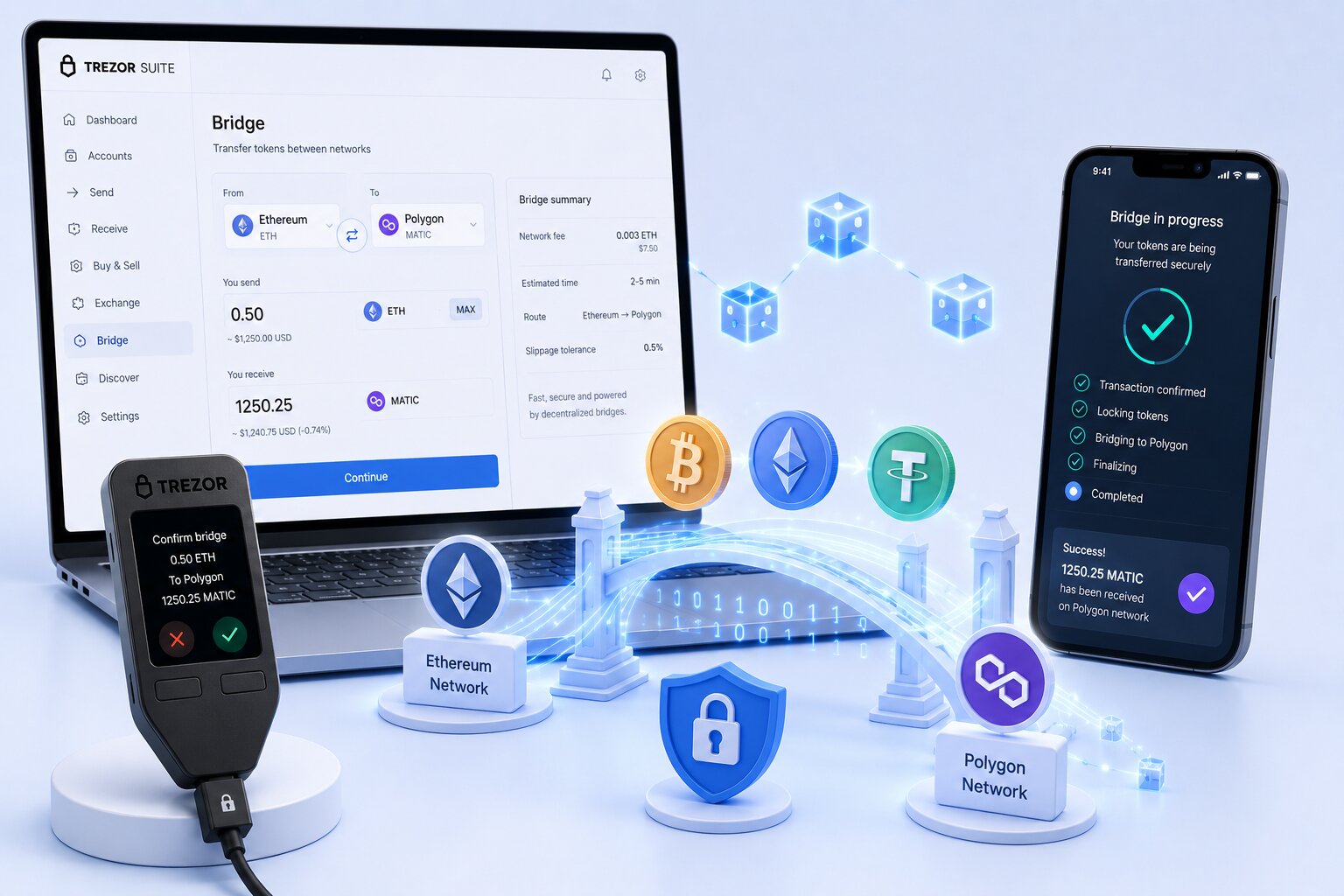
Token bridging on Trezor Wallet transfers crypto assets across blockchains through three integrated pathways — THORChain for native cross-chain settlement inside Trezor Suite, Invity’s partner network (ChangeNow, Changelly, CoinSwitch) for cross-chain swaps, and third-party EVM bridge dApps accessed via MetaMask connected to Trezor. Private keys remain inside the hardware device throughout every bridge operation — Trezor Suite never exposes the seed phrase to any bridge protocol or external service.
| Provider | Chains Supported | Mechanism | Wrapped Asset | Best For |
|---|---|---|---|---|
| THORChain | BTC, ETH, SOL, AVAX, BNB + others | Native liquidity pools — no wrapping | Never | Native BTC to ETH or SOL without wrapping |
| Invity (ChangeNow / Changelly) | 300+ assets across 40+ chains | Custodial atomic cross-chain swap | Optional | Quickest route for altcoin cross-chain swaps inside Trezor Suite |
| MetaMask + Li.Fi / Across | ETH, Arbitrum, Base, BNB, Polygon, Optimism + others | Aggregated EVM bridge | Optional | Cheapest EVM-to-EVM route with Trezor hardware signing |
| MetaMask + Stargate / Hop | 10+ EVM chains | Liquidity pool bridging | No (native USDC/USDT) | Stablecoin bridging across EVM chains |
What is token bridging on Trezor Wallet?
- Token bridging moves a crypto asset from one blockchain to an equivalent or different asset on a separate blockchain — for example, BTC on Bitcoin to ETH on Ethereum, or USDC on Ethereum to USDC on Arbitrum
- Trezor Suite supports native cross-chain bridging via THORChain and cross-chain swaps via Invity partners — no external website is required for these routes
- Third-party EVM bridges (Li.Fi, Across, Stargate, Hop Protocol) work with Trezor when connected through MetaMask — Trezor signs every bridge transaction on-device without exposing private keys to the browser
What is the difference between bridge, swap, and cross-chain swap on Trezor?
| Operation | Asset Changes | Chain Changes | Example |
|---|---|---|---|
| Swap | Yes | Same chain | ETH to USDC on Ethereum |
| Bridge | Same asset | Different chain | ETH on Ethereum to ETH on Arbitrum |
| Cross-chain swap | Yes | Yes | BTC on Bitcoin to ETH on Ethereum |
- Trezor Suite Swap tab handles both same-chain swaps and cross-chain swaps via Invity — the interface does not distinguish between them explicitly
- THORChain performs true cross-chain swaps using native liquidity pools — BTC moves out of Bitcoin UTXO model directly into ETH on Ethereum without any wrapped intermediate token
- EVM bridge dApps via MetaMask and Trezor handle bridge and cross-chain swap operations across compatible blockchains — Trezor signs each step independently
Which cross-chain bridge mechanism is safest for Trezor users?
| Mechanism | How It Works | Destination Token | Trust Assumption | Risk |
|---|---|---|---|---|
| Lock and Mint | Source asset locked in smart contract; wrapped token minted on destination | Wrapped (e.g. wBTC) | Bridge smart contract security | Bridge exploit empties lock contract — wrapped token loses peg |
| Burn and Mint | Source token burned; canonical token minted on destination via CCTP | Native (USDC) | Issuer attestation (Circle for USDC) | Attestation delay — minutes to hours during congestion |
| Native Liquidity Pool (THORChain) | Inbound chain sends asset to THORChain pool; outbound chain sends native asset from pool | Native (BTC, ETH) | Validator quorum (67 of 100 nodes) | Slip fee increases with large trade size; 60-minute settlement for BTC |
- Lock-and-Mint bridges carry the highest smart contract risk — $625M Ronin and $320M Wormhole exploits both targeted locked asset contracts in 2022
- THORChain eliminates wrapped token peg risk but introduces validator quorum assumptions — 67 of 100 bonded nodes must agree before any outbound transaction executes
- Trezor hardware signing protects the private key regardless of bridge mechanism — the device confirms destination address and amount on-screen before any transaction is authorized
Which bridge providers does Trezor Wallet support natively in 2026?
Does Trezor Suite support THORChain for native Bitcoin bridging?
Yes. Trezor Suite integrates THORChain directly inside the Swap tab — BTC, ETH, SOL, AVAX, BNB, and DOGE are supported as native source and destination assets. No external website or third-party custody is required for the swap itself. Trezor signs the inbound transaction on-device, THORChain validator network handles cross-chain settlement, and the destination asset arrives in the target wallet after confirmation.
- THORChain uses native liquidity pools — no wrapped BTC (wBTC) is created at any stage of the swap
- Slip fee applies to every THORChain swap — larger trade sizes relative to pool depth incur higher percentage fees; amounts above $10,000 should be split across multiple transactions
- Bitcoin finality requires approximately 60 minutes for full THORChain settlement — ETH and SOL routes confirm faster due to shorter block finality times
How does Invity enable cross-chain swaps inside Trezor Suite?
Invity aggregates swap offers from ChangeNow, Changelly, CoinSwitch, and Binance Connect inside Trezor Suite Swap tab. Over 300 assets across 40+ chains are supported. Invity routes are custodial during the swap window — the partner briefly holds funds during cross-chain settlement. Trezor signs the outbound send transaction on-device, but the bridging itself is handled by the partner infrastructure.
- Invity displays multiple provider quotes simultaneously — the user selects the rate, and Trezor signs the send transaction to the partner deposit address
- Invity routes require no additional wallet connection — the entire flow happens inside Trezor Suite without opening a browser extension or external website
- KYC requirements vary by provider and trade size — ChangeNow allows small swaps without verification; Changelly may require ID above certain thresholds
How do you use MetaMask and Trezor to access EVM bridge dApps?
Trezor connects to MetaMask as a hardware signer — MetaMask handles wallet connectivity to bridge dApps while Trezor signs every transaction on-device. Li.Fi, Across, Stargate, Hop Protocol, and Bungee are all accessible through this connection. The private key never leaves the Trezor device — MetaMask stores no signing keys for hardware-connected accounts.
- MetaMask and Trezor supports all EVM-compatible chains — Ethereum, Arbitrum, Base, BNB Chain, Polygon, Optimism, and Avalanche are accessible through the same hardware connection
- Li.Fi aggregates routes from 20+ bridge providers — Across, Stargate, Hop, Connext, and Synapse are compared simultaneously for cheapest and fastest paths
- Every bridge transaction requires physical button confirmation on the Trezor device — the hardware screen displays destination address, amount, and network before signing
How do you bridge tokens on Trezor Wallet step by step?
How do you bridge Bitcoin to ETH or SOL on Trezor Wallet using THORChain?
- Connect Trezor device to computer via USB and unlock with PIN
- Open Trezor Suite and ensure the Bitcoin app is installed and the Bitcoin account is funded
- Navigate to Trade then Swap inside Trezor Suite
- Select BTC as the source asset and ETH (or SOL, AVAX, BNB) as the destination asset
- Enter the amount — review the THORChain slip fee and estimated output displayed before confirming
- Select the destination wallet address — confirm it matches the intended Ethereum or Solana address exactly
- Click Confirm swap — Trezor Suite displays the transaction details on-screen
- Verify the Bitcoin send address and amount on the Trezor device screen — press the confirm button on the hardware device
- Wait for Bitcoin confirmation (~60 minutes for full THORChain settlement) — ETH arrives in the destination wallet after finality
Warning: Do not close Trezor Suite or disconnect the device during the swap window. Always verify the destination address on the Trezor hardware screen — never rely solely on the software display.
How do you do a cross-chain swap via Invity in Trezor Suite?
- Connect Trezor device and open Trezor Suite
- Navigate to Trade then Swap
- Select source asset (e.g. ETH on Ethereum) and destination asset (e.g. SOL on Solana)
- Trezor Suite displays quotes from ChangeNow, Changelly, and other Invity partners — select the preferred offer
- Enter the destination wallet address for the target chain
- Click Get this deal — review the partner deposit address and amount shown in Trezor Suite
- Confirm on Trezor device screen — verify destination address and amount match exactly
- Press confirm on the hardware device to authorize the outbound send
- Track the swap status inside Trezor Suite — completion time varies by partner (typically 5 to 30 minutes)
How do you bridge EVM tokens via MetaMask and Trezor?
- Connect Trezor to MetaMask — open MetaMask, go to Add Hardware Wallet, select Trezor, and select the Ethereum account
- Navigate to a bridge dApp — go to li.fi, across.to, or stargate.finance in the browser
- Connect wallet — select MetaMask from the wallet selector; the Trezor account appears as the active signer
- Select source chain (e.g. Ethereum) and destination chain (e.g. Arbitrum)
- Select source token (e.g. ETH or USDC) and enter amount
- Review the bridge route, fee, and estimated arrival time displayed by the dApp
- Click Bridge or Transfer — MetaMask opens a transaction confirmation popup
- Trezor device displays the transaction details — verify destination address and gas fee on the hardware screen
- Press confirm on the Trezor device — the bridge transaction is broadcast to the source chain
- Asset arrives on the destination chain after the bridge protocol finality period (typically 2 to 20 minutes for EVM bridges)
Key conditions before initiating a bridge: Ensure the source wallet holds enough native token to cover gas fees on both chains. USDC bridging via Across or Stargate uses canonical USDC — confirm the dApp shows native USDC at the destination.
What is the safest way to bridge crypto with Trezor Wallet?
| Risk | Mitigation in Trezor Wallet |
|---|---|
| Bridge smart contract exploit | Use THORChain native pools (no lock contract) or audited bridges like Across and Stargate only |
| Address substitution and clipboard attack | Always verify destination address on Trezor hardware screen — software display can be manipulated |
| MEV and sandwich attacks | Li.Fi and Across include MEV protection — avoid bridges without slippage protection on large swaps |
| Wrong chain confirmation | Trezor Suite displays chain ID for every transaction — verify chain matches before pressing confirm |
| Invity partner failure | Funds are returned to source address if partner swap fails — allow up to 24 hours before contacting support |
| THORChain validator compromise | THORChain bonds 1.5x RUNE per node — economic penalty for malicious signing makes attacks costly |
| Wrapped token peg loss | Use THORChain (native) or canonical USDC bridges (Burn/Mint) to avoid wrapped token exposure |
Are wrapped tokens riskier than native assets when bridging on Trezor?
- Wrapped tokens (wBTC, wETH) depend on the security of the lock contract on the source chain — a bridge exploit can drain the lock contract, rendering wrapped tokens worthless
- Historical exploits targeting wrapped token bridges include Ronin ($625M, 2022) and Wormhole ($320M, 2022) — both involved lock contract vulnerabilities
- THORChain eliminates wrapped token risk by moving native assets directly between chains using validator-secured liquidity pools — no lock contract is involved
What happens if a bridge fails during a Trezor transaction?
- Invity partner failures (ChangeNow, Changelly) trigger an automatic refund to the source address — the process typically completes within 24 hours
- EVM bridge failures via MetaMask and dApp depend on the protocol — Across and Stargate both have automated refund mechanisms if destination confirmation fails within the settlement window
- THORChain swap failures result in the inbound asset being returned to the source address after the outbound timeout expires — no manual intervention is required for standard failure cases
THORChain vs Invity vs MetaMask EVM Bridge — which should you use?
| Criterion | THORChain (Trezor Suite) | Invity (Trezor Suite) | MetaMask + EVM Bridge |
|---|---|---|---|
| Supports BTC | Yes — native | Yes — custodial | No (BTC is not EVM) |
| EVM chain coverage | Limited (ETH, AVAX, BNB) | 40+ chains | Best (Arbitrum, Base, Polygon, Optimism, etc.) |
| Wrapped assets used | Never | Sometimes | Sometimes (depends on bridge) |
| Custody during bridge | Non-custodial | Custodial (partner holds briefly) | Non-custodial |
| External website needed | No | No | Yes (dApp browser) |
| Settlement speed | 60 min (BTC), 10 to 20 min (ETH/SOL) | 5 to 30 min (partner-dependent) | 2 to 20 min (EVM bridges) |
| Best for | BTC to ETH/SOL cross-chain without wrapping | Altcoin cross-chain swaps inside Suite | EVM-to-EVM stablecoin or token bridging |
| Fee model | Pool-depth slip fee (0.1% to 3%) | Provider spread + partner fee | Bridge protocol fee + gas on both chains |
What are the most common mistakes when bridging tokens on Trezor Wallet?
| Mistake | Result | Prevention |
|---|---|---|
| Bridging full ETH balance without reserving gas | Destination chain transaction fails — no ETH left for gas fees | Always leave 0.005 to 0.02 ETH unreserved for gas on both source and destination chains |
| Ignoring THORChain slip fee on large amounts | Received amount significantly lower than quoted | Split amounts above $10,000 into multiple transactions; review slip fee percentage before confirming |
| Using unverified bridge dApps | Phishing risk — fake bridge sites steal funds by substituting deposit addresses | Use only THORChain and Invity inside Trezor Suite, or verified dApps (Li.Fi, Across, Stargate) via MetaMask and Trezor |
| Not verifying destination address on hardware screen | Funds sent to wrong address — transaction is irreversible | Always verify full destination address on Trezor device screen before pressing confirm |
| Expecting instant BTC settlement via THORChain | Panic causes user to repeat transaction — double spend attempted | Bitcoin THORChain settlement takes ~60 minutes — track status in Trezor Suite and do not repeat |
| Bridging USDC without checking canonical vs wrapped | Wrapped USDC received instead of native USDC | Confirm the dApp shows native USDC (Circle CCTP) at destination before confirming |
Security model for Trezor bridge transactions
- Trezor Secure Element stores the private key in an isolated hardware environment — bridge dApps, MetaMask, and Trezor Suite software never access the signing key directly
- Every outbound bridge transaction is displayed on the Trezor hardware screen before execution — destination address, token amount, and network are shown for user verification
- Trezor Suite THORChain and Invity integrations are open-source — the routing logic is publicly auditable and does not include undisclosed fee layers
FAQ
How do I bridge tokens on Trezor Wallet?
Open Trezor Suite then go to Trade then Swap. Select your source asset and destination asset. Trezor Suite routes the swap through THORChain (for native cross-chain) or Invity partners (for custodial cross-chain swaps). Confirm the transaction on the Trezor hardware device screen. For EVM bridges, connect Trezor to MetaMask and use Li.Fi, Across, or Stargate.
Can I bridge Bitcoin on Trezor Wallet without wrapping?
Yes. THORChain inside Trezor Suite bridges Bitcoin natively — no wrapped BTC (wBTC) is created. BTC enters THORChain Bitcoin liquidity pool and the equivalent value exits as native ETH, SOL, AVAX, or BNB on the destination chain. Settlement takes approximately 60 minutes due to Bitcoin block finality time.
What is the difference between bridge and swap on Trezor?
A swap exchanges one asset for another on the same blockchain (ETH to USDC on Ethereum). A bridge moves an asset from one blockchain to another (ETH on Ethereum to ETH on Arbitrum). A cross-chain swap does both simultaneously (BTC on Bitcoin to ETH on Ethereum). Trezor Suite Swap tab handles all three operations through THORChain and Invity.
Which bridge does Trezor use?
Trezor Suite uses THORChain for native cross-chain swaps (BTC, ETH, SOL, AVAX, BNB) and Invity partners (ChangeNow, Changelly, CoinSwitch) for custodial cross-chain swaps across 300+ assets. For EVM-to-EVM bridging, Trezor connects to MetaMask which accesses Li.Fi, Across, Stargate, and other EVM bridge aggregators.
Is bridging on Trezor safe?
Trezor hardware protects private keys throughout every bridge transaction — the Secure Element signs transactions without exposing the seed phrase to any bridge protocol. THORChain and Invity integrations inside Trezor Suite are open-source and audited. The primary risks are bridge protocol risks (smart contract exploits on third-party EVM bridges) and user error (wrong destination address or chain). Always verify transaction details on the Trezor hardware screen before confirming.
How long does bridging take on Trezor Wallet?
THORChain BTC bridge: approximately 60 minutes. THORChain ETH or SOL bridge: 10 to 20 minutes. Invity cross-chain swap: 5 to 30 minutes depending on the partner. EVM bridge via MetaMask and Li.Fi or Across: 2 to 20 minutes. Stargate stablecoin bridge: 1 to 5 minutes.
Does Trezor charge fees for bridging?
Trezor Suite charges no platform bridging fee. Fees are charged by the underlying protocols — THORChain charges a slip fee based on trade size relative to pool depth (typically 0.1% to 3%), Invity partners charge a provider spread, and EVM bridges charge a protocol fee plus gas on both source and destination chains.
Can I use Li.Fi with Trezor?
Yes. Connect Trezor to MetaMask then navigate to li.fi in the browser then connect wallet by selecting MetaMask — the Trezor account appears as the active signer. Select source and destination chains, select token and amount, click Bridge. Trezor displays the transaction on the hardware screen for confirmation. Li.Fi aggregates routes from 20+ bridge providers to find the cheapest and fastest path.